
Best AI Features for Students in 2026
A practical, privacy-conscious guide to the smartphone AI tools that genuinely help students study, research, write, revise and stay organised.
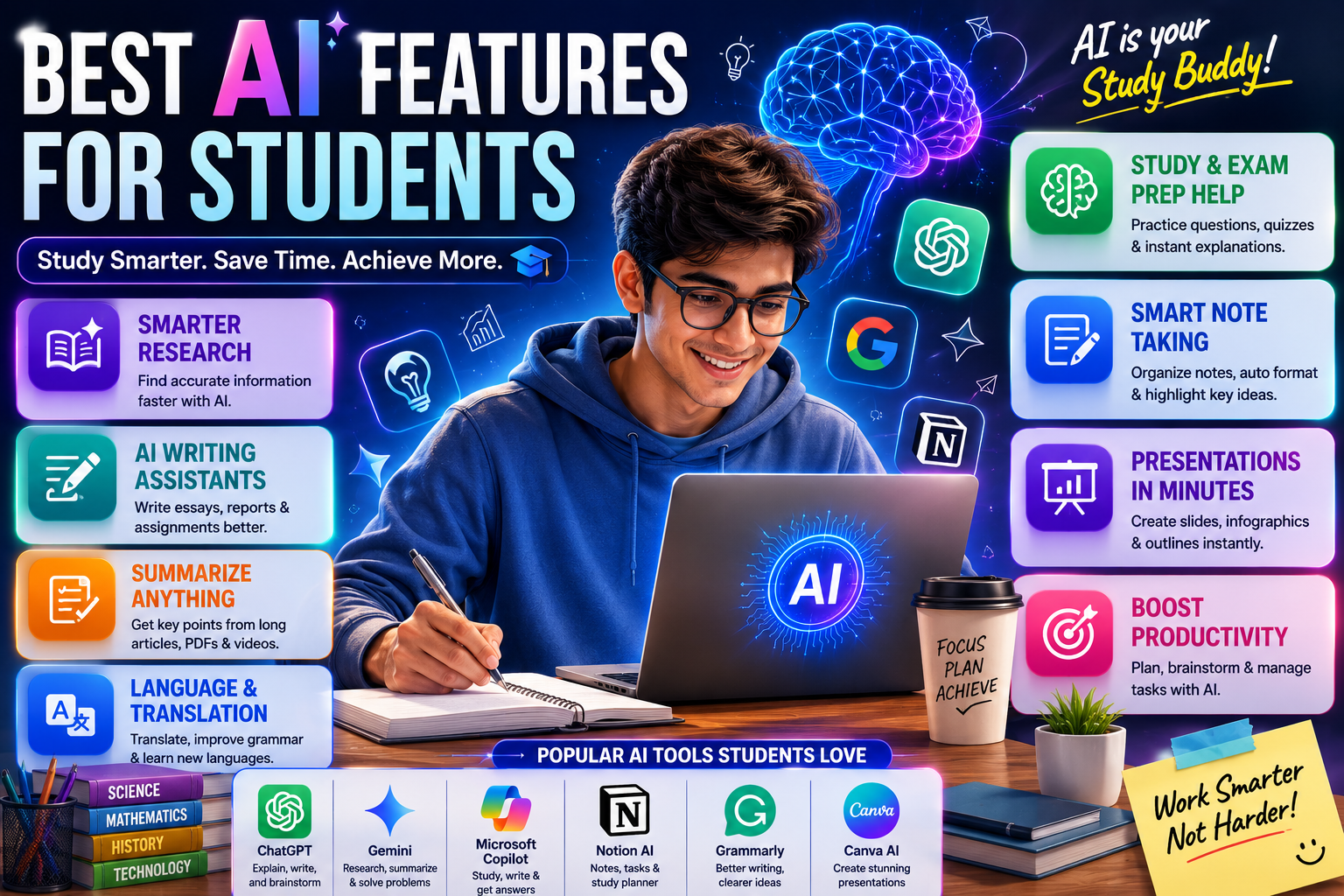
Modern smartphones can summarise notes, transcribe lectures, translate study material, search screenshots, extract text from documents, improve writing and organise academic information. This guide explains which AI features deliver real value for school, college, competitive-exam and online-learning students, how to use them responsibly, what hardware to prioritise and which marketing claims to ignore.
Quick Verdict
Main rule: For students, the most valuable AI features are note summarisation, lecture transcription, translation, document search, OCR and writing assistance—not decorative AI wallpapers or gimmicky photo effects.
Best for: School students, college students, competitive-exam aspirants, online learners, researchers, language learners and students with accessibility needs.
Guide Overview
- Guide type
- Evergreen Educational Buying Guide
Editorial Methodology
Comparison Advice
- Choose AI features that save study time every week.
- Prioritise transcription, summaries, OCR, translation and search.
- Check whether important features support your preferred language.
- Confirm whether processing is local or cloud-based.
- Prioritise battery life, storage and software updates.
- Choose a phone with a reliable camera for scanning documents.
- Review subscription costs after free trials.
- Prefer established platforms with clear privacy controls.
- Do not overpay for AI features available through free trusted apps.
Mistakes to Avoid
- Buying a phone only because the box says AI.
- Prioritising AI wallpapers over battery, storage and updates.
- Assuming every AI summary is accurate.
- Submitting AI-generated assignments without checking academic rules.
- Recording teachers or classmates without permission.
- Uploading confidential documents to unknown AI apps.
- Buying only 64GB storage for a study phone.
- Ignoring cloud subscription costs.
- Expecting advanced AI to work fully offline.
- Using generated citations without opening the original source.
- Trusting AI-generated maths or code without testing it.
- Ignoring accessibility features that may be more useful than generative AI.
What AI Features for Students Actually Mean
Student-focused AI is not a single app. It is a group of tools built into the phone, keyboard, recorder, camera, gallery, browser and cloud services. The best tools reduce repetitive work while keeping the student responsible for understanding, checking and learning.
- AI should support learning, not replace it.
- Time-saving productivity features matter most.
- Privacy, accuracy and software support are essential.
- A balanced mid-range phone can be enough for most students.
AI Note Summaries
AI summaries are useful when revising long notes, articles or meeting transcripts. They work best when students ask for a specific output such as definitions, formulas, dates, key arguments or revision bullets.
- Use summaries after reading the original material.
- Ask for key terms and missing context.
- Compare the summary with the source.
- Keep the original document.
Lecture Transcription
Transcription turns spoken lectures into searchable text and can help students who type slowly, miss details or need accessibility support. Consent and institutional rules should always be respected.
- Record only with permission.
- Sit near the speaker for better accuracy.
- Correct names, formulas and technical words.
- Delete recordings that are no longer needed.
Translation and Interpreter Tools
AI translation can help students understand unfamiliar languages and compare terminology. It should be used as a learning aid rather than treated as a perfect academic translation.
- Check technical terminology.
- Use offline language packs where available.
- Compare important translations with trusted sources.
- Protect private conversations.
AI Writing Tools
Writing assistance is most useful for grammar, clarity, structure and tone. Students should supply their own ideas, evidence and analysis rather than asking AI to produce the entire assignment.
- Start from your own outline.
- Use AI for editing, not plagiarism.
- Verify every claim and citation.
- Follow your institution's disclosure rules.
Research Assistance
AI can explain unfamiliar topics, compare arguments and summarise articles, but it may invent facts or sources. The original paper, textbook or official website remains the source of truth.
- Open every cited source.
- Check publication dates.
- Separate facts from AI interpretation.
- Record your own research notes.
Smart Search
Natural-language search across screenshots, notes and files can save substantial time. This is especially useful for students who collect class slides, whiteboard photos and research screenshots.
- Use descriptive search terms.
- Organise important files into clear folders.
- Review app indexing permissions.
- Keep backups of essential material.
OCR and Document Scanning
OCR converts printed or handwritten material into editable text. A good camera, proper lighting and flat page positioning improve accuracy.
- Avoid shadows and reflections.
- Check equations and symbols manually.
- Use document mode instead of normal photo mode.
- Export to searchable PDF when possible.
Productivity and Planning
AI can generate study plans, organise deadlines and suggest reminders, but the schedule must match the student's real workload, energy and available time.
- Add buffer time.
- Schedule revision, not just first-time study.
- Review the plan every week.
- Keep critical deadlines in a standard calendar.
AI Accessibility Features
Live captions, voice control, screen reading, image descriptions and audio enhancement can be more important than generative AI for many students.
- Check language support.
- Test features before classes begin.
- Keep offline alternatives.
- Use headphones responsibly.
What Students Should Prioritise When Buying
The ideal student phone combines useful AI tools with battery life, storage, durability, a readable display and long software support.
- At least 8GB RAM.
- 128GB minimum; 256GB preferred.
- Reliable all-day battery.
- At least three years of software support.
- Good camera for documents.
- Strong Wi-Fi and 5G connectivity.
Student Privacy Checklist
Academic files can contain names, marks, identity details and unpublished research. Students should know whether AI processing happens locally or in the cloud.
- Review permissions.
- Avoid unknown AI apps.
- Use encrypted backups.
- Delete sensitive recordings.
- Protect accounts with two-factor authentication.
Buying Impact
A premium AI phone is not necessary for every student. A well-supported mid-range phone often provides the most important tools through Google, Microsoft, Samsung, Apple or other trusted services.
- Buy based on daily study needs.
- Prioritise long-term ownership.
- Do not ignore repair costs.
- Compare subscriptions and cloud storage.
Frequently Asked Questions
What is the most useful AI feature for students?
AI note summaries and lecture transcription provide the greatest daily benefit for many students.
Can AI help with exam preparation?
Yes. It can create revision plans, summaries, flashcards and practice questions, but all answers should be verified.
Is AI useful for college students?
Yes. It can assist with lectures, assignments, presentations, research, email and project organisation.
Do students need expensive AI phones?
No. Many useful features work on good mid-range phones or through trusted cloud apps.
Can AI replace studying?
No. AI can reduce repetitive work, but understanding, memory, practice and critical thinking still require the student.
What storage is recommended for students?
128GB is the minimum for most students, while 256GB is preferable for PDFs, videos, screenshots and recorded lectures.
How much RAM should a student phone have?
8GB is a practical minimum for new phones. Students doing heavy multitasking or coding may benefit from 12GB.
Can a phone transcribe lectures?
Yes, supported phones and apps can convert recorded speech into searchable text.
Is recording a lecture legal?
Rules vary by institution and location. Always ask the teacher or organiser for permission.
Can AI summarise PDFs?
Yes, but scanned PDFs, tables and formulas may not be interpreted correctly.
Can AI create flashcards?
Yes. It can generate flashcards from notes, but the answers should be checked before studying.
Is AI translation accurate?
It is useful for general understanding, but technical and academic translations require verification.
Can AI help with maths?
It can explain steps and provide examples, but it may make calculation or reasoning errors.
Can AI help with coding?
Yes. It can explain errors and generate examples, but all code must be tested and understood.
Can students use AI for assignments?
Students should follow institutional rules. Using AI for grammar or brainstorming may be acceptable, while submitting generated work may not be.
Which AI platform is best for students?
Google Gemini and Galaxy AI are strongest for broad student productivity, while Apple Intelligence is strong for privacy and Apple ecosystem users.
Do AI features work offline?
Some transcription, OCR, translation and camera tools work offline, but advanced generative features often require internet access.
Do AI tools require subscriptions?
Basic features may be free, but premium model access, cloud storage or advanced tools may require payment.
Are AI summaries always correct?
No. They can omit important context or introduce errors. Students should check the original source.
Can AI generate fake citations?
Yes. Every citation must be opened and verified before use.
What is OCR?
OCR is optical character recognition, which converts text in photos or scanned pages into editable text.
Which phone feature helps students find screenshots?
Natural-language gallery and file search can locate screenshots using descriptions rather than exact filenames.
Is a stylus useful for students?
A stylus is useful for handwritten notes, diagrams and PDF annotation, but it is not essential for everyone.
Is 5G necessary for students?
It is useful for hotspot sharing and travel, but good Wi-Fi and battery life may matter more for daily study.
Should students buy a foldable phone?
Foldables are useful for reading and multitasking, but their price and repair costs make them unnecessary for most students.
How can students protect private academic files?
Use trusted apps, strong passwords, two-factor authentication, encrypted backups and careful permission settings.
How often should this guide be updated?
It should be reviewed monthly and after major phone, AI platform or software-policy changes.
Related Reading on Godealio
- Best AI Phones in India
- Gemini AI vs Apple Intelligence
- Apple Intelligence vs Galaxy AI
- Compare Phones
- Latest Mobile Offers
- All Guides
- Best iPhone Features for Students
- Best AI Features for Creators
- Android Privacy Features
- Best AI Editing Features on Phones
- Best Android AI Features in 2026
- iPhone AI Features Explained
More Guide Details
Featured
true
Author
Godealio Editorial Team
Last Reviewed
July 2026
Next Review Due
August 2026
Best Features
Rank
1
Feature
AI Note Summaries
Score
9.8
Why Useful
Converts lengthy notes, articles and documents into shorter revision-friendly summaries.
Best For
- Exam revision
- Research papers
- Long class notes
- Quick recaps
Example
Turn a 20-page chapter note into key points, definitions and a short revision checklist.
Limitations
- May omit context
- Can misunderstand technical terms
- Requires verification
Offline Potential
Moderate; depends on the phone and app
Rank
2
Feature
Lecture Voice Transcription
Score
9.7
Why Useful
Converts classroom, seminar and online-course audio into searchable text.
Best For
- Lectures
- Seminars
- Interviews
- Group discussions
Example
Record a class, search for a keyword later and jump directly to the relevant section.
Limitations
- Accuracy drops with background noise
- Teacher consent may be required
- Names may be misspelled
Offline Potential
Moderate to high on supported flagship phones
Rank
3
Feature
AI Search Across Notes, Screenshots and Files
Score
9.6
Why Useful
Finds information using natural-language queries instead of exact filenames.
Best For
- Screenshot-heavy students
- Research
- Assignments
- Project work
Example
Search 'the chemistry equation from last Tuesday' and retrieve the correct screenshot.
Limitations
- Indexing may take time
- Some apps cannot search private folders
- Cloud search can raise privacy concerns
Offline Potential
High when local indexing is supported
Rank
4
Feature
AI Translation and Interpreter
Score
9.4
Why Useful
Translates study material, conversations and web content across languages.
Best For
- Language learning
- International students
- Regional-language learners
- Research
Example
Translate an English technical article into Tamil while preserving key terminology.
Limitations
- Technical translations may be imperfect
- Nuance can be lost
- Language support varies
Offline Potential
Moderate on supported language packs
Rank
5
Feature
OCR and Document Scanning
Score
9.3
Why Useful
Extracts editable text from printed notes, whiteboards, books and handwritten pages.
Best For
- Digitising notes
- Library research
- Whiteboard capture
- Form filling
Example
Photograph a printed page and copy the text directly into a study document.
Limitations
- Handwriting recognition varies
- Poor lighting reduces accuracy
- Formatting may be lost
Offline Potential
High on many modern phones
Rank
6
Feature
AI Writing Assistance
Score
9.1
Why Useful
Improves grammar, clarity, structure and tone in assignments, emails and reports.
Best For
- Assignments
- Emails
- Presentations
- Reports
Example
Rewrite a rough paragraph into a clearer academic explanation without changing its meaning.
Limitations
- Can over-polish or alter meaning
- May trigger academic-integrity concerns
- Should not replace original thinking
Offline Potential
Low to moderate
Rank
7
Feature
PDF and Webpage Summarisation
Score
9
Why Useful
Extracts key points from lengthy academic PDFs, articles and webpages.
Best For
- Research
- Literature review
- Current affairs
- Competitive exams
Example
Summarise a long policy report into objectives, findings and exam-relevant points.
Limitations
- Tables and citations may be missed
- Scanned PDFs can fail
- Original source must still be checked
Offline Potential
Usually low
Rank
8
Feature
AI Study Planner and Calendar Assistance
Score
8.8
Why Useful
Turns deadlines, syllabi and goals into schedules, reminders and revision plans.
Best For
- Exam preparation
- Project deadlines
- Daily planning
- Habit building
Example
Create a four-week revision plan from a subject list and exam date.
Limitations
- Plans may be unrealistic
- Needs manual adjustment
- Calendar permissions should be reviewed
Offline Potential
Moderate
Rank
9
Feature
AI Question and Flashcard Generation
Score
8.7
Why Useful
Creates practice questions, quizzes and flashcards from notes.
Best For
- Active recall
- Competitive exams
- Vocabulary
- Self-testing
Example
Generate 20 multiple-choice questions from a biology chapter.
Limitations
- Wrong answers can be generated
- Difficulty level may be inconsistent
- Requires checking
Offline Potential
Usually low
Rank
10
Feature
AI Explanation and Tutoring
Score
8.6
Why Useful
Explains difficult concepts in simpler language or with examples.
Best For
- Concept clarification
- Math
- Science
- Coding
- Language learning
Example
Explain recursion using a simple real-life analogy and a small code example.
Limitations
- May confidently provide incorrect information
- Can skip important steps
- Not a substitute for a qualified teacher
Offline Potential
Usually low
Rank
11
Feature
AI Presentation Assistance
Score
8.2
Why Useful
Creates outlines, talking points, slide summaries and visual suggestions.
Best For
- Seminars
- Project reviews
- Class presentations
- Viva preparation
Example
Convert a project report into a seven-slide presentation outline.
Limitations
- Generic content
- Visual facts need verification
- May create too much text
Offline Potential
Low
Rank
12
Feature
AI Focus and Notification Management
Score
8
Why Useful
Reduces distractions and prioritises important alerts during study sessions.
Best For
- Deep work
- Exam preparation
- Online classes
- Time management
Example
Silence social notifications while allowing calls from family and study-group messages.
Limitations
- Important alerts can be hidden
- Requires setup
- Automation may be inconsistent
Offline Potential
High
Rank
13
Feature
AI Accessibility Tools
Score
9.2
Why Useful
Provides live captions, screen reading, voice control, image descriptions and audio enhancement.
Best For
- Hearing support
- Vision support
- Motor accessibility
- Language learning
Example
Generate live captions during an online lecture or describe an image in a textbook.
Limitations
- Feature quality varies
- Some languages are unsupported
- Cloud access may be required
Offline Potential
Moderate
Rank
14
Feature
AI Photo Cleanup for Notes
Score
7.6
Why Useful
Straightens, sharpens and cleans photographed notes, whiteboards and documents.
Best For
- Scanned notes
- Whiteboards
- Receipts
- Lab records
Example
Remove shadows and improve contrast in a photo of handwritten notes.
Limitations
- Can alter small symbols
- Handwriting may remain unclear
- Not a substitute for a proper scanner
Offline Potential
High on many phones
Rank
15
Feature
AI Voice Assistant Actions
Score
7.8
Why Useful
Creates reminders, starts timers, finds files and manages simple tasks hands-free.
Best For
- Quick reminders
- Timers
- Accessibility
- Multitasking
Example
Create a reminder to submit an assignment when arriving at college.
Limitations
- May mishear commands
- Account integration varies
- Some actions require internet
Offline Potential
Moderate
Feature Categories
Category
Study and Revision
Features
- AI Note Summaries
- AI Question and Flashcard Generation
- AI Explanation and Tutoring
- PDF and Webpage Summarisation
Priority
Very high
Category
Lectures and Classes
Features
- Lecture Voice Transcription
- AI Translation and Interpreter
- AI Accessibility Tools
Priority
Very high
Category
Research and Organisation
Features
- AI Search Across Notes, Screenshots and Files
- OCR and Document Scanning
- AI Study Planner and Calendar Assistance
Priority
High
Category
Writing and Communication
Features
- AI Writing Assistance
- AI Presentation Assistance
- AI Voice Assistant Actions
Priority
High
Category
Focus and Device Management
Features
- AI Focus and Notification Management
- AI Photo Cleanup for Notes
Priority
Medium
Student Profiles
Profile
School student
Top Features
- AI explanation
- Translation
- OCR
- Focus mode
- Study reminders
Recommended Hardware
8GB RAM, 128GB storage, strong battery and durable design
Main Warning
Use AI for explanation and practice, not for copying homework.
Profile
College student
Top Features
- Lecture transcription
- Note summaries
- PDF summaries
- Writing assistance
- Smart search
Recommended Hardware
8GB–12GB RAM, 256GB storage and long software support
Main Warning
Follow college rules for recording lectures and AI-assisted assignments.
Profile
Competitive-exam aspirant
Top Features
- Question generation
- Current-affairs summaries
- Study planner
- Focus mode
- Translation
Recommended Hardware
Large battery, 256GB storage and reliable display
Main Warning
Verify AI-generated facts and dates against trusted preparation material.
Profile
Research student
Top Features
- PDF summarisation
- OCR
- Citation organisation
- Transcription
- Cross-file search
Recommended Hardware
12GB RAM, 256GB–512GB storage and strong security
Main Warning
Never upload confidential or unpublished research without approval.
Profile
Online learner
Top Features
- Live captions
- Transcription
- Translation
- Calendar reminders
- Screenshot search
Recommended Hardware
Good speakers, stable Wi-Fi, long battery and 128GB–256GB storage
Main Warning
Keep copies of course material because cloud services and links can expire.
Profile
Coding student
Top Features
- Code explanation
- Error summarisation
- OCR
- Documentation search
- Voice notes
Recommended Hardware
12GB RAM, 256GB storage and reliable multitasking
Main Warning
Run and test every AI-generated code example before submission.
Platform Comparison
Platform
Google Gemini and Pixel AI
Best For
Research, contextual assistance, transcription, camera-based search and Google app integration
Student Strengths
- Gemini Live
- Recorder transcription
- Google Lens
- Circle to Search
- Document help
Limitations
- Many advanced tasks require internet
- Some premium features may require a subscription
Student Rating
9.6
Platform
Samsung Galaxy AI
Best For
Notes, summaries, translation, transcription, multitasking and long-term phone support
Student Strengths
- Note Assist
- Transcript Assist
- Browsing Assist
- Interpreter
- Circle to Search
Limitations
- Feature availability varies by model and language
- Some processing uses cloud services
Student Rating
9.5
Platform
Apple Intelligence
Best For
Writing, notification management, privacy and integration with Apple devices
Student Strengths
- Writing Tools
- Mail summaries
- Visual Intelligence
- Live Text
- Private Cloud Compute
Limitations
- Requires compatible recent devices
- Some features and languages remain limited
Student Rating
9.1
Platform
OnePlus AI
Best For
Saving ideas, organising screenshots, summaries and productivity
Student Strengths
- Plus Mind
- Mind Space
- AI Writer
- AI Summary
- VoiceScribe
Limitations
- Long-term feature consistency is less established
- Some tools depend on cloud access
Student Rating
8.9
Platform
Moto AI
Best For
Notification catch-up, transcription, reminders and simple contextual memory
Student Strengths
- Catch Me Up
- Pay Attention
- Remember This
- Google integration
Limitations
- Availability differs across Motorola models
- Feature rollout can vary
Student Rating
8.6
Platform
Xiaomi, OPPO and vivo AI suites
Best For
Translation, gallery tools, notes, transcription and camera assistance
Student Strengths
- Good hardware value
- Useful productivity tools
- Strong battery options
Limitations
- Software experience and update policies vary by model
- Some tools may be region-specific
Student Rating
8.4
Hardware Buying Guide
Ram
Minimum
8GB
Recommended
8GB–12GB
Why
Helps with browser tabs, PDFs, video calls, note apps and AI multitasking.
Storage
Minimum
128GB
Recommended
256GB
Heavy User
512GB for long lecture recordings, offline videos and research files
Why
Recorded lectures, PDFs, screenshots and videos accumulate quickly.
Battery
Recommended
5,000mAh or larger where possible
Why
Students often need a full day of classes, travel, hotspot use and study sessions.
Charging
Recommended
At least 33W; 45W or faster is preferable
Why
Short breaks between classes are more useful with faster charging.
Display
Recommended
OLED or high-quality LCD, at least 90Hz, good outdoor brightness
Why
Reading comfort and visibility matter more than extreme gaming refresh rates.
Processor
Recommended
Recent mid-range or flagship processor with a capable NPU
Why
Supports smoother transcription, image processing, multitasking and longer software relevance.
Software Support
Recommended
At least three Android OS updates or long-term iOS support
Why
Security updates and future AI feature support are essential for multi-year student use.
Connectivity
Recommended
5G, dual-band Wi-Fi, Bluetooth 5.x and USB-C
Why
Useful for online classes, file transfer, accessories and hotspot sharing.
Budget Guidance
Budget
Under ₹15,000
Expectations
Basic OCR, voice typing, translation, Google Lens and cloud-based AI apps.
Priorities
- Battery
- 8GB RAM if available
- 128GB storage
- Software updates
Avoid
Buying solely for an AI marketing label.
Budget
₹15,000–₹25,000
Expectations
Better multitasking, improved transcription, stronger cameras for scanning and more dependable performance.
Priorities
- 8GB RAM
- 128GB–256GB storage
- AMOLED display
- Long battery life
Avoid
Sacrificing software support for decorative AI features.
Budget
₹25,000–₹40,000
Expectations
Stronger NPUs, more useful system-level AI, better OCR and longer update support.
Priorities
- 256GB storage
- Good update policy
- Reliable camera
- Fast charging
Avoid
Paying extra for gaming hardware when study features are the priority.
Budget
₹40,000–₹60,000
Expectations
Premium AI assistants, advanced transcription, better privacy controls and strong cameras.
Priorities
- Long support
- On-device AI
- High-quality display
- Good battery
Avoid
Ignoring subscription costs for premium AI services.
Budget
Above ₹60,000
Expectations
Best on-device AI, long support, premium cameras, ecosystem integration and advanced security.
Priorities
- Seven-year support where available
- 256GB or more
- Privacy controls
- Ecosystem fit
Avoid
Buying a flagship when a mid-range phone already covers your study needs.
Real World Workflows
Workflow
Lecture to revision notes
Steps
- Ask permission before recording
- Record the lecture using a trusted app
- Generate a transcript
- Correct names and technical terms
- Create a concise summary
- Generate practice questions
- Review against the original lecture
Workflow
Textbook page to flashcards
Steps
- Scan the page using OCR
- Check extracted text
- Ask AI to identify definitions and formulas
- Generate flashcards
- Correct inaccurate answers
- Export to a trusted flashcard app
Workflow
Research article review
Steps
- Read the title, abstract and conclusion manually
- Generate an AI summary
- Extract claims, methods and limitations
- Verify page numbers and citations
- Write your own notes
- Keep the original PDF
Workflow
Exam preparation plan
Steps
- List subjects and chapters
- Enter exam dates
- Estimate available daily study time
- Generate a draft schedule
- Add revision and mock-test days
- Adjust weekly based on progress
Workflow
Assignment drafting
Steps
- Understand the question yourself
- Create an outline
- Research from reliable sources
- Write the first draft
- Use AI for grammar and clarity
- Verify facts and citations
- Follow academic-integrity rules
Academic Integrity
Responsible Uses
- Brainstorming topics
- Improving grammar
- Explaining concepts
- Generating practice questions
- Summarising your own notes
- Creating study schedules
- Translating material for understanding
- Checking code errors
Risky Or Unacceptable Uses
- Submitting AI-generated work as entirely your own
- Generating fake citations
- Bypassing exams or assessments
- Uploading confidential exam material
- Fabricating research data
- Using AI to impersonate another student
- Recording classes without permission
Best Practice
Disclose AI assistance when your institution requires it and retain a record of your sources and original work.
Privacy Checklist
- Review microphone, camera, photo, calendar and file permissions.
- Use trusted apps from official stores.
- Do not upload identity cards, marksheets or certificates unless necessary.
- Avoid uploading unpublished research, client data or confidential college material.
- Check whether recordings are stored locally or in the cloud.
- Delete temporary audio and transcripts after use.
- Enable screen lock and device encryption.
- Use two-factor authentication.
- Keep the operating system and apps updated.
- Read AI subscription and data-retention terms.
- Disable unnecessary personalisation and diagnostic sharing.
- Keep encrypted backups of important notes.
Schema Data
Article
@Type
Article
Headline
Best AI Features for Students in 2026
Description
A practical guide to useful AI smartphone features for students.
Image
https://godealio.com/images/guides/best-ai-features-for-students.png
Date Published
2026-06-09
Date Modified
2026-07-17
Author
@Type
Organization
Name
Godealio Editorial Team
Publisher
@Type
Organization
Name
Godealio
Breadcrumb
Position
1
Name
Home
Item
https://godealio.com
Position
2
Name
Guides
Item
https://godealio.com/guides
Position
3
Name
Best AI Features for Students
Item
https://godealio.com/guides/best-ai-features-for-students
Monthly Update Checklist
- Update the updated_at and last_reviewed fields.
- Verify that linked products remain available in India.
- Refresh prices, MRP and stock status.
- Remove outdated or irrelevant affiliate products.
- Check whether AI features changed from free to paid.
- Verify language and regional availability.
- Review Android, iOS and security update policies.
- Add important new student AI features.
- Check internal links and related guides.
- Validate JSON after every update.