
Best AI Features for Creators in 2026
A practical guide to the smartphone AI tools that genuinely help creators shoot, edit, caption, publish and grow content faster.
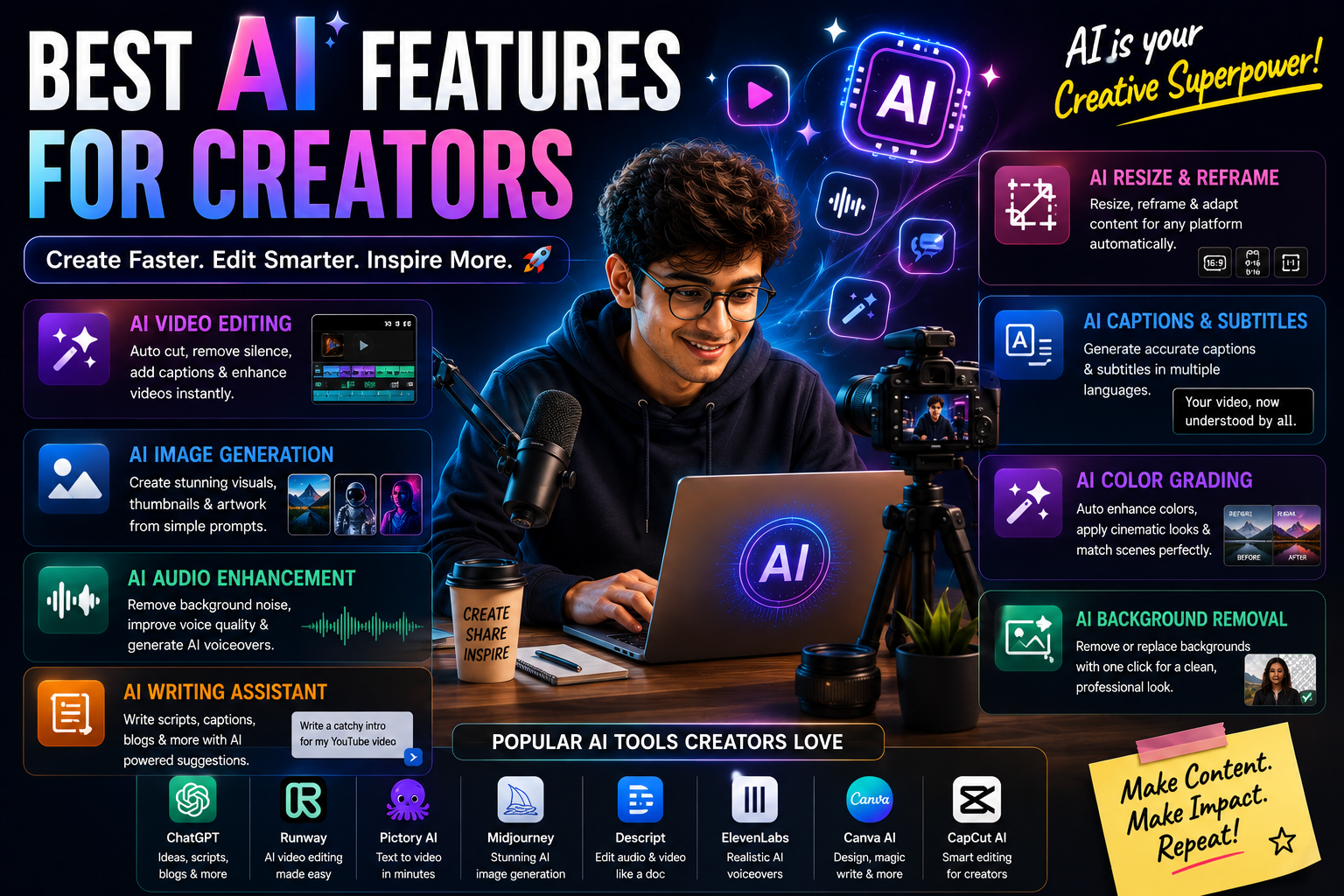
Modern smartphones now combine AI-assisted cameras, generative photo editing, video enhancement, automatic captions, voice transcription, writing assistance, thumbnail tools and publishing support. This guide explains which AI features actually improve creator workflows, what hardware matters most, how different AI platforms compare, and how creators can use AI responsibly without sacrificing quality, authenticity or copyright safety.
Quick Verdict
Main rule: For creators, the most valuable AI features are photo cleanup, video enhancement, automatic captions, audio cleanup, transcription, thumbnail assistance and writing support—not decorative AI filters or gimmicks.
Best for: YouTubers, Instagram creators, shorts and reels creators, photographers, vloggers, podcasters, educators, influencers, social media managers and small-business owners.
Guide Overview
- Guide type
- Evergreen Creator Buying Guide
Editorial Methodology
Best by Use Case
YouTube Creators
AI transcription, title generation, video enhancement and thumbnail editing.
Instagram Creators
AI photo editing, object removal, caption generation and portrait enhancements.
Mobile Photographers
Generative editing, AI scene optimization and image enhancement.
Travel Creators
Translation tools, AI photo cleanup and video stabilization.
Business Creators
Writing assistance, image generation and productivity tools.
Comparison Advice
- Camera hardware still matters more than AI marketing.
- AI editing should save time without removing creative control.
- Choose phones with sustained 4K recording performance.
- Prioritise storage, battery and thermals.
- Check microphone quality and accessory support.
- Review cloud-processing privacy.
- Confirm whether AI features remain free after trials.
- Choose long software support for multi-year use.
- Prefer reliable export quality over flashy feature lists.
Mistakes to Avoid
- Buying a phone only because it advertises AI camera features.
- Ignoring camera hardware and optical stabilisation.
- Choosing too little storage.
- Ignoring thermal performance.
- Assuming every AI edit is accurate.
- Overusing beauty filters.
- Publishing fake AI-generated product details.
- Using automatic captions without proofreading.
- Ignoring audio quality.
- Relying on cloud AI without backups.
- Using copyrighted media without permission.
- Forgetting to disclose affiliate links.
- Replacing creativity with generic AI output.
- Ignoring software support.
- Failing to preserve original files.
What AI Features for Creators Actually Mean
Creator-focused AI includes tools in the camera, gallery, recorder, editor, keyboard and publishing workflow. The best features reduce repetitive work while leaving framing, storytelling, authenticity and final approval to the creator.
- AI should improve workflow, not replace creativity.
- Strong source footage matters most.
- Audio, storage and thermals are critical.
- Creators should preserve original files.
AI Photo Editing
AI photo tools can remove distractions, expand backgrounds, correct lighting and generate alternate compositions. They are useful for speed, but creators should watch for false details and unnatural edges.
- Keep the original image.
- Check hands, text and edges.
- Avoid misleading product edits.
- Export at full resolution.
AI Video Enhancement
AI video enhancement can improve stabilisation, low-light quality, sharpness and colour. It works best when source footage is properly exposed and recorded with stable frame rates.
- Test long recordings for heat.
- Avoid excessive sharpening.
- Check skin tones after processing.
- Use manual controls when consistency matters.
Automatic Captions and Subtitles
Captions improve accessibility and watch time, especially on short-form platforms. They should always be proofread before publishing.
- Correct names and brands.
- Check punctuation.
- Keep text within safe areas.
- Use readable contrast.
Voice-to-Text Transcription
Transcription turns interviews, podcasts and voice notes into searchable material that can be repurposed into captions, articles and clips.
- Record clean audio.
- Identify speakers.
- Correct technical words.
- Get consent where required.
AI Writing Assistance
AI writing tools are valuable for hooks, titles, descriptions, outlines and alternative wording. Final copy should remain accurate and match the creator's voice.
- Avoid generic clickbait.
- Verify claims.
- Keep the brand voice consistent.
- Disclose sponsorships and affiliate links.
AI Thumbnail Creation
AI can speed up cutouts, contrast adjustments, reframing and concept variations. The best thumbnails remain simple, accurate and readable.
- Use one clear focal subject.
- Avoid fake expressions.
- Keep text short.
- Test at small size.
Translation Features
Translation can help creators reach regional and international audiences. Human review is important for slang, humour and technical language.
- Check tone.
- Review subtitles manually.
- Use native-speaker review for important work.
- Protect private recordings.
AI Audio Cleanup
Clear speech often matters more than perfect video. AI audio tools can reduce noise and echo, but poor recording technique cannot always be repaired.
- Use an external microphone when possible.
- Record a safety track.
- Avoid aggressive noise removal.
- Monitor with headphones.
AI Reframing and Repurposing
AI can adapt long-form content into vertical, square and short clips. Creators should check that framing and context remain correct.
- Review every crop.
- Protect subtitles from cut-offs.
- Keep important gestures visible.
- Create platform-specific openings.
What Creators Should Prioritise When Buying
The best creator phone combines strong camera hardware, reliable video, storage, microphones, battery life, thermals and software support.
- 12GB RAM preferred.
- 256GB minimum storage.
- Stable 4K60 recording.
- Optical stabilisation.
- Fast charging.
- Strong thermal management.
- Long update support.
Creator Buying Checklist
Before purchasing, test the full workflow from capture to export instead of comparing specifications alone.
- Can the phone record long 4K clips without overheating?
- Are microphones clear?
- Does the phone support external storage or fast transfer?
- Are AI editing tools reliable?
- Is battery life sufficient?
- Are software updates guaranteed?
Buying Impact
AI can reduce editing and publishing time, but the phone must still provide dependable camera quality, storage and battery life. A balanced creator phone is more valuable than a device with a long list of gimmicky AI features.
- Hardware and AI should work together.
- Storage is a long-term investment.
- Audio quality strongly affects engagement.
- Creators should retain manual control.
Frequently Asked Questions
What is the most useful AI feature for creators?
AI photo editing, video enhancement, captions and audio cleanup provide the most practical daily value.
Can AI replace professional editing software?
No. AI speeds up routine tasks, but professional software provides more control and precision.
How much storage should creators choose?
256GB is the practical minimum, while 512GB is ideal for frequent 4K creators.
Which creators benefit most from AI?
YouTubers, Instagram creators, vloggers, photographers, podcasters and educators benefit significantly.
Do AI features improve video quality?
Yes, they can improve stabilisation, noise, lighting and clarity, but results depend on the original footage.
Should creators prioritise AI over camera hardware?
No. Strong camera hardware remains more important than AI marketing.
Is 8GB RAM enough for creators?
It is enough for light workflows, but 12GB is better for serious editing and multitasking.
Is 128GB enough for content creation?
It is not recommended for serious creators because video files and editing caches fill it quickly.
Which phone feature matters most for vlogging?
Reliable stabilisation, clear audio, strong battery and dependable 4K recording matter most.
Can AI remove background noise?
Yes, but aggressive cleanup can distort voices.
Can AI generate automatic captions?
Yes, but captions should always be proofread.
Can AI create thumbnails?
Yes. It can remove backgrounds, improve contrast and create layout variations.
Can AI create YouTube titles?
Yes, but creators should avoid generic clickbait and verify claims.
Can AI translate creator content?
Yes, though slang, humour and technical language require review.
Can AI create fake details in photos?
Yes. Generative editing can invent details that were not captured.
Should creators disclose AI edits?
Major synthetic or misleading edits should be disclosed where appropriate.
Can AI repurpose long videos into shorts?
Yes. It can identify highlights and create shorter clips, but context should be checked.
Which AI platform is best for creators?
Samsung, Google and Apple offer the strongest broad creator ecosystems, with OPPO and vivo excelling in camera AI.
Do creator AI tools work offline?
Some camera, transcription and gallery tools work offline, while generative features often require cloud access.
Do AI creator tools require subscriptions?
Some advanced models, cloud editing and storage features require paid plans.
How important is thermal performance?
Very important. Overheating can stop recording, reduce brightness and slow exports.
Are foldable phones good for creators?
They are useful for editing and multitasking, but slab phones usually offer better battery and camera value.
Should creators buy 1TB storage?
It is useful for heavy 4K workflows, but 512GB is enough for many creators who back up regularly.
Can AI help with podcast creation?
Yes. It can transcribe, clean audio, identify highlights and create summaries.
Can AI improve low-light video?
Yes, but motion blur and very poor exposure cannot always be fixed.
Can AI improve audio recorded outdoors?
It can reduce wind and traffic noise, but using a proper microphone is still better.
How often should this guide be updated?
Review it monthly and after major smartphone, camera or AI platform launches.
Related Reading on Godealio
More Guide Details
Featured
true
Author
Godealio Editorial Team
Last Reviewed
July 2026
Next Review Due
August 2026
Best Features
Rank
1
Feature
AI Photo Editing and Generative Cleanup
Score
9.8
Why Useful
Removes distractions, fixes composition, expands backgrounds and improves images quickly.
Best For
- Instagram posts
- Thumbnails
- Product photos
- Travel photos
Example
Remove a photobomber, extend the background and correct lighting before posting.
Limitations
- Can invent details
- Edges may look artificial
- Original should be preserved
Offline Potential
Moderate
Rank
2
Feature
AI Video Enhancement
Score
9.7
Why Useful
Improves stabilisation, lighting, dynamic range, sharpness and low-light footage.
Best For
- YouTube
- Reels
- Shorts
- Travel videos
- Events
Example
Improve a handheld night video and reduce visible noise before publishing.
Limitations
- Can over-sharpen
- May change colours
- Processing can take time
Offline Potential
Moderate
Rank
3
Feature
Automatic Captions and Subtitles
Score
9.7
Why Useful
Creates accessible captions and improves retention for viewers watching without sound.
Best For
- Reels
- Shorts
- Tutorials
- Educational videos
- Talking-head content
Example
Generate subtitles for a 60-second reel and correct names before export.
Limitations
- Names and accents may be wrong
- Timing may require manual adjustment
- Styling still needs creator input
Offline Potential
Moderate
Rank
4
Feature
AI Audio Cleanup
Score
9.6
Why Useful
Reduces background noise, wind, echo and unwanted sounds from spoken content.
Best For
- Vlogs
- Interviews
- Podcasts
- Outdoor reels
- Voiceovers
Example
Reduce traffic noise behind a street interview while keeping speech clear.
Limitations
- Aggressive cleanup can distort voices
- Very poor source audio cannot be fully repaired
Offline Potential
Moderate
Rank
5
Feature
Voice Transcription
Score
9.4
Why Useful
Converts interviews, podcasts and voice notes into scripts, captions and articles.
Best For
- Podcasts
- Interviews
- Blogs
- Educational content
Example
Turn a 20-minute interview into searchable text and extract quote highlights.
Limitations
- Speaker names may be wrong
- Background noise reduces accuracy
- Consent may be required
Offline Potential
Moderate to high
Rank
6
Feature
AI Writing Assistance
Score
9.2
Why Useful
Generates title ideas, descriptions, hooks, captions, outlines and alternative versions.
Best For
- YouTube titles
- Instagram captions
- Descriptions
- Scripts
- Content planning
Example
Create five title options and a concise description from a video transcript.
Limitations
- Can sound generic
- May repeat clichés
- Facts and claims must be checked
Offline Potential
Low
Rank
7
Feature
AI Thumbnail Assistance
Score
9
Why Useful
Removes backgrounds, improves contrast, reframes subjects and generates thumbnail variations.
Best For
- YouTube
- Tutorials
- Reviews
- Reaction videos
Example
Cut out the subject, brighten the face and test three crop variations.
Limitations
- Can create unnatural expressions
- Text still needs careful design
- Clickbait risk
Offline Potential
Low to moderate
Rank
8
Feature
AI Object Removal
Score
8.9
Why Useful
Quickly removes unwanted people, cables, signs, litter and distractions.
Best For
- Travel
- Street photography
- Product shoots
- Real estate
Example
Remove a background passer-by from a travel photo.
Limitations
- Complex backgrounds can fail
- May reconstruct false details
Offline Potential
Moderate
Rank
9
Feature
AI Reframing and Auto-Crop
Score
8.8
Why Useful
Automatically adapts content for 16:9, 9:16, 1:1 and other platform formats.
Best For
- Cross-platform publishing
- Reels
- Shorts
- Stories
- Ads
Example
Convert a horizontal interview into vertical clips while keeping the speaker centred.
Limitations
- May cut important context
- Multi-person scenes can confuse tracking
Offline Potential
Moderate
Rank
10
Feature
AI Translation and Multilingual Captions
Score
8.8
Why Useful
Translates captions, scripts and speech for wider audience reach.
Best For
- Regional creators
- Travel creators
- Global audiences
- Educational channels
Example
Translate an English video caption into Tamil and Hindi.
Limitations
- Tone and slang may be lost
- Technical language needs verification
Offline Potential
Moderate
Rank
11
Feature
AI Scene Optimisation
Score
8.7
Why Useful
Adjusts colour, exposure, contrast and processing based on the subject.
Best For
- Food
- Travel
- Portraits
- Pets
- Landscapes
Example
Automatically balance highlights and colour in a bright outdoor scene.
Limitations
- Can oversaturate
- May override the creator's intended look
Offline Potential
High
Rank
12
Feature
AI Portrait and Skin-Tone Processing
Score
8.6
Why Useful
Improves subject separation, skin tones and background blur.
Best For
- Lifestyle
- Fashion
- Beauty
- Personal branding
Example
Create a natural portrait with accurate skin tone and clean edge detection.
Limitations
- Beauty filters can look artificial
- Hair and glasses can cause edge errors
Offline Potential
High
Rank
13
Feature
AI Script and Storyboard Assistance
Score
8.6
Why Useful
Turns an idea into a structured script, shot list or storyboard.
Best For
- YouTube videos
- Product reviews
- Tutorials
- Short films
Example
Convert a product-review idea into hook, scenes, B-roll and closing CTA.
Limitations
- Can produce generic structures
- Creative direction still needs human judgement
Offline Potential
Low
Rank
14
Feature
AI Highlight Detection
Score
8.5
Why Useful
Finds interesting moments in long footage and creates short clips.
Best For
- Podcasts
- Interviews
- Events
- Gaming
- Livestreams
Example
Extract five short clips from a 40-minute conversation.
Limitations
- May miss context
- Humour and emotion are difficult to judge automatically
Offline Potential
Low to moderate
Rank
15
Feature
AI Background Removal and Replacement
Score
8.5
Why Useful
Removes backgrounds without a green screen and creates clean product or talking-head visuals.
Best For
- Thumbnails
- Product videos
- Education
- Business content
Example
Place a presenter on a clean studio-style background.
Limitations
- Hair and transparent objects may look inaccurate
- Generated backgrounds may appear artificial
Offline Potential
Moderate
Rank
16
Feature
AI Search Across Photos and Videos
Score
8.4
Why Useful
Finds clips using natural-language descriptions instead of filenames.
Best For
- Large media libraries
- Travel archives
- B-roll search
- Client projects
Example
Search for 'sunset beach walking shot' across thousands of clips.
Limitations
- Indexing may be incomplete
- Cloud indexing raises privacy concerns
Offline Potential
High when local indexing is supported
Rank
17
Feature
AI Colour Matching
Score
8.2
Why Useful
Helps make clips from different cameras look more consistent.
Best For
- Multi-camera edits
- Vlogs
- Interviews
- Product videos
Example
Match phone footage with action-camera footage.
Limitations
- May remove the intended creative look
- Manual grading still gives more control
Offline Potential
Moderate
Rank
18
Feature
AI Low-Light Enhancement
Score
8.2
Why Useful
Reduces noise and improves visibility in dark scenes.
Best For
- Nightlife
- Events
- Travel
- Indoor videos
Example
Improve a dim restaurant clip without making faces look too soft.
Limitations
- Motion blur cannot always be fixed
- Artificial texture may appear
Offline Potential
High during camera processing
Rank
19
Feature
AI Content Repurposing
Score
8.1
Why Useful
Turns one long video into captions, shorts, posts and summaries.
Best For
- Podcasters
- Educators
- Business creators
- YouTubers
Example
Convert a long review into three shorts, a post and a summary.
Limitations
- Can repeat content
- Platform-specific editing still matters
Offline Potential
Low
Rank
20
Feature
AI Publishing and Scheduling Assistance
Score
7.9
Why Useful
Suggests posting times, metadata, captions and content schedules.
Best For
- Social media managers
- Small businesses
- Influencers
- Agencies
Example
Prepare a weekly publishing calendar from five completed videos.
Limitations
- Platform trends change quickly
- Recommendations may not match audience behaviour
Offline Potential
Low
Feature Categories
Category
Shooting
Features
- AI Scene Optimisation
- AI Portrait and Skin-Tone Processing
- AI Low-Light Enhancement
Priority
Very high
Category
Editing
Features
- AI Photo Editing and Generative Cleanup
- AI Video Enhancement
- AI Audio Cleanup
- AI Object Removal
- AI Reframing and Auto-Crop
- AI Background Removal and Replacement
- AI Colour Matching
Priority
Very high
Category
Publishing
Features
- Automatic Captions and Subtitles
- AI Writing Assistance
- AI Thumbnail Assistance
- AI Translation and Multilingual Captions
- AI Publishing and Scheduling Assistance
Priority
High
Category
Planning
Features
- AI Script and Storyboard Assistance
- AI Highlight Detection
- AI Content Repurposing
Priority
High
Category
Organisation
Features
- Voice Transcription
- AI Search Across Photos and Videos
Priority
Medium
Creator Profiles
Profile
YouTube creator
Top Features
- Video enhancement
- Audio cleanup
- Transcription
- Thumbnail assistance
- Writing support
Recommended Hardware
12GB RAM, 256GB–512GB storage, 4K60 recording, good thermals and external microphone support
Main Warning
Do not depend on AI-generated titles or thumbnails without checking accuracy and audience fit.
Profile
Instagram and Reels creator
Top Features
- Photo editing
- Captions
- Portrait AI
- Auto-crop
- Background removal
Recommended Hardware
8GB–12GB RAM, 256GB storage, strong portrait camera and bright display
Main Warning
Avoid excessive beauty processing and misleading generative edits.
Profile
Mobile photographer
Top Features
- Generative cleanup
- Object removal
- Scene optimisation
- Portrait AI
- Low-light enhancement
Recommended Hardware
Large main sensor, optical stabilisation, telephoto camera and 256GB–512GB storage
Main Warning
AI cannot replace good optics, lighting and composition.
Profile
Vlogger
Top Features
- Stabilisation
- Audio cleanup
- Auto-framing
- Captions
- Translation
Recommended Hardware
Reliable front and rear cameras, 4K recording, strong microphones, long battery and fast charging
Main Warning
Test thermal limits before recording long sessions.
Profile
Podcaster
Top Features
- Audio cleanup
- Transcription
- Highlight detection
- Content repurposing
- Writing support
Recommended Hardware
Large storage, external microphone support and dependable battery
Main Warning
Always retain original audio and get guest consent.
Profile
Educator and tutorial creator
Top Features
- Captions
- Transcription
- Script assistance
- Translation
- Presentation help
Recommended Hardware
Readable display, strong battery, 256GB storage and good voice recording
Main Warning
Verify educational facts and generated examples.
Profile
Travel creator
Top Features
- Stabilisation
- Translation
- Object removal
- Low-light enhancement
- Auto-crop
Recommended Hardware
Durable build, long battery, optical stabilisation, good zoom and fast charging
Main Warning
Keep local backups while travelling.
Profile
Small-business creator
Top Features
- Product photo cleanup
- Background removal
- Writing assistance
- Scheduling
- Thumbnail tools
Recommended Hardware
256GB storage, reliable camera, long support and good battery
Main Warning
Do not use synthetic product images that misrepresent the item being sold.
Platform Comparison
Platform
Samsung Galaxy AI
Best For
Photo editing, transcription, writing, translation and creator multitasking
Creator Strengths
- Generative Edit
- Object Eraser
- Transcript Assist
- Note Assist
- Audio Eraser
Limitations
- Feature support varies by device and language
- Some processing requires cloud services
Creator Rating
9.6
Platform
Google Gemini and Pixel AI
Best For
Computational photography, transcription, contextual help, research and content ideation
Creator Strengths
- Magic Editor
- Magic Eraser
- Audio Magic Eraser
- Video Boost
- Gemini Live
Limitations
- Some tools require internet or cloud processing
- Advanced services may require subscription
Creator Rating
9.5
Platform
Apple Intelligence
Best For
Video workflows, writing, privacy and Apple ecosystem creators
Creator Strengths
- Writing Tools
- Clean Up
- Visual Intelligence
- Private Cloud Compute
- Strong editing app ecosystem
Limitations
- Generative tools are less broad than some Android rivals
- Requires compatible devices
Creator Rating
9.4
Platform
OnePlus AI
Best For
Content organisation, voice capture, writing and creator productivity
Creator Strengths
- Plus Mind
- Mind Space
- VoiceScribe
- AI Writer
- AI Summary
Limitations
- Camera AI ecosystem is less mature than Pixel, Samsung and Apple
Creator Rating
8.9
Platform
OPPO AI
Best For
Portraits, telephoto photography, meeting capture and content organisation
Creator Strengths
- AI Mind Space
- AI Recording
- AI photography tools
- Strong telephoto processing
Limitations
- Cloud permissions require review
- Software can feel complex
Creator Rating
9
Platform
vivo AI
Best For
Portraits, motion, wildlife and event photography
Creator Strengths
- ZEISS portrait processing
- Telephoto AI
- Motion capture
- Strong skin-tone processing
Limitations
- Productivity AI is less extensive
Creator Rating
8.9
Platform
Moto AI
Best For
Simple summaries, voice capture and contextual assistance
Creator Strengths
- Catch Me Up
- Pay Attention
- Remember This
- Google integration
Limitations
- Feature availability varies across Motorola models
Creator Rating
8.4
Hardware Buying Guide
Camera Hardware
Recommended
Large main sensor, optical image stabilisation, good ultrawide and useful telephoto camera
Why
AI works best when the phone captures strong source footage.
Video Recording
Minimum
Stable 4K30
Recommended
Reliable 4K60 with HDR and good stabilisation
Professional
4K120, Log or Dolby Vision where workflow requires it
Ram
Minimum
8GB
Recommended
12GB
Heavy Creator
16GB for demanding multitasking and editing
Storage
Minimum
256GB
Recommended
512GB
Professional
1TB for long 4K workflows or frequent travel
Battery
Recommended
5,000mAh or larger
Why
Recording, editing, hotspot use and uploads consume battery quickly.
Charging
Recommended
45W or faster
Why
Fast charging reduces downtime between shoots.
Thermal Management
Recommended
Large vapour chamber or proven sustained video performance
Why
Overheating can stop recording, reduce brightness and slow exports.
Microphones
Recommended
Good stereo microphones plus USB-C or wireless microphone support
Why
Audio quality has a larger impact on viewer retention than many visual effects.
Display
Recommended
Bright OLED, accurate colours and at least 120Hz
Why
Creators need reliable previews and comfortable editing.
Software Support
Recommended
At least four years of OS support where possible
Why
Long support protects creator apps, security and future AI features.
Storage Guide
Capacity
128GB
Suitability
Basic social media use only
Recommendation
Not ideal for serious creators
Typical Issue
Storage fills quickly with 4K video and editing caches
Capacity
256GB
Suitability
Most casual and growing creators
Recommendation
Practical minimum
Typical Issue
Requires regular backup and cleanup
Capacity
512GB
Suitability
YouTubers, vloggers and frequent 4K creators
Recommendation
Best balance
Typical Issue
Higher device cost
Capacity
1TB
Suitability
Professional mobile creators and long-form video
Recommendation
Best for heavy local workflows
Typical Issue
Expensive and still requires backup
Real World Workflows
Workflow
Short-form video workflow
Steps
- Record vertical footage in good light
- Use AI stabilisation and audio cleanup
- Generate captions
- Correct caption errors
- Use AI auto-crop if repurposing
- Create hook and caption options
- Review before publishing
Workflow
YouTube review workflow
Steps
- Generate a shot list
- Record A-roll and B-roll
- Transcribe the talking sections
- Create chapters and highlights
- Use AI for noise cleanup
- Generate title and thumbnail variations
- Verify every product claim
Workflow
Podcast repurposing workflow
Steps
- Record clean audio
- Create a transcript
- Identify highlight moments
- Generate short clips
- Create captions and summaries
- Publish platform-specific versions
- Retain the original master
Workflow
Travel creator workflow
Steps
- Back up footage daily
- Use AI search to find clips
- Clean distractions from photos
- Stabilise handheld video
- Translate captions
- Create short and long versions
- Store originals separately
Workflow
Product content workflow
Steps
- Capture accurate product photos
- Remove background distractions
- Improve lighting without changing the product
- Generate a factual script
- Create captions and thumbnails
- Disclose affiliate relationships
- Avoid misleading synthetic edits
Copyright And Authenticity
Responsible Uses
- Cleaning your own photos
- Generating caption drafts
- Improving audio quality
- Creating thumbnail variations
- Translating your own content
- Summarising your own recordings
- Creating shot lists and storyboards
Risky Uses
- Using copyrighted music without permission
- Generating fake product features
- Cloning a person's voice without consent
- Creating misleading before-and-after results
- Removing watermarks
- Using synthetic faces to impersonate real people
- Publishing AI-generated news without verification
Best Practice
Keep original files, document major AI edits, disclose synthetic or materially altered media where appropriate, and verify that music, images, voices and trademarks are licensed for use.
Privacy Checklist
- Review photo, microphone, camera and file permissions.
- Avoid uploading confidential client work to unknown AI services.
- Check whether editing happens locally or in the cloud.
- Use two-factor authentication.
- Encrypt creator backups.
- Remove location metadata when necessary.
- Get consent before recording interviews or cloning voices.
- Review AI subscription and data-retention terms.
- Delete temporary cloud uploads after delivery.
- Keep original media separate from edited exports.
Schema Data
Article
@Type
Article
Headline
Best AI Features for Creators in 2026
Description
A practical guide to useful AI smartphone features for content creators.
Image
https://godealio.com/images/guides/best-ai-features-for-creators.png
Date Published
2026-06-09
Date Modified
2026-07-17
Author
@Type
Organization
Name
Godealio Editorial Team
Publisher
@Type
Organization
Name
Godealio
Breadcrumb
Position
1
Name
Home
Item
https://godealio.com
Position
2
Name
Guides
Item
https://godealio.com/guides
Position
3
Name
Best AI Features for Creators
Item
https://godealio.com/guides/best-ai-features-for-creators
Monthly Update Checklist
- Update updated_at and last_reviewed.
- Verify affiliate prices and stock.
- Remove discontinued or irrelevant products.
- Check newly released camera and AI features.
- Review subscription changes.
- Verify language and regional support.
- Recheck software-update policies.
- Test whether AI tools still preserve quality.
- Review copyright and disclosure guidance.
- Validate JSON after every update.