
How to Make Old iPhones Faster
Detailed smartphone optimization guide with AI features, creator workflows, battery settings, storage fixes and practical usage tips.
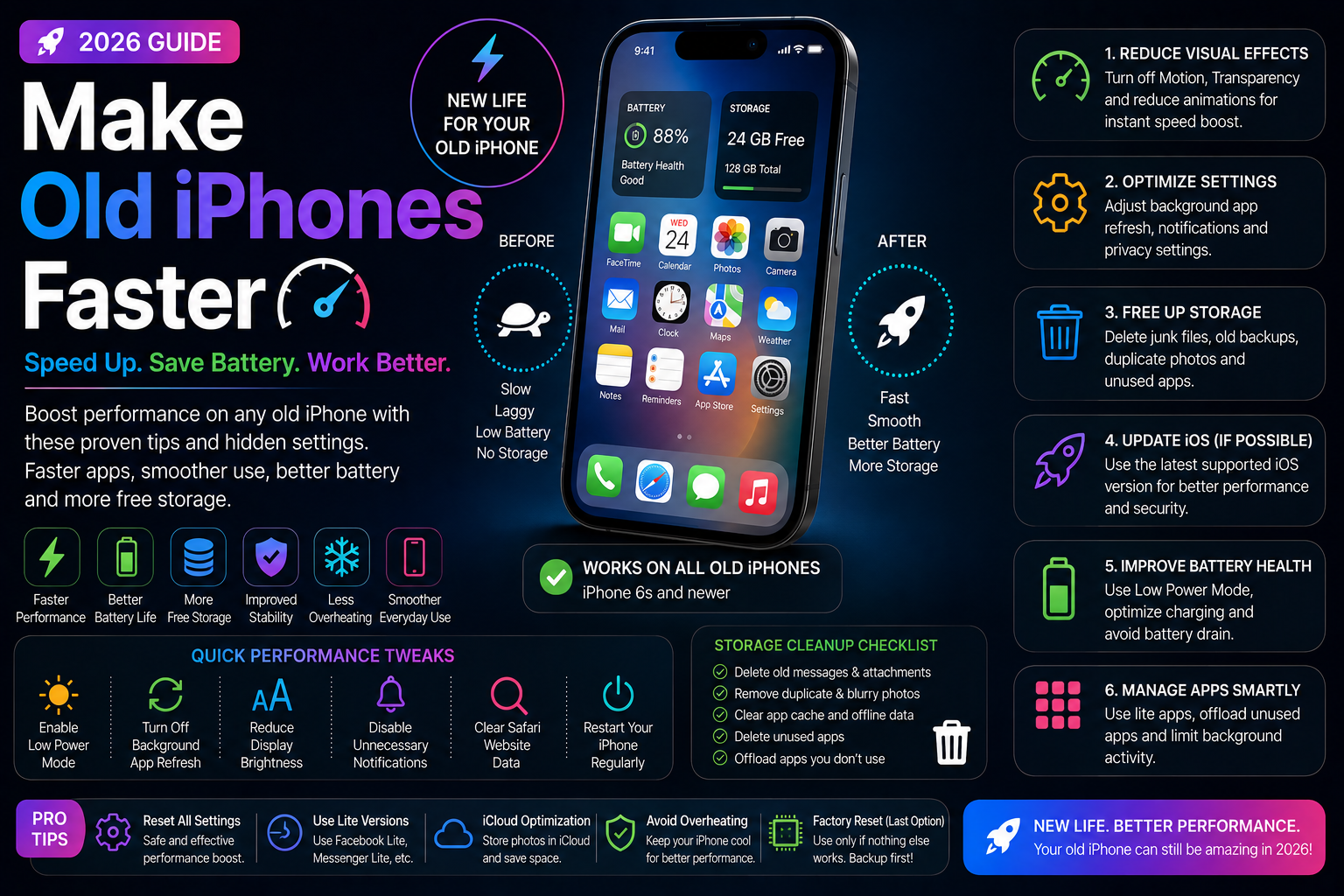
This long-form evergreen smartphone guide focuses on practical real-world usage patterns, creator workflows, AI tools, battery optimization, storage cleanup, privacy protection and performance improvements.
Why Older iPhones Slow Down
Older iPhones often become slower over time due to storage usage, aging batteries, background processes and newer software demands.
Fortunately, many performance problems can be improved with simple optimization techniques and better usage habits.
With the right settings and maintenance, older iPhones can remain smooth, responsive and productive even in 2026.
Free Up Storage Space
Low storage is one of the biggest reasons older iPhones feel slow and unresponsive.
Cleaning unnecessary files and apps can dramatically improve system performance.
- Delete unused apps
- Remove duplicate photos and videos
- Clear downloaded files
- Optimize photo storage
- Use iCloud storage efficiently
Check Battery Health
Battery degradation can reduce iPhone performance because iOS may limit processor speed to prevent unexpected shutdowns.
Checking battery health helps users understand whether battery replacement could improve performance.
- Monitor battery capacity
- Check Peak Performance Capability
- Reduce overheating
- Improve long-term performance
- Consider battery replacement if necessary
Reduce Background App Activity
Too many background processes can slow down older iPhones and reduce battery life.
Managing background app refresh improves overall responsiveness.
- Disable unnecessary background refresh
- Limit automatic syncing
- Reduce hidden battery drain
- Close resource-heavy apps
- Improve multitasking performance
Reduce Animations and Visual Effects
Visual effects and animations can feel heavy on older iPhone hardware.
Reducing motion and transparency can make the interface feel faster.
- Enable Reduce Motion
- Reduce transparency effects
- Improve UI responsiveness
- Reduce graphical load
- Speed up navigation
Keep iOS Updated Carefully
Software updates often improve security and stability, but some older devices may experience heavier resource usage after major upgrades.
Users should maintain updated apps and optimize settings after installing new iOS versions.
- Install security updates
- Update apps regularly
- Remove outdated applications
- Monitor performance after updates
- Optimize settings after upgrading
Apple Intelligence and Older iPhones
Many Apple Intelligence features are designed primarily for newer iPhone models with advanced AI hardware.
Older devices may not support all AI features, which can sometimes improve performance by reducing background AI processing.
- Manage AI-related background activity
- Disable unnecessary smart features
- Reduce notification overload
- Improve battery efficiency
- Balance performance and usability
Improve Safari and Browsing Speed
Heavy websites and excessive browser tabs can slow down older iPhones.
Optimizing Safari settings improves browsing performance and battery life.
- Close unnecessary tabs
- Clear Safari cache and website data
- Use Reader Mode
- Reduce background tab usage
- Improve browsing efficiency
Optimize Battery and Thermal Performance
Heat and poor battery management can negatively affect iPhone speed and responsiveness.
Efficient battery settings improve long-term performance stability.
- Enable Low Power Mode when necessary
- Avoid excessive overheating
- Reduce screen brightness
- Disable unnecessary wireless features
- Use optimized charging habits
Performance Tips for Creators
Creators using older iPhones for editing, recording and social media workflows should optimize storage and background activity carefully.
Small adjustments can improve export speeds and reduce lag.
- Reduce unnecessary media storage
- Close editing apps after usage
- Transfer files regularly
- Optimize creator app settings
- Avoid excessive multitasking
Manage Widgets and Focus Modes
Too many widgets and live updates can impact performance on older devices.
Simplifying the home screen improves responsiveness and battery efficiency.
- Remove unnecessary widgets
- Reduce live update frequency
- Use lightweight Focus Modes
- Simplify home screen layouts
- Reduce background refresh activity
Clean Up Photos and Media Files
Photos and videos often consume the largest portion of iPhone storage.
Regular cleanup helps maintain smooth performance.
- Delete duplicate videos
- Remove old screenshots
- Optimize photo backups
- Transfer large files to cloud storage
- Reduce unnecessary media clutter
When to Reset Your iPhone
If performance problems continue after optimization, resetting settings or performing a clean restore may help.
Users should always back up important data before resetting devices.
- Reset unnecessary settings
- Perform clean software restores
- Backup important files
- Remove problematic apps
- Improve long-term stability
Extend the Life of Your Older iPhone
Older iPhones can still deliver smooth everyday performance with proper maintenance and optimization.
By improving storage management, battery health, background activity and system settings, users can significantly improve responsiveness and battery life.
Small optimization changes can make older iPhones feel noticeably faster and more reliable in daily usage.
Frequently Asked Questions
Why do older iPhones become slow?
Older iPhones often slow down because of storage limitations, battery degradation, background app activity and newer software demands.
Can replacing the battery make an old iPhone faster?
Yes. Replacing a degraded battery can improve performance because iOS may limit processor speed when battery health becomes poor.
Does low storage affect iPhone speed?
Yes. Low available storage can reduce responsiveness, slow app performance and impact overall system stability.
Should I update iOS on older iPhones?
Security updates are important, but users should optimize settings and storage after major updates to maintain smooth performance.
Can old iPhones still be good in 2026?
Yes. Many older iPhones still perform well for daily tasks when properly optimized and maintained.
Related Reading on Godealio
- Best iPhone Battery Saving Settings
- Best Hidden iPhone Features You Should Use
- Hidden iOS 27 Features You Should Try
- How to Speed Up Slow Android Phones
- Motorola Razr Fold 2027 Wishlist: 5 Upgrades That Could Make It a Stronger Foldable
- Android 17 Gets a Smarter Media Switcher, and It Already Feels Better Than the Old Carousel
- Apple iPhone Price Increase Explained: Why iPhones Could Become More Expensive in India and Globally
- CMF Phone 3 Pro leak hints at bigger battery, faster charging and Snapdragon chipset
- Google’s $3 ChromeOS Flex USB stick sells out, highlights demand for reviving old laptops
- Google Gemini for macOS Gets a New Look and Faster Screenshot Workflow
More Guide Details
Author
Godealio Editorial Team
Featured
false