
Best Hidden iPhone Features You Should Use in 2026
Updated iOS 27 guide to useful iPhone features for Siri AI, Apple Intelligence, privacy, calls, battery, camera, productivity, accessibility, creators and automation.
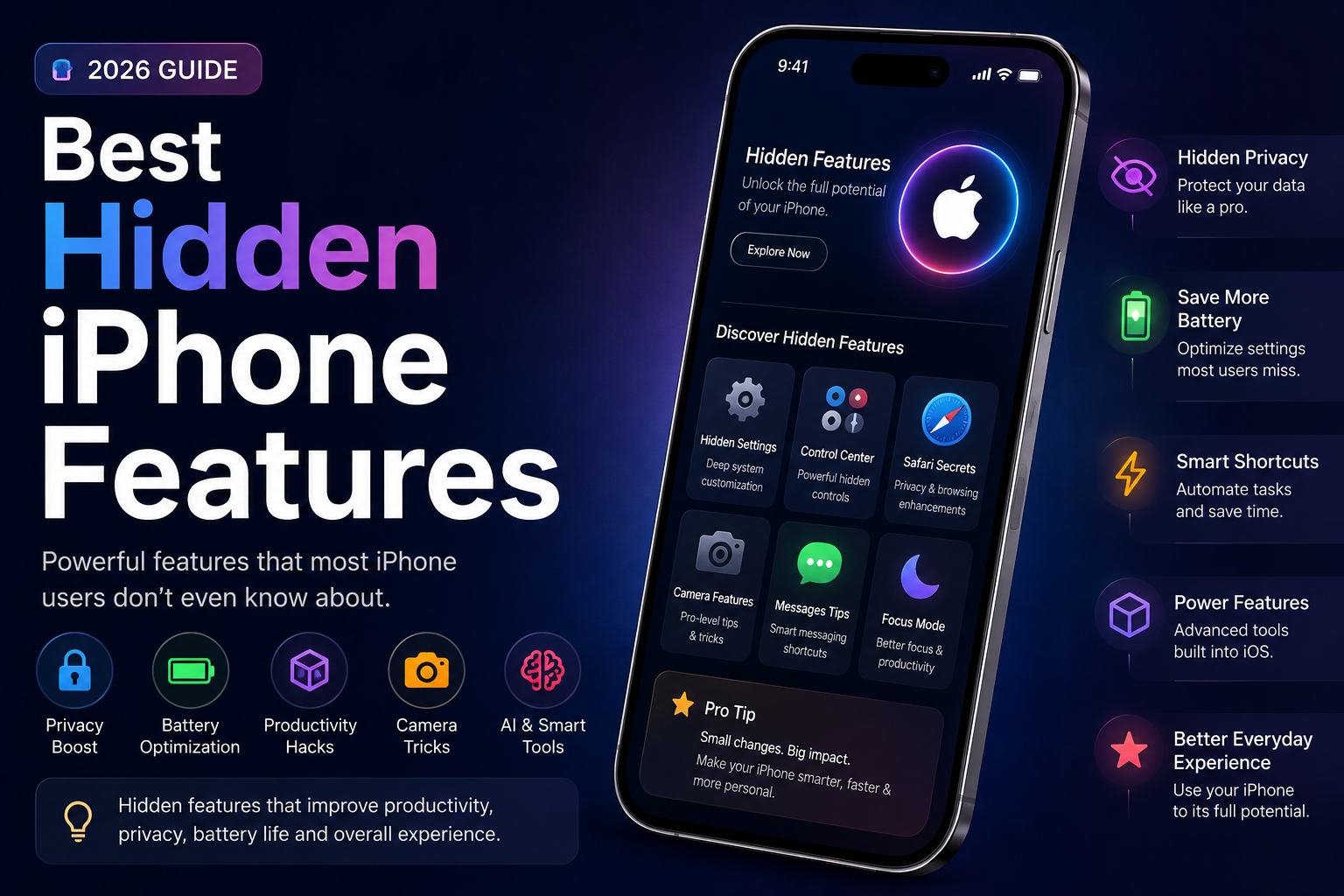
Updated September 2026 guide to practical iPhone features worth enabling or learning. It combines long-standing tools such as Back Tap, keyboard trackpad, Live Text, Focus and Shortcuts with newer Apple Intelligence capabilities, Siri AI, Visual Intelligence, Live Translation, Call Screening, Hold Assist, intelligent Shortcuts and Adaptive Power. Compatibility and regional availability are clearly separated so older iPhone users are not misled.
Quick Verdict
The most useful 'hidden' iPhone features are not all new: Back Tap, keyboard trackpad, Live Text, Focus and Shortcuts remain excellent. On newer Apple Intelligence-capable iPhones, Visual Intelligence, intelligent Shortcuts and the upcoming iOS 27 Siri AI add much deeper contextual assistance. Call Screening, Hold Assist and Adaptive Power are also practical features many users overlook.
Hidden iPhone Features Worth Using in 2026
The most useful iPhone features are spread across Accessibility, Privacy & Security, Battery, Phone, Photos, Focus, Shortcuts and Apple Intelligence. This guide separates broadly available tools from newer features that require specific hardware, languages or iOS versions.
As of September 12, Apple says iOS 27 will be available on September 14. Features tied to iOS 27 or the staged Siri AI rollout are therefore labelled accordingly rather than presented as universally available today.
1. Siri AI: The Biggest iOS 27 Upgrade
Apple's new Siri AI can use personal context, understand content on the screen, work across apps and use broader web knowledge for supported requests. It is one of the most important new capabilities, but availability is staged and begins with supported devices/languages.
- Personal-context understanding
- Onscreen awareness
- Cross-app actions
- Natural typed or spoken requests
- Conversation history through the Siri experience
- Web/world-knowledge support for appropriate requests
2. Use Visual Intelligence on What Is Already on Your Screen
Visual Intelligence can work with onscreen content instead of requiring you to manually describe it. Apple documents actions such as identifying objects, interacting with text, searching visually, adding event details and asking ChatGPT about onscreen content on supported devices.
- Identify objects
- Translate or summarise text
- Highlight an item to search
- Add recognised events to Calendar
- Search with Google/supported third-party apps
- Ask ChatGPT about onscreen content
3. Turn the Back of Your iPhone into a Shortcut
Back Tap remains one of the easiest overlooked features. Assign a useful action or Shortcut to a double or triple tap instead of repeatedly navigating menus.
- Screenshot
- Accessibility action
- Control Centre-related action where available
- Run a Shortcut
- Other actions offered by your iOS version
4. Use the Hidden Keyboard Trackpad
Press and hold the Space bar to turn the keyboard into a trackpad. It is particularly useful for correcting text in long emails, Notes, Messages and web forms.
5. Live Translation in Messages, FaceTime and Phone
On supported Apple Intelligence devices and languages, Live Translation can translate incoming Messages, provide translated FaceTime captions and translate Phone call audio. Language and region support should always be checked before promising the feature to a buyer.
6. Call Screening and Hold Assist
Call Screening can collect information from a caller before you decide whether to answer. Hold Assist can notify you when a live person returns to a call, reducing the need to listen continuously while on hold.
7. Build AI-Powered Shortcuts
Apple Intelligence adds intelligent actions to Shortcuts. Supported workflows can summarise text, generate images or use model-powered responses as inputs for larger automations.
- Summarise documents or reminders
- Use Writing Tools actions
- Use Image Playground actions
- Feed model responses into later Shortcut steps
- Combine AI actions with ordinary app automation
8. Adaptive Power, Low Power Mode and Battery Health
Adaptive Power is a newer option on selected iPhones. Apple says it can make small performance adjustments when usage is unusually high and can automatically enable Low Power Mode at 20%. It complements, rather than replaces, Battery Health and ordinary Low Power Mode.
- Adaptive Power on supported devices
- Low Power Mode
- Battery Health
- Per-app battery usage
- Background activity review
- Charging optimisation
9. Copy and Paste Photo Edits
Creators can edit one image and reuse the same adjustments across other photos. This is useful for maintaining a consistent look without editing every photo from scratch.
10. Live Text for Documents, Signs and Screenshots
Live Text turns recognised text in images into selectable content. Use it to copy text, translate signs, call recognised phone numbers or move information from a screenshot into Notes or another app.
11. Focus Modes Are More Powerful Than Do Not Disturb
A Focus can change who can contact you, which apps can interrupt you and, where supported, what content an app displays. Schedules and automations make Focus especially useful for work, sleep, travel and gaming.
12. Review Safety Check, App Permissions and Hidden Apps
Privacy settings deserve regular review. Safety Check is especially important for reviewing sharing and access, while app permissions and locked/hidden apps can reduce unnecessary exposure of personal information.
13. Creator Workflows Worth Setting Up
Creators can combine camera settings, copied photo edits, Live Text, Focus and Shortcuts to reduce repetitive work. On supported newer phones, Visual Intelligence and Apple Intelligence actions can extend those workflows further.
- Batch photo-edit workflow
- Creator Focus
- File-renaming/organisation Shortcuts
- Live Text extraction
- Visual Intelligence research
- AI-assisted summarisation where supported
14. Why Some Features Are Missing on Your iPhone
Not every feature works on every iPhone. Apple Intelligence requires newer hardware, while other tools depend on iOS version, region, language, carrier or app support. A feature being part of iOS does not automatically mean every compatible iPhone receives every AI capability.
Which Hidden iPhone Features Should You Enable First?
Start with features that solve a real daily problem: Back Tap and keyboard trackpad for speed, Focus for interruptions, Live Text for productivity, Safety Check/privacy controls for security and battery tools for endurance. If your iPhone supports Apple Intelligence, add Visual Intelligence and intelligent Shortcuts, then evaluate Siri AI as the iOS 27 rollout reaches your language and device.
Frequently Asked Questions
What are the best hidden iPhone features to use in 2026?
Back Tap, keyboard trackpad, Live Text, Focus, Shortcuts, Safety Check, battery tools, Call Screening and Hold Assist are broadly useful. On supported newer iPhones, Visual Intelligence and Apple Intelligence features add more advanced capabilities.
Is iOS 27 available today?
As of September 12, 2026, Apple says iOS 27 will be available from September 14. Features tied specifically to iOS 27 should therefore be described as upcoming until the public release arrives.
What is Siri AI?
Siri AI is Apple's new Siri experience for iOS 27 and other platforms. Apple says it can use personal context, understand onscreen content, perform more actions across apps and answer broader questions. Its rollout is staged and begins in English.
Does Apple Intelligence work on every iPhone?
No. Apple's 2026 information lists iPhone 16 models or later plus iPhone 15 Pro and iPhone 15 Pro Max among supported iPhones for Apple Intelligence/Siri AI. Individual features can have additional requirements.
How do I enable Back Tap?
Open Settings > Accessibility > Touch > Back Tap, choose Double Tap or Triple Tap, and assign one of the available actions or a Shortcut.
How do I turn the iPhone keyboard into a trackpad?
Press and hold the Space bar, then slide your finger across the keyboard area to move the text cursor precisely.
What is Visual Intelligence?
On supported devices, Visual Intelligence lets iPhone understand and act on visual or onscreen content, including identifying objects, working with text, visual searching and supported third-party intelligence actions.
Can iPhone translate phone calls?
Live Translation supports Phone, Messages and FaceTime in supported Apple Intelligence device/language combinations. Availability varies by language and region.
What is Hold Assist?
Hold Assist can monitor a supported call while you are on hold and notify you when a live agent is available.
What is Adaptive Power on iPhone?
Adaptive Power can make small power-saving adjustments when usage is higher than usual and can automatically turn on Low Power Mode at 20%. It is available only on supported newer iPhones.
Which hidden iPhone features are useful for creators?
Copy/paste photo edits, Live Text, Focus, Shortcuts and camera workflow settings are useful on many iPhones. Visual Intelligence and intelligent Shortcuts add more options on Apple Intelligence-capable models.
Are all iOS 27 features available in India?
Not necessarily. Apple notes that some features vary by language, region and legal availability. Siri AI is rolling out in English, so check Apple's current India feature-availability information for the exact capability you need.
Related Reading on Godealio
- Apple Intelligence Features Explained
- Hidden Android Features Most Users Ignore
- Android Features That Beat iPhone
- How to Speed Up Slow Android Phones
- Gemini AI Features You Should Use
- Camera Features You Should Actually Use
- Hidden iOS 27 Features You Should Try
- Best iPhone Features for Students
- What Is eSIM And Should You Use It
- iPhone AI Features Explained
More Guide Details
Author
Godealio Editorial Team
Current Software Context
Today
2026-09-12
Current Context
Apple has announced iOS 27 and says it will be available from 14 September 2026.
Publication Rule
Because this guide is being updated on 12 September, iOS 27 features that are not yet generally released must be labelled 'available from 14 September' or 'rolling out/beta' rather than described as universally available today.
Siri Ai Status
Siri AI is rolling out in English; Apple describes it as beta later in 2026 on supported devices.
Apple Intelligence Compatibility
Apple's 2026 compatibility information covers iPhone 16 models or later plus iPhone 15 Pro and iPhone 15 Pro Max for Apple Intelligence/Siri AI. Feature, language and region availability can vary.
Compatibility Matrix
Feature
Back Tap
Minimum Or Scope
Supported iPhones with Back Tap-capable iOS/hardware
Apple Intelligence Required
false
Internet Required
No for basic actions
Availability Note
Long-standing accessibility feature; exact available actions vary by iOS version.
Feature
Keyboard trackpad
Minimum Or Scope
Modern iPhones
Apple Intelligence Required
false
Internet Required
No
Availability Note
Press and hold the Space bar to move the cursor precisely.
Feature
Live Text
Minimum Or Scope
Supported iPhone/iOS combinations
Apple Intelligence Required
false
Internet Required
Some actions may use connectivity
Availability Note
Works in Photos, screenshots and supported camera views.
Feature
Visual Intelligence
Minimum Or Scope
Apple Intelligence-capable supported devices/features
Apple Intelligence Required
true
Internet Required
Depends on action/provider
Availability Note
Can identify/search onscreen content, work with text and hand off supported queries to services such as Google or ChatGPT.
Feature
Siri AI
Minimum Or Scope
iPhone 16 models or later; iPhone 15 Pro/Pro Max per Apple's 2026 compatibility note
Apple Intelligence Required
true
Internet Required
Some requests use server/web knowledge
Availability Note
iOS 27 feature; rolling out in English/beta. Region/language availability varies.
Feature
Live Translation
Minimum Or Scope
Supported Apple Intelligence devices/languages/features
Apple Intelligence Required
true
Internet Required
Apple describes core iOS 26 translation models as on-device for supported experiences
Availability Note
Messages, FaceTime and Phone support depends on language/region/device.
Feature
Call Screening
Minimum Or Scope
Supported iPhone/iOS/region
Apple Intelligence Required
Not presented as universally requiring Apple Intelligence
Internet Required
Carrier/feature conditions may apply
Availability Note
Collects caller information before you decide whether to answer.
Feature
Hold Assist
Minimum Or Scope
Supported iPhone/iOS/region
Apple Intelligence Required
Not universally required
Internet Required
Phone service required
Availability Note
Can notify you when a live agent becomes available.
Feature
Adaptive Power
Minimum Or Scope
iOS 26+ on iPhone 17 models, iPhone Air, iPhone 16 models, iPhone 15 Pro and 15 Pro Max per Apple Support
Apple Intelligence Required
Device dependent
Internet Required
No for core power management
Availability Note
Can make small performance adjustments and can enable Low Power Mode automatically at 20%.
Feature
Intelligent Shortcuts
Minimum Or Scope
Apple Intelligence-supported devices/features
Apple Intelligence Required
true
Internet Required
Depends on model/action
Availability Note
Can use Writing Tools, Image Playground and Apple Intelligence model actions.
Feature Catalog
Rank
1
Feature
Siri AI
Category
AI & productivity
Why It Matters
Under iOS 27, Siri can use personal context, onscreen awareness, app actions and broader knowledge to help with multi-step tasks.
How To Use
After iOS 27/Siri AI becomes available for your supported device/language, invoke Siri naturally by voice or typing and refer to onscreen or personal context.
Compatibility
Apple Intelligence-capable supported iPhones; English rollout first; beta/region restrictions apply.
Status On 2026 09 12
Announced; iOS 27 general availability starts 14 September and Siri AI rollout is staged.
Rank
2
Feature
Visual Intelligence
Category
AI & visual search
Why It Matters
Lets you identify, search, translate, summarise or act on content visible on your screen.
How To Use
On supported devices, invoke Visual Intelligence from the supported camera/screen workflow; onscreen visual intelligence can be accessed through the screenshot-button workflow described by Apple.
Compatibility
Apple Intelligence-supported hardware/features; exact actions vary.
Status On 2026 09 12
Available capabilities from iOS 26 era; further intelligence evolves with iOS 27.
Rank
3
Feature
Back Tap
Category
Accessibility & shortcuts
Why It Matters
Turns a double or triple tap on the back of the phone into a shortcut.
How To Use
Settings > Accessibility > Touch > Back Tap, then choose Double Tap or Triple Tap and assign an available action/Shortcut.
Compatibility
Supported iPhone models/iOS versions; actions vary.
Status On 2026 09 12
Available.
Rank
4
Feature
Keyboard Trackpad
Category
Typing
Why It Matters
Makes cursor placement much easier in long messages, notes and emails.
How To Use
Press and hold the Space bar until the keyboard becomes a trackpad, then slide your finger to position the cursor.
Compatibility
Broad modern iPhone support.
Status On 2026 09 12
Available.
Rank
5
Feature
Live Translation
Category
Communication & AI
Why It Matters
Can translate supported Messages, FaceTime captions and Phone audio, reducing language friction.
How To Use
Use the translation controls in the supported Messages, FaceTime or Phone experience when the language pair/device supports it.
Compatibility
Supported Apple Intelligence devices/languages; availability varies.
Status On 2026 09 12
Available in supported iOS 26-era combinations; iOS 27 continues Apple Intelligence expansion.
Rank
6
Feature
Call Screening
Category
Phone & spam control
Why It Matters
Can gather information from an unknown caller before you decide to answer.
How To Use
Configure supported Phone settings and use the screening information shown for incoming unknown calls.
Compatibility
Feature/region/carrier availability can vary.
Status On 2026 09 12
Available on supported iOS configurations.
Rank
7
Feature
Hold Assist
Category
Phone productivity
Why It Matters
Lets you stop actively listening to hold music and alerts you when a live agent is available.
How To Use
Use Hold Assist when offered during a supported call/hold scenario.
Compatibility
Availability varies by region/call scenario.
Status On 2026 09 12
Available on supported iOS configurations.
Rank
8
Feature
Intelligent Shortcuts
Category
Automation & AI
Why It Matters
Shortcuts can use intelligent actions for summarising, image creation and model-powered processing.
How To Use
Open Shortcuts and build actions using supported Apple Intelligence actions such as Writing Tools, Image Playground or model actions.
Compatibility
Apple Intelligence-supported hardware and feature availability.
Status On 2026 09 12
Supported Apple Intelligence capabilities; availability varies.
Rank
9
Feature
Adaptive Power
Category
Battery
Why It Matters
Automatically makes small power-saving adjustments when usage is higher than usual and can trigger Low Power Mode at 20%.
How To Use
Settings > Battery > Power Mode > Adaptive Power on supported devices.
Compatibility
Apple Support lists iPhone 17 models, iPhone Air, iPhone 16 models, iPhone 15 Pro and iPhone 15 Pro Max with iOS 26+.
Status On 2026 09 12
Available on supported devices.
Rank
10
Feature
Copy and Paste Photo Edits
Category
Photos & creators
Why It Matters
Applies a consistent edit to multiple photos quickly.
How To Use
Edit a photo in Photos, use the edit-options menu to copy edits, select another photo or group and paste edits.
Compatibility
Supported Photos/iOS versions.
Status On 2026 09 12
Available.
Rank
11
Feature
Live Text
Category
Productivity
Why It Matters
Copies, translates and acts on text inside photos, screenshots and supported camera views.
How To Use
Open a photo/screenshot with text or use a supported camera view, then select the recognised text and choose the relevant action.
Compatibility
Supported devices/iOS versions.
Status On 2026 09 12
Available.
Rank
12
Feature
Focus Filters and Automations
Category
Productivity
Why It Matters
Focus can change notifications and supported app behaviour for work, sleep, gaming or personal time.
How To Use
Settings > Focus; create/customise a Focus and add schedules, filters and allowed people/apps.
Compatibility
Modern iOS versions; exact filters vary by app/iOS.
Status On 2026 09 12
Available.
Rank
13
Feature
Safety Check
Category
Privacy & personal safety
Why It Matters
Provides a central way to review and stop sharing access with people/apps when personal safety is at risk.
How To Use
Settings > Privacy & Security > Safety Check, then use Emergency Reset or Manage Sharing & Access as appropriate.
Compatibility
Supported modern iOS versions.
Status On 2026 09 12
Available.
Rank
14
Feature
Locked and Hidden Apps
Category
Privacy
Why It Matters
Adds another layer of privacy for sensitive apps.
How To Use
Use the app's contextual options on supported iOS versions to require Face ID/Touch ID/passcode or hide the app where supported.
Compatibility
Supported modern iOS versions; system-app restrictions apply.
Status On 2026 09 12
Available.
Rank
15
Feature
Background Sounds
Category
Accessibility & focus
Why It Matters
Plays ambient sounds to reduce distractions or mask environmental noise.
How To Use
Settings > Accessibility > Audio & Visual > Background Sounds, or add the relevant Hearing control to Control Centre.
Compatibility
Supported iOS versions.
Status On 2026 09 12
Available.
Setup Checklist
- Update to the latest stable iOS version appropriate for your device; iOS 27 general availability is September 14, 2026.
- Configure Back Tap with an action you actually use.
- Practise the Space-bar keyboard trackpad.
- Create Work/Sleep/Personal Focus modes.
- Review Settings > Privacy & Security permissions.
- Review Safety Check if relevant to your privacy/safety needs.
- Check Battery Health and per-app battery usage.
- Enable Adaptive Power only if your model supports it and it suits your preferences.
- Try Live Text on a screenshot or document.
- Create at least one useful Shortcut automation.
- On Apple Intelligence-capable devices, check Apple Intelligence language/region availability.
- Try Visual Intelligence on onscreen content where supported.
- After iOS 27/Siri AI becomes available, test personal-context and onscreen requests before relying on them for important tasks.
Feature Accuracy Notes
- Do not describe iOS 27 as generally available on September 12; Apple says availability starts September 14, 2026.
- Do not say Apple Intelligence works on all iPhones.
- Do not describe Siri AI as fully rolled out worldwide; Apple says rollout begins in English and availability varies.
- Do not promise Live Translation in every language or region.
- Do not call every camera feature 'hidden'; Cinematic mode and Photographic Styles are normal advertised camera modes/features.
- Do not claim Back Tap can launch any app directly in every iOS version; a Shortcut can be used where appropriate.
- Do not recommend disabling security or privacy protections for performance/battery gains.
- Adaptive Power hardware support is limited; Apple Support lists iPhone 17, iPhone Air, iPhone 16 and iPhone 15 Pro models for iOS 26+.
Monthly Update Checklist
- Update the guide after iOS 27 becomes publicly available on September 14.
- Recheck Siri AI rollout status and supported languages in India.
- Verify Apple Intelligence device compatibility.
- Check whether any feature changed during iOS 27 beta-to-release transition.
- Verify Visual Intelligence actions and third-party integrations.
- Recheck Live Translation language availability.
- Verify Call Screening and Hold Assist India availability.
- Check Adaptive Power supported-device list.
- Review new iPhone 18-family exclusive features before calling them universal iOS features.
- Check Settings paths after major iOS updates.
- Separate Apple Intelligence-required features from features available on older iPhones.
- Keep privacy/safety advice conservative and avoid recommending disabling protections.
- Update FAQs for new iOS point releases.
- Preserve slug and existing hero/thumbnail unless a new editorial image is intentionally created.
Featured
false
Sources and Verification
Source
iOS 27 availability and current feature overview
Checked: 2026-09-12
Source
Current Apple Intelligence and Siri AI overview/availability
Checked: 2026-09-12
Source
WWDC26 Siri AI and Apple Intelligence compatibility/rollout
Checked: 2026-09-12
Source
Siri AI capabilities and rollout
Checked: 2026-09-12
Source
Visual Intelligence, Live Translation, intelligent Shortcuts, Call Screening and Hold Assist background
Checked: 2026-09-12
Source
Adaptive Power, Low Power Mode and Battery Health guidance
Checked: 2026-09-12