
Best iPhone Settings for Privacy
Detailed smartphone optimization guide with AI features, creator workflows, battery settings, storage fixes and practical usage tips.
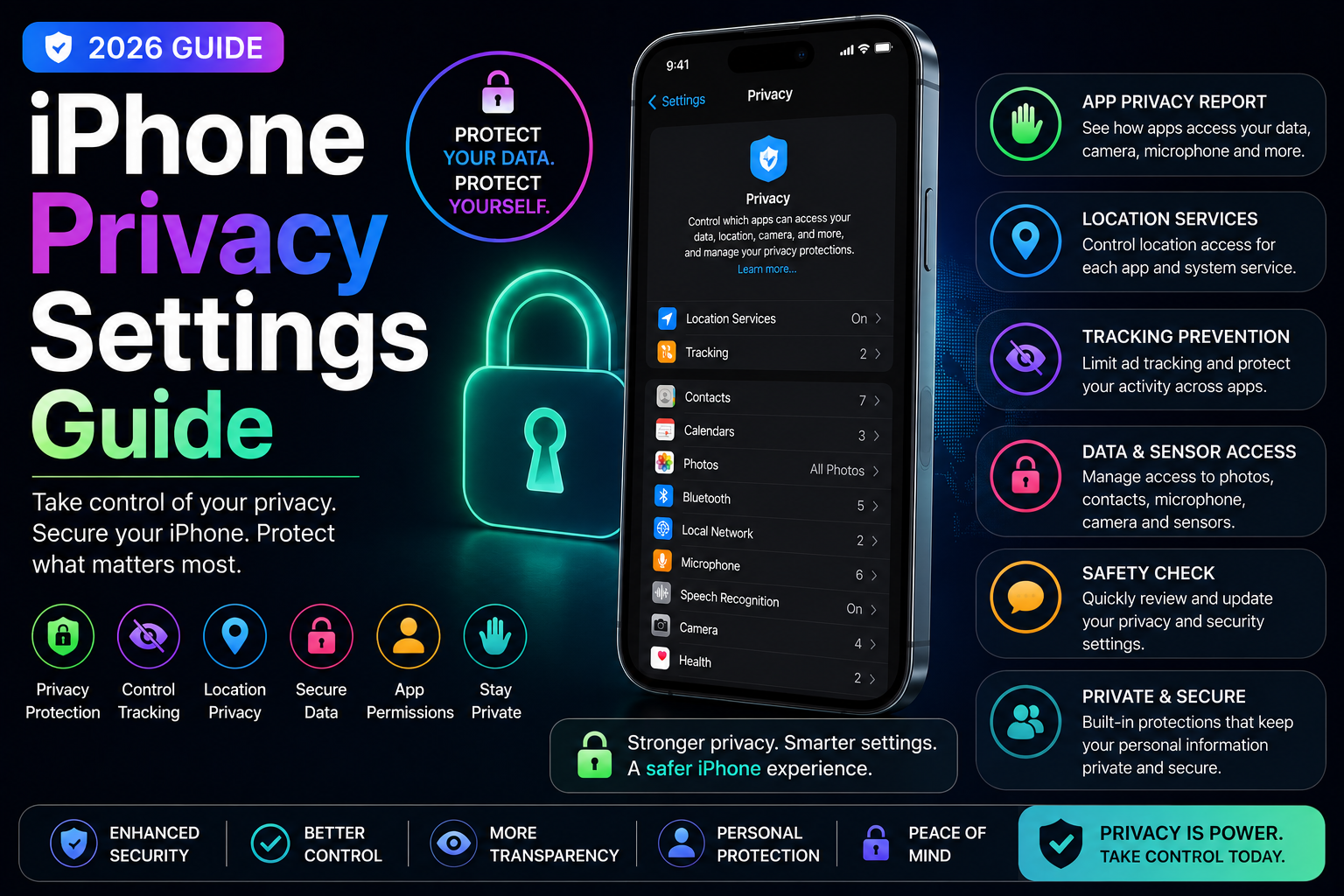
This long-form evergreen smartphone guide focuses on practical real-world usage patterns, creator workflows, AI tools, battery optimization, storage cleanup, privacy protection and performance improvements.
Why Privacy Settings Matter on iPhone
Modern smartphones store personal photos, passwords, financial information, work documents and private conversations.
Although Apple focuses heavily on privacy and security, many important privacy settings still require manual configuration.
Understanding and optimizing iPhone privacy settings helps users protect personal data, reduce tracking and improve digital security in 2026.
Secure Your iPhone with Face ID and Strong Passcodes
Face ID and strong passcodes provide the first layer of iPhone security.
Users should avoid weak passcodes and enable biometric protection for better privacy and account security.
- Enable Face ID protection
- Use strong alphanumeric passcodes
- Protect banking and financial apps
- Secure sensitive data
- Prevent unauthorized access
Review App Permissions Carefully
Many apps request unnecessary access to location, camera, microphone, contacts and photos.
Regularly reviewing app permissions helps reduce hidden data collection and improve privacy.
- Limit camera and microphone access
- Restrict unnecessary contact permissions
- Review photo library access
- Control Bluetooth permissions
- Reduce hidden background tracking
Optimize Location Services
Continuous location tracking can impact both privacy and battery life.
Users should carefully manage which apps can access location data.
- Use While Using App permissions
- Disable precise location when unnecessary
- Review system location services
- Reduce background GPS tracking
- Improve battery efficiency
Disable App Tracking
Apple introduced App Tracking Transparency to help users control advertising and cross-app tracking.
Disabling tracking reduces personalized advertising and third-party behavioral monitoring.
- Block cross-app tracking
- Reduce targeted advertising
- Improve browsing privacy
- Prevent unnecessary data sharing
- Limit ad profiling
Use App Privacy Reports
App Privacy Reports provide detailed information about how apps access sensitive data and communicate with external domains.
Users can identify suspicious behavior and over-permissioned apps more easily.
- Monitor app activity
- View permission usage history
- Track network connections
- Identify privacy-heavy apps
- Improve transparency
Apple Intelligence and Privacy
Apple Intelligence introduces AI-powered features while maintaining Apple's privacy-focused architecture.
Many AI tasks run directly on-device, reducing the need to send personal information to external servers.
- On-device AI processing
- Private Cloud Compute
- Reduced data sharing
- AI-powered productivity with privacy
- Secure AI workflows
Improve Safari Privacy Settings
Safari includes several built-in privacy protections that many users never fully configure.
Optimizing Safari settings improves browsing security and reduces online tracking.
- Enable fraud prevention
- Block cross-site tracking
- Use Private Browsing
- Hide IP address from trackers
- Manage cookie permissions
Protect iCloud and Apple Account Security
Your Apple ID controls access to backups, photos, passwords and connected devices.
Securing iCloud is critical for protecting personal information.
- Enable two-factor authentication
- Use strong passwords
- Monitor connected devices
- Review account login activity
- Secure cloud backups
Privacy Tips for Content Creators
Creators often manage multiple social accounts, client data and sensitive files.
Privacy settings help creators reduce security risks while maintaining productivity.
- Secure social media accounts
- Protect creator workflows
- Manage shared content permissions
- Use encrypted cloud backups
- Avoid public metadata exposure
Privacy for Students and Professionals
Students and office users often store assignments, work documents and personal communications on their devices.
Strong privacy settings reduce risks related to account theft and unauthorized access.
- Protect educational data
- Secure work communication
- Manage app permissions carefully
- Reduce phishing risks
- Protect cloud storage accounts
Automate Security and Privacy Workflows
The Shortcuts app can automate several privacy-focused workflows and security routines.
Users can trigger Focus Modes, disable wireless connections and improve security during travel or public usage.
- Travel privacy automations
- Public Wi-Fi protection workflows
- Focus Mode triggers
- Battery-saving privacy setups
- Automated security actions
Take Control of Your iPhone Privacy
Privacy settings are one of the most important parts of the modern smartphone experience.
By optimizing permissions, tracking settings, AI tools and account security, users can significantly improve digital privacy and reduce security risks.
A few simple changes can dramatically improve long-term smartphone privacy and protection.
Frequently Asked Questions
What are the best iPhone privacy settings?
Important privacy settings include disabling app tracking, reviewing app permissions, enabling Face ID, securing iCloud and optimizing Safari privacy controls.
Does Apple Intelligence protect privacy?
Yes. Apple Intelligence emphasizes on-device AI processing and privacy-focused cloud systems designed to minimize unnecessary data sharing.
How do I stop apps from tracking me on iPhone?
Go to Settings > Privacy & Security > Tracking and disable Allow Apps to Request to Track.
Is Safari more private than other browsers?
Safari includes several built-in privacy protections such as cross-site tracking prevention, IP masking and fraud protection.
Why should I review app permissions regularly?
Many apps request unnecessary access to sensitive data. Reviewing permissions helps reduce privacy risks and hidden data collection.
Related Reading on Godealio
- Best Hidden iPhone Features You Should Use
- Apple Intelligence Features Explained
- Best iPhone Features for Students
- Android Security Settings Guide
- Best iPhone Battery Saving Settings
- Best iPhone Video Recording Settings
- Best iPhone To Buy
- Best iPhone Accessories in India
- Best iPhone Chargers
- iPhone 16 vs iPhone 17: Camera, Battery, Performance and Upgrade Guide
More Guide Details
Author
Godealio Editorial Team
Featured
false