
Best iPhone Shortcuts Automation Guide
Detailed smartphone optimization guide with AI features, creator workflows, battery settings, storage fixes and practical usage tips.
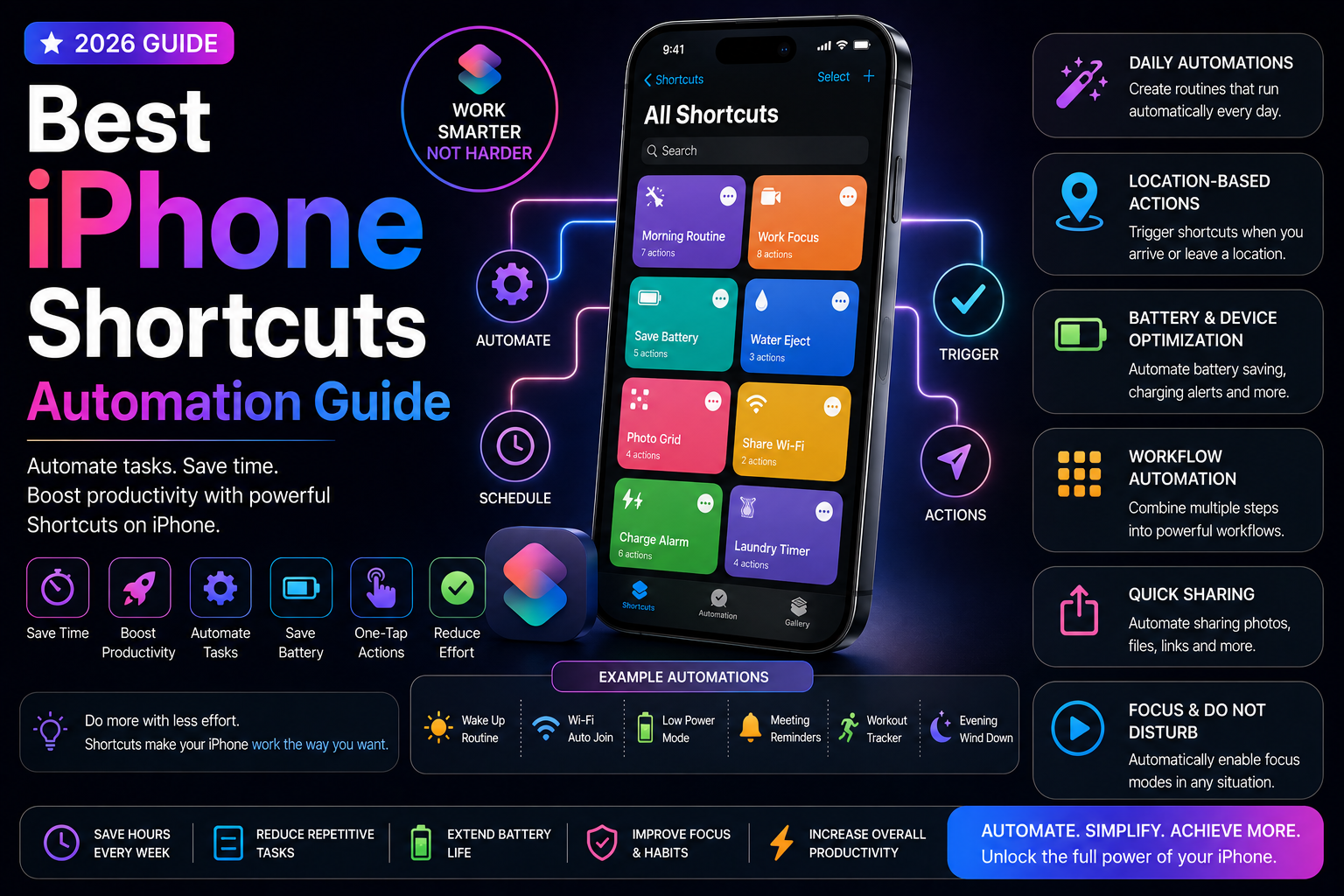
This long-form evergreen smartphone guide focuses on practical real-world usage patterns, creator workflows, AI tools, battery optimization, storage cleanup, privacy protection and performance improvements.
Why iPhone Automation Matters
Modern smartphones can automate many repetitive tasks and improve daily productivity.
The Shortcuts app allows iPhone users to create powerful automations that save time, reduce distractions and simplify everyday workflows.
From battery-saving routines to creator workflows and AI-powered productivity setups, automation has become one of the most useful hidden iPhone features in 2026.
What Is the Shortcuts App?
Shortcuts is Apple's built-in automation platform for iPhone, iPad and Mac devices.
It allows users to create custom workflows that combine apps, settings and system actions into automated routines.
Users can trigger shortcuts manually, through Siri or automatically based on conditions like location, time, battery level or app activity.
Best Beginner Automation Ideas
Even simple automations can significantly improve the iPhone experience.
New users can start with battery-saving, Focus Mode and notification-based automations.
- Enable Low Power Mode automatically
- Turn on Dark Mode at sunset
- Launch music apps when connecting headphones
- Send arrival notifications automatically
- Enable Focus Mode during work hours
Battery Saving Automations
Battery-related automations help extend battery life during heavy usage and travel.
Users can automate multiple battery-saving settings based on charging status or battery percentage.
- Enable Low Power Mode at 30%
- Reduce brightness automatically
- Disable Bluetooth when battery is low
- Turn off background tasks during travel
- Optimize charging routines
Focus Mode Productivity Workflows
Focus Modes become much more powerful when combined with automation.
Users can automatically switch between work, study, sleep and travel profiles.
- Work productivity setup
- Study mode automations
- Sleep workflows
- Travel profiles
- Gaming-focused setups
Apple Intelligence and Smart Automation
Apple Intelligence improves automation workflows through smarter Siri interactions, contextual understanding and AI-powered assistance.
AI-powered suggestions help users build faster and more efficient workflows.
- AI-assisted workflow suggestions
- Smarter Siri automation
- Productivity recommendations
- Context-aware actions
- Improved task organization
Automation for Content Creators
Creators can use automations to simplify editing, uploading and content management workflows.
Shortcuts reduce repetitive steps and improve mobile creator productivity.
- Social media posting workflows
- Quick photo editing shortcuts
- Automatic file organization
- Creator productivity dashboards
- Video export workflows
Travel and Location-Based Automation
Location-based automations improve convenience while traveling and commuting.
Users can automate connectivity, notifications and navigation workflows based on location.
- Enable navigation automatically
- Connect to car Bluetooth
- Travel battery-saving profiles
- Public Wi-Fi safety workflows
- Automatic arrival messages
Smart Home Integration
The Shortcuts app integrates deeply with Apple Home and smart home ecosystems.
Users can automate lighting, climate control and smart devices using iPhone workflows.
- Smart lighting control
- Home automation routines
- Voice-triggered smart home actions
- Morning and bedtime scenes
- Security automation workflows
Privacy and Security Automations
Automation can improve both convenience and smartphone security.
Users can create workflows that protect privacy during travel, work and public usage.
- Disable wireless connections automatically
- Travel privacy profiles
- Lockscreen security workflows
- Focus-based privacy settings
- Location-based security triggers
Automation for Students and Professionals
Students and office users benefit greatly from task automation and workflow optimization.
Automations reduce distractions and improve daily productivity.
- Study session workflows
- Meeting preparation automations
- Calendar-driven actions
- Reminder-based routines
- Workplace productivity shortcuts
Health and Wellness Automation
Users can automate routines related to sleep, workouts and digital wellbeing.
Focus Modes and scheduled automations help maintain healthier smartphone habits.
- Sleep preparation routines
- Workout music automation
- Digital detox workflows
- Screen time management
- Health tracking shortcuts
Advanced Automation Features
Advanced users can combine multiple apps, conditions and variables to create powerful automation systems.
Shortcuts can integrate deeply with Apple ecosystem apps and third-party services.
- Multi-step workflows
- Conditional automations
- Third-party app integration
- Cross-device Apple workflows
- Advanced productivity systems
Make Your iPhone Smarter with Automation
The Shortcuts app transforms iPhones into powerful productivity and automation tools.
Whether improving battery life, creator workflows, privacy or daily routines, automation can significantly improve the smartphone experience.
Small automated workflows can save time every day while making iPhones more intelligent and efficient.
Frequently Asked Questions
What is the iPhone Shortcuts app?
The Shortcuts app is Apple's built-in automation platform that allows users to automate tasks and create custom workflows.
Can iPhone automate tasks automatically?
Yes. iPhones can automate actions based on time, location, battery level, Focus Modes and app activity.
What are the best iPhone automations?
Popular automations include battery-saving routines, Focus Modes, smart home controls, creator workflows and travel-based automations.
Does Apple Intelligence improve automation?
Yes. Apple Intelligence helps improve Siri interactions, workflow suggestions and contextual automation experiences.
Are iPhone automations useful for productivity?
Absolutely. Automations help reduce repetitive tasks, improve organization and streamline daily workflows.
Related Reading on Godealio
- Best Hidden iPhone Features You Should Use
- Apple Intelligence Features Explained
- Best iPhone Features for Students
- Android Automation Tricks
- Best iPhone To Buy
- Best iPhone Accessories in India
- Best iPhone Chargers
- iPhone 16 vs iPhone 17: Camera, Battery, Performance and Upgrade Guide
- Apple iPhone 16 (Pink, 128 GB) Review (2026): Worth Buying in 2026?
- Apple iPhone 17 vs iPhone 16: display, camera, battery, AI, performance & best iPhone to buy
More Guide Details
Author
Godealio Editorial Team
Featured
false