
Best AI Camera Tools
A practical guide to the AI camera tools that genuinely improve photos, videos and content creation instead of relying on marketing buzzwords.
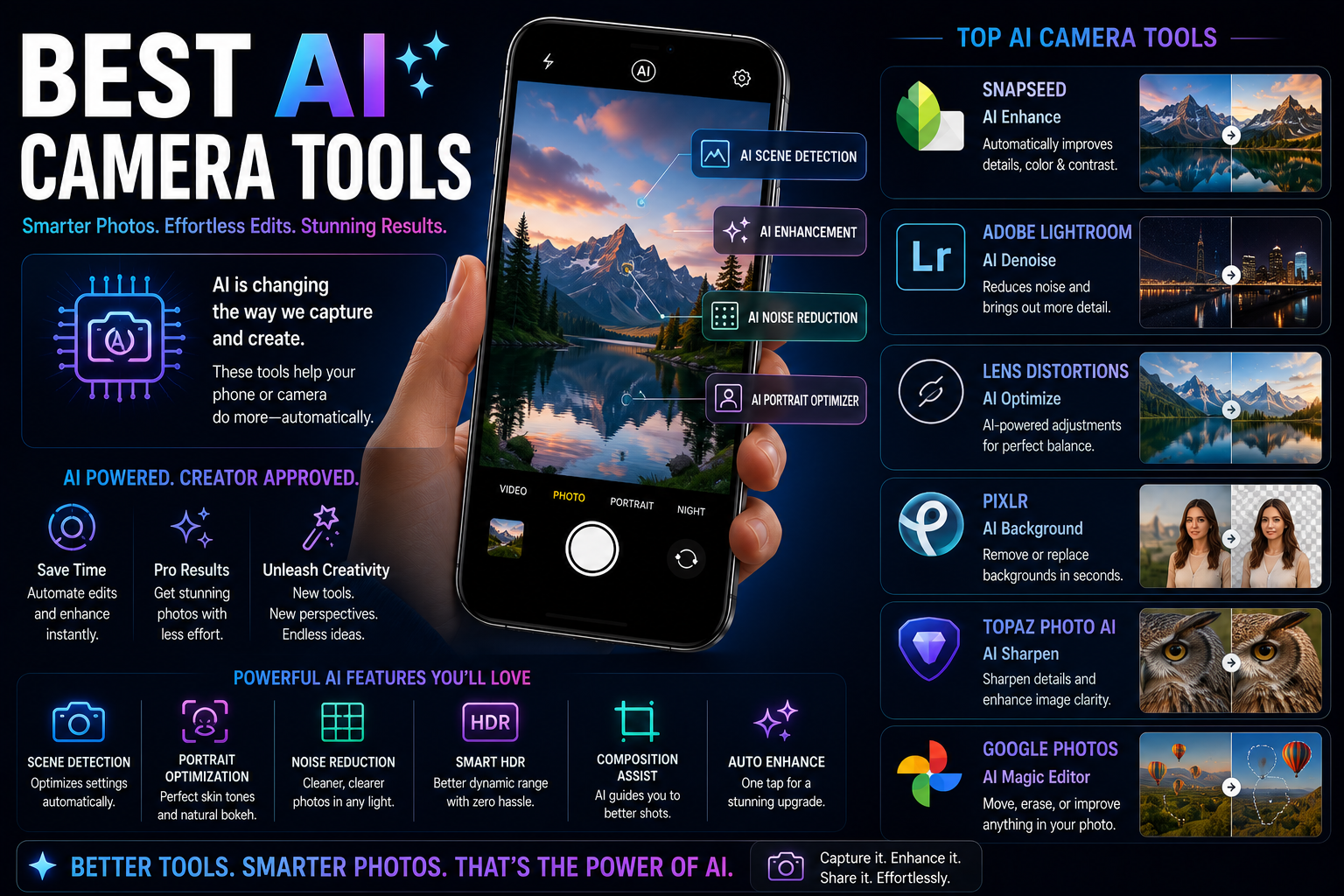
AI camera tools have transformed smartphone photography by making advanced editing, image enhancement and content creation accessible to everyone. From AI object removal and generative editing to portrait enhancement and video stabilization, modern AI camera tools can save time while improving image quality. This guide explains the most useful AI camera tools, who should use them and what to prioritize when buying a camera-focused smartphone.
Quick Verdict
Main rule: The most useful AI camera tools save editing time and improve real photos. AI Object Removal, Generative Edit, Portrait Enhancement, Night Photography and Video Stabilization provide the biggest everyday benefits.
Best for: Creators, travelers, students, social media users, families and smartphone photographers.
Best by Use Case
Travel Photography
AI Object Removal and Generative Edit
Portrait Photography
AI Portrait Enhancement
YouTube Creators
AI Video Stabilization and Video Enhancement
Instagram Reels
AI Editing and Automatic Enhancement
Family Photography
Night Photography and Smart Scene Optimization
Simple Explanation
- AI camera tools use machine learning to improve photos and videos automatically.
- They can save significant editing time.
- The best tools improve image quality without making photos look artificial.
AI Object Removal
- Remove strangers from travel photos.
- Delete unwanted background distractions.
- Clean up social media images.
- One of the most useful AI tools available today.
- Saves hours of manual editing.
Generative Edit
- Expand image backgrounds.
- Improve composition without retaking photos.
- Create extra space around subjects.
- Useful for social media and thumbnails.
- One of the biggest advances in smartphone photography.
AI Portrait Enhancement
- Improve skin tones naturally.
- Refine background blur.
- Enhance lighting automatically.
- Reduce harsh shadows.
- Useful for selfies and portraits.
AI Night Photography
- Capture brighter low-light photos.
- Reduce image noise.
- Improve detail retention.
- Avoid excessive flash usage.
- Useful for restaurants, events and travel.
AI Video Stabilization
- Reduce shaky footage.
- Improve handheld recording quality.
- Useful for walking videos.
- Great for creators and vloggers.
- Produces more professional-looking content.
AI Scene Recognition
- Automatically detects subjects.
- Adjusts settings based on the scene.
- Improves food, landscape and portrait photography.
- Requires little user knowledge.
- Helpful for beginners.
AI Photo Enhancement
- Improve colors automatically.
- Increase sharpness.
- Restore older photos.
- Enhance social media content.
- Useful for everyday photography.
Best AI Camera Tools for Creators
- Object Removal.
- Video Stabilization.
- Thumbnail Enhancement.
- Portrait Optimization.
- AI Video Enhancement.
Best AI Camera Tools for Travelers
- Object Removal for crowded locations.
- Night Photography for evening scenes.
- Generative Edit for better composition.
- Landscape optimization.
- Automatic HDR enhancement.
Best AI Camera Tools for Students
- Document scanning enhancement.
- Whiteboard optimization.
- Screenshot cleanup.
- Text extraction.
- Photo organization.
What Matters More Than AI?
- Sensor size.
- Optical Image Stabilization (OIS).
- Lens quality.
- Image processing.
- Video recording capabilities.
- Good camera hardware remains essential.
AI Camera Buying Checklist
- Check AI editing capabilities.
- Verify OIS support.
- Compare real camera samples.
- Look for strong video stabilization.
- Check long-term software updates.
- Choose sufficient storage for photos and videos.
Buying Impact
- AI camera tools can significantly improve photography.
- Creators benefit the most from advanced AI editing.
- Travelers gain huge value from object removal and night photography.
- Choose phones that combine strong camera hardware with useful AI features.
Frequently Asked Questions
What is the most useful AI camera tool?
AI Object Removal is currently one of the most useful and frequently used AI camera tools.
Can AI camera tools replace professional editing software?
No. AI tools save time but professional software still provides greater control.
Which AI camera feature helps travelers most?
AI Object Removal and AI Night Photography are particularly useful for travel photography.
Are AI camera features worth paying extra for?
Yes, if you regularly take photos, create content or use social media.
Do AI camera tools work offline?
Some do, while advanced generative editing features may require cloud processing.
Which AI camera feature is best for creators?
Video Stabilization and AI Editing tools provide the biggest productivity improvements.
Can AI improve low-light photography?
Yes. Modern AI Night Modes can significantly improve image quality in dark environments.
Should AI camera tools be the main reason to buy a phone?
No. Camera hardware, OIS, sensor size and video quality remain equally important.
Related Reading on Godealio
- Camera Features You Should Actually Use
- Best AI Editing Features on Phones
- Best AI Features for Creators
- Best Camera Phones
- Compare Phones
- Latest Mobile Offers
- What Is AI Camera In Smartphones
- Top Camera Phones in India (AI Comparison)
- Android Camera Tricks
- Google Pixel 10 vs Google Pixel 9: camera, AI, battery, Tensor G5 & best Pixel to buy
- iPhone 16 vs iPhone 17: Camera, Battery, Performance and Upgrade Guide
- Apple iPhone 17 vs iPhone 16: display, camera, battery, AI, performance & best iPhone to buy
More Guide Details
Top Ai Camera Tools
Rank
1
Tool
AI Object Removal
Importance
Excellent
Why It Matters
Removes unwanted people, vehicles, wires and distractions from photos.
Rank
2
Tool
Generative Edit
Importance
Excellent
Why It Matters
Expands backgrounds and intelligently fills missing image areas.
Rank
3
Tool
AI Portrait Enhancement
Importance
Very High
Why It Matters
Improves skin tones, lighting and background separation.
Rank
4
Tool
AI Night Photography
Importance
Very High
Why It Matters
Produces brighter and cleaner low-light photos.
Rank
5
Tool
AI Video Stabilization
Importance
Very High
Why It Matters
Makes handheld videos look smoother and more professional.
Rank
6
Tool
AI Photo Enhancement
Importance
High
Why It Matters
Improves colors, sharpness and overall image quality automatically.
Featured
false