
AI Features That Save Time
A practical guide to the AI smartphone features that eliminate repetitive tasks, reduce manual work and help users get more done every day.
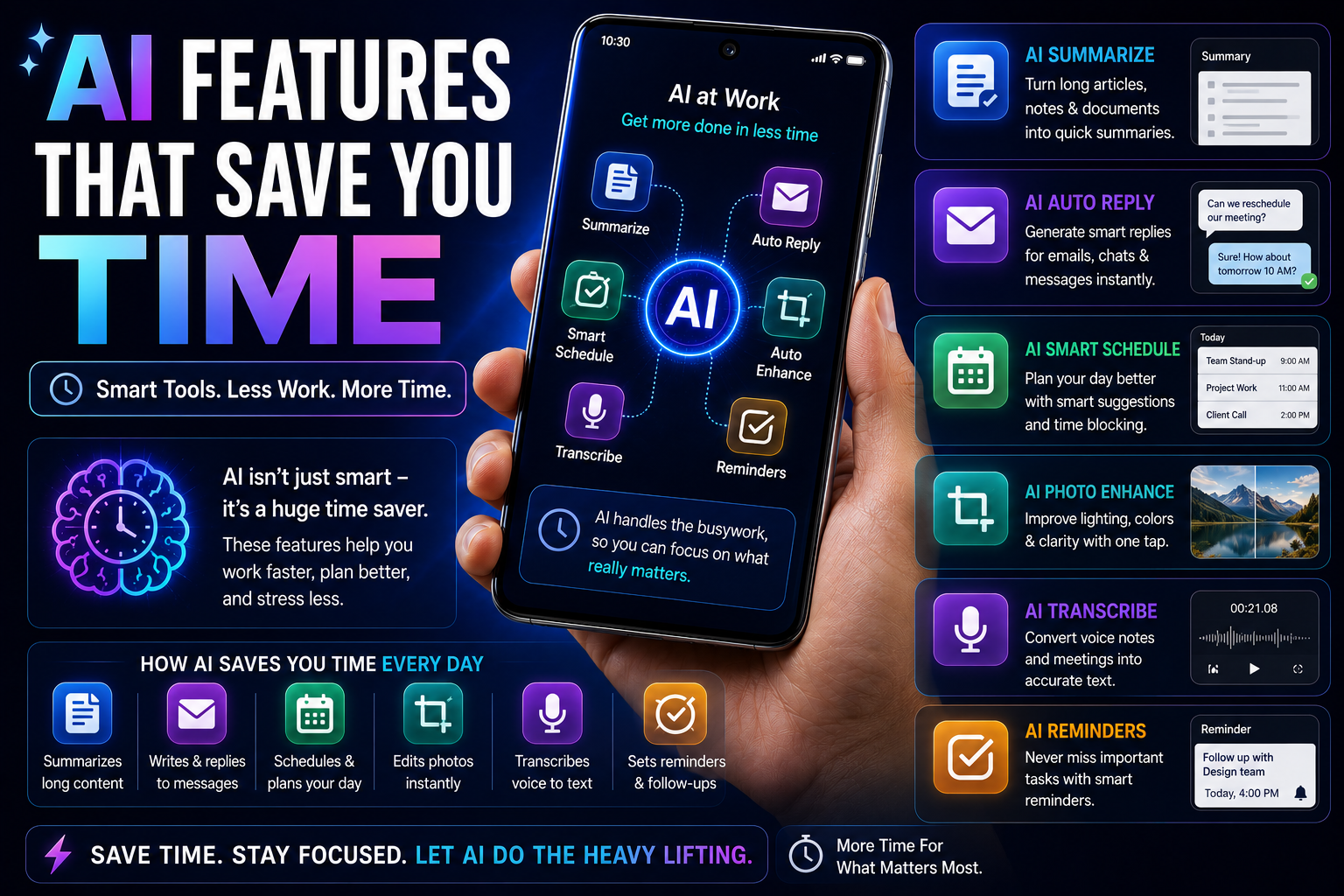
The best AI features are not the ones that look impressive during a product launch—they are the ones that save minutes and even hours every week. From voice transcription and smart search to AI summaries and automatic photo editing, modern smartphones now offer tools that can significantly improve productivity. This guide explains the AI features that genuinely save time and who benefits most from them.
Quick Verdict
Main rule: The most valuable AI features automate repetitive tasks, reduce manual effort and help users find information faster.
Best for: Students, professionals, creators, business users, travelers and anyone looking to improve productivity.
Simple Explanation
- AI saves time by automating repetitive tasks.
- The best AI features require little effort from the user.
- Good AI becomes part of your daily workflow without needing constant attention.
Voice Transcription Saves Hours
- Record meetings and convert them into notes.
- Transcribe lectures automatically.
- Create searchable records of conversations.
- Reduce manual note-taking significantly.
- One of the most valuable AI productivity tools.
AI Summaries Reduce Reading Time
- Summarize long reports instantly.
- Extract key points from articles.
- Create revision notes for students.
- Reduce information overload.
- Useful for work, studies and research.
Smart Search Eliminates Digital Clutter
- Find screenshots by describing them.
- Locate files without remembering names.
- Search photos using natural language.
- Access information faster.
- Reduce wasted time browsing folders.
Writing Assistance Speeds Up Communication
- Draft professional emails.
- Improve grammar automatically.
- Generate social media captions.
- Create report outlines.
- Reduce writing effort significantly.
Translation Removes Communication Barriers
- Translate messages instantly.
- Understand foreign-language websites.
- Communicate while traveling.
- Improve international collaboration.
- Useful for business and education.
AI Photo Editing Saves Creative Time
- Remove unwanted objects automatically.
- Improve image quality instantly.
- Enhance social media content.
- Reduce editing effort.
- Useful for creators and casual users alike.
Time-Saving AI Features for Students
- Lecture transcription.
- Note summaries.
- Research assistance.
- Document scanning.
- Translation tools.
Time-Saving AI Features for Professionals
- Meeting summaries.
- Email drafting.
- Task organization.
- Document analysis.
- Smart scheduling assistance.
Time-Saving AI Features for Creators
- Automatic captions.
- AI thumbnail editing.
- Photo cleanup.
- Video enhancement.
- Content idea generation.
Time-Saving AI Features for Travelers
- Live translation.
- AI-enhanced maps.
- Travel itinerary assistance.
- Language interpretation.
- Photo organization.
AI Features That Don't Save Much Time
- AI wallpapers.
- AI emoji generators.
- Novelty avatar creators.
- One-time demo features.
- Marketing-focused AI additions.
Before Paying Extra for AI
- Check whether features work offline.
- Verify software update commitments.
- Compare hardware specifications.
- Review privacy protections.
- Ensure the AI features match your daily usage.
Buying Impact
- The right AI features can save hours every month.
- Students and professionals typically benefit the most.
- Productivity-focused AI delivers better long-term value than entertainment-focused AI.
- Choose smartphones with practical AI tools rather than marketing gimmicks.
Frequently Asked Questions
Which AI feature saves the most time?
Voice transcription and AI summaries usually provide the biggest productivity gains.
What AI feature do professionals use most?
Meeting transcription, email drafting and document summaries are among the most commonly used features.
Are AI features worth paying extra for?
Yes, if they regularly improve your productivity or workflow.
Which AI features help students the most?
Lecture transcription, note summaries and research assistance provide the greatest benefits.
Can AI replace productivity apps?
Not entirely, but AI can significantly reduce manual work within those apps.
Do these AI features require internet access?
Some work on-device while others rely on cloud processing.
Which AI features are overrated?
AI wallpapers, AI emojis and novelty generators usually provide limited daily value.
Should AI be the main reason to buy a smartphone?
No. Battery life, camera quality, processor performance and software support remain equally important.
Related Reading on Godealio
More Guide Details
Top Time Saving Features
Rank
1
Feature
Voice Transcription
Time Saved
Hours every month
Why It Matters
Automatically converts meetings, lectures and conversations into searchable text.
Rank
2
Feature
AI Summaries
Time Saved
Minutes every day
Why It Matters
Condenses long documents, articles and notes into key points.
Rank
3
Feature
Smart Search
Time Saved
Several minutes daily
Why It Matters
Find photos, screenshots and files instantly using natural language.
Rank
4
Feature
AI Writing Assistance
Time Saved
Hours every week
Why It Matters
Creates emails, messages, reports and captions faster.
Rank
5
Feature
Live Translation
Time Saved
Immediate communication benefits
Why It Matters
Removes language barriers during travel and business conversations.
Rank
6
Feature
AI Photo Editing
Time Saved
Minutes per image
Why It Matters
Removes unwanted objects and improves photos automatically.
Featured
false