
iPhone Performance Optimization Guide
Detailed smartphone optimization guide with AI features, creator workflows, battery settings, storage fixes and practical usage tips.
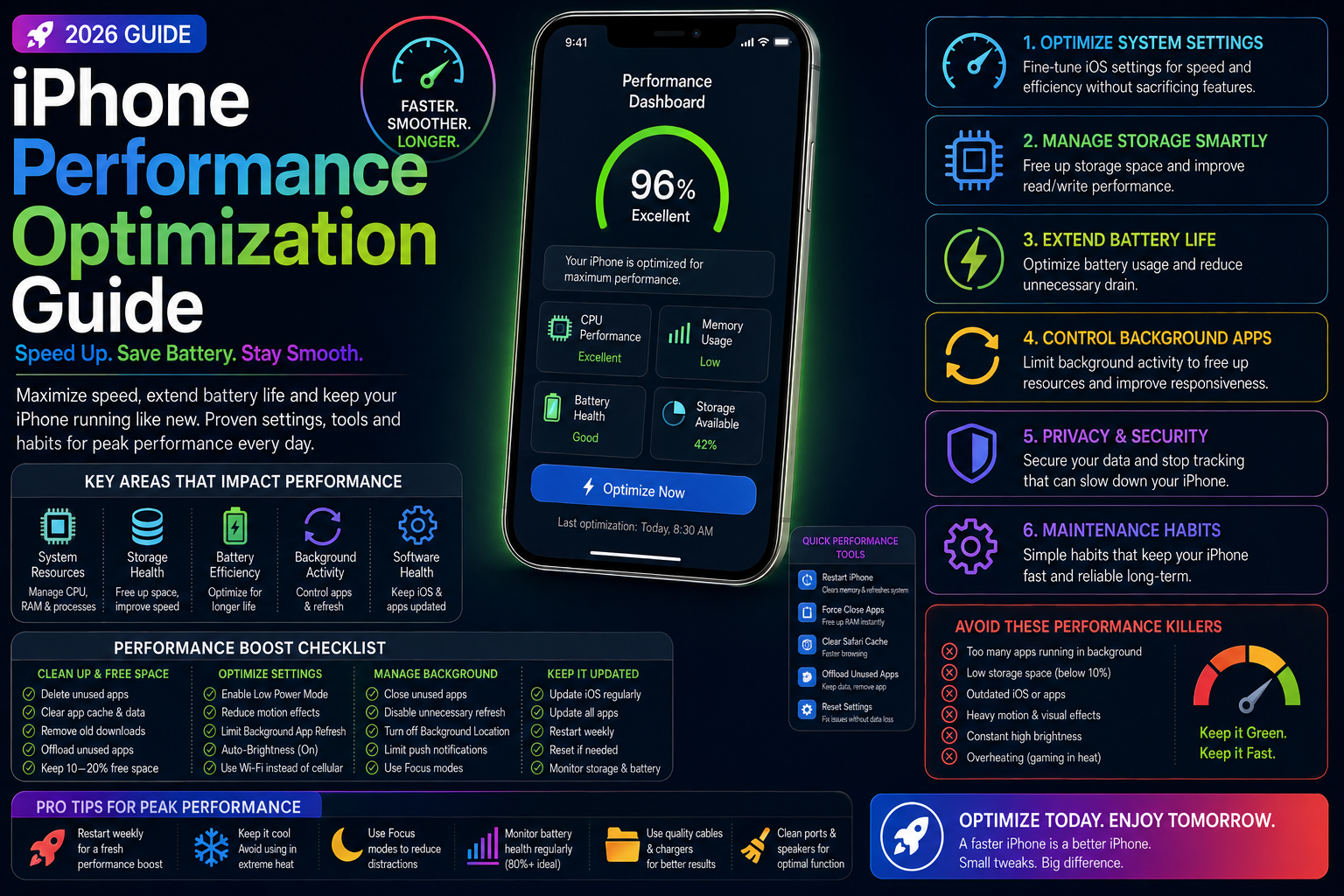
This long-form evergreen smartphone guide focuses on practical real-world usage patterns, creator workflows, AI tools, battery optimization, storage cleanup, privacy protection and performance improvements.
Why iPhone Optimization Matters
Modern iPhones handle gaming, AI workflows, content creation, productivity and entertainment simultaneously.
Without proper optimization, storage clutter, battery degradation and excessive background activity can reduce overall performance.
This guide explains practical ways to improve iPhone speed, battery life, thermal management and long-term usability.
Optimize Storage Usage
Storage management is one of the biggest factors affecting smartphone responsiveness and stability.
Cleaning unnecessary files improves app loading speed and overall system performance.
- Delete unused apps
- Remove duplicate photos and videos
- Optimize iCloud storage
- Clear downloaded files
- Reduce unnecessary cache usage
Maintain Healthy Battery Performance
Battery health directly affects performance and long-term device reliability.
Optimized charging habits reduce overheating and improve battery lifespan.
- Enable Optimized Battery Charging
- Avoid excessive overheating
- Use certified charging accessories
- Monitor battery health regularly
- Reduce unnecessary charging cycles
Apple Intelligence and Smart Optimization
Apple Intelligence improves system efficiency through smarter background management and AI-assisted workflows.
Efficient resource balancing helps maintain smoother multitasking and productivity.
- AI-powered resource balancing
- Smarter notification handling
- Efficient background task management
- Improved Siri workflows
- Productivity-focused optimization
Reduce Background Activity
Too many background apps and widgets can negatively affect responsiveness and battery life.
Reducing unnecessary activity helps improve system stability.
- Disable unnecessary background refresh
- Reduce excessive widgets
- Limit automatic syncing
- Manage live updates carefully
- Improve multitasking performance
Build a Faster and Smarter iPhone Experience
Small optimization changes can significantly improve overall iPhone usability.
By balancing AI tools, battery management, storage cleanup and performance settings, users can maintain smoother performance and better long-term device health in 2026.
Frequently Asked Questions
How can I make my iPhone faster?
Optimize storage, reduce background activity, maintain battery health and manage unnecessary widgets and apps.
Does Apple Intelligence improve performance?
Apple Intelligence helps improve resource balancing, productivity workflows and smarter background task management.
Why does storage affect iPhone performance?
Low available storage can reduce responsiveness, slow app loading and negatively affect overall system stability.
Related Reading on Godealio
- How to Make Old iPhones Faster
- Best iPhone Battery Saving Settings
- iPhone Gaming Optimization Guide
- iPhone 16 vs iPhone 17: Camera, Battery, Performance and Upgrade Guide
- Apple iPhone 17 vs iPhone 16: display, camera, battery, AI, performance & best iPhone to buy
- Best iPhone To Buy
- Apple iPhone 17 Pro vs iPhone 16 Pro: camera, performance, battery, AI & flagship comparison
- Xiaomi 17 Ultra vs iPhone 17 Pro Max: camera, battery, performance, AI & flagship comparison
More Guide Details
Author
Godealio Editorial Team
Featured
false