
Android Battery Calibration: Does It Work and When Should You Do It?
Understand what battery calibration actually changes, when it may help inaccurate percentage readings, when it will not help, and how to troubleshoot battery problems safely.
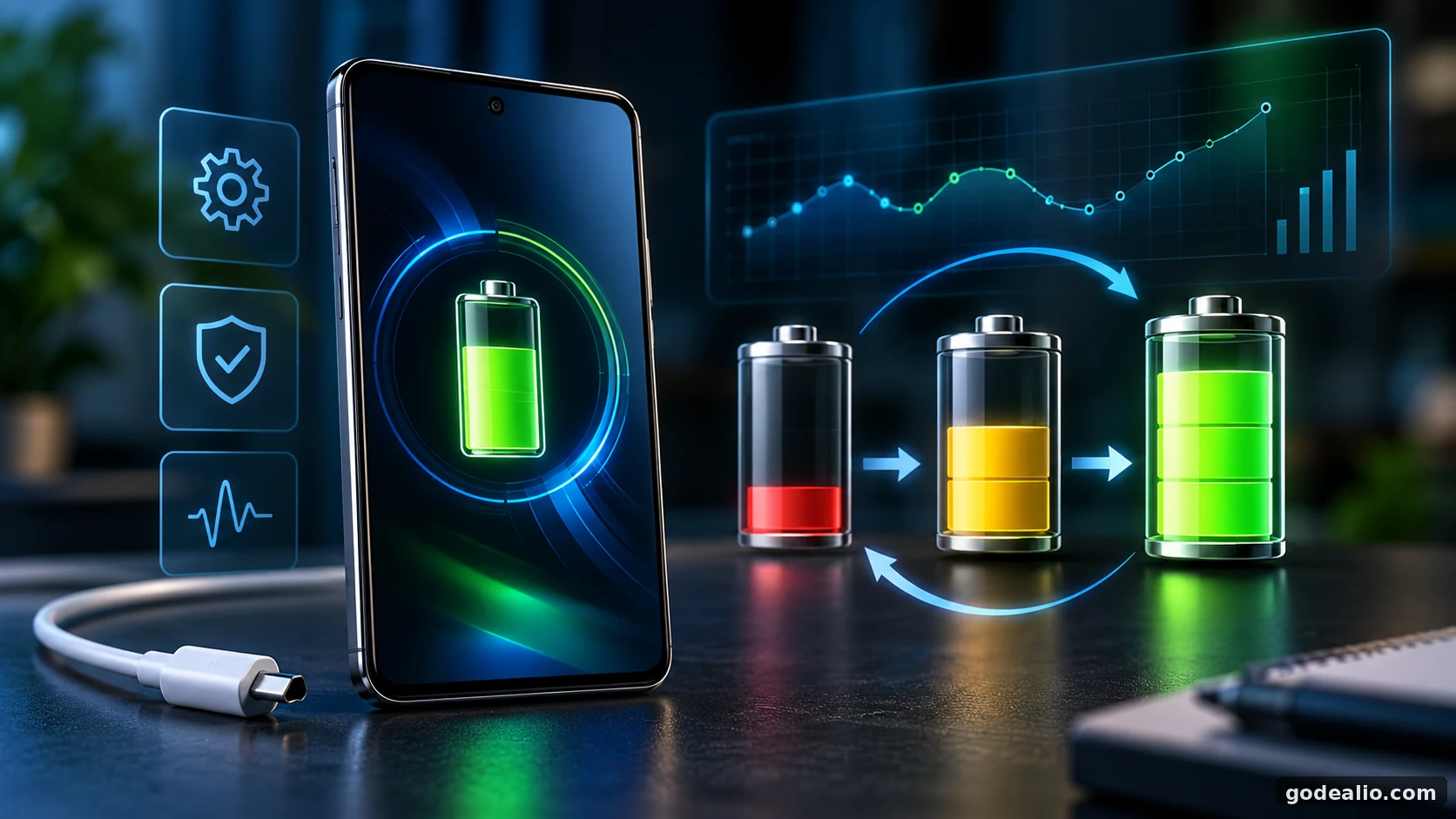
Android battery calibration can help when the displayed charge level no longer reflects the battery's estimated state accurately, but it cannot restore lost battery capacity. This guide explains when calibration is worth trying, how to approach it safely, and when battery diagnostics or replacement make more sense.
Quick Verdict
Main rule: Use Android battery calibration only when the battery percentage appears inaccurate; it can improve charge-state estimation but cannot restore lost physical battery capacity.
Best for: Android users seeing battery-percentage jumps, unexpected shutdowns with charge remaining, inconsistent readings after restart, or similar charge-estimation symptoms.
Guide Overview
- Guide type
- explainer
- Difficulty
- beginner
- Market
- India
- Time required
- Several hours to more than one day depending on normal battery usage and whether a full discharge-and-recharge calibration cycle is required.
- Cost estimate
- No direct cost for software troubleshooting or calibration. Battery diagnosis, repair or replacement may involve a service cost depending on the device, warranty status and service provider.
Who this guide is for
Android users experiencing inaccurate battery percentage readings, sudden percentage jumps, unexpected shutdowns with charge remaining, charging-percentage irregularities, or battery behaviour that changed after a major software update or battery replacement.
Before You Start
Requirements
- An Android phone showing a possible battery-percentage or charge-estimation problem.
- A compatible, reliable charger and charging cable suitable for the phone.
- Enough time to complete a controlled charge and discharge cycle if calibration is genuinely warranted.
- Access to the phone manufacturer's battery diagnostics or battery-health information where supported.
Prerequisites
- Confirm that the problem is related to battery-percentage accuracy rather than ordinary high battery consumption.
- Restart the phone before beginning a calibration attempt.
- Install appropriate stable system and application updates before diagnosing a persistent software-related battery problem.
- Check for obvious battery-health warnings or physical battery damage first.
- Do not deliberately perform repeated full discharge cycles as routine battery maintenance.
- Back up important data before performing advanced troubleshooting such as a factory reset.
Tools Needed
- Android phone
- Compatible charger
- Reliable charging cable
- Manufacturer battery diagnostic tool where available
- A few notes or screenshots to record battery-percentage behaviour
Step-by-Step Guide
Follow the relevant steps in order and avoid changing unrelated advanced settings.
Identify Whether You Actually Have a Calibration Problem
- Observe the battery percentage during normal use before attempting calibration.
- Look for percentage readings that jump noticeably rather than decreasing progressively.
- Note whether the phone unexpectedly shuts down while the displayed percentage still indicates meaningful charge remaining.
- Check whether the percentage appears stuck for an unusually long period and then changes sharply.
- Record whether the unusual behaviour began after a software update, battery replacement or another significant device change.
- If the main problem is simply short runtime with otherwise stable percentage readings, investigate battery drain and battery health before assuming calibration is required.
Expected result
You distinguish a possible charge-estimation problem from ordinary battery drain or genuine battery degradation.
Platform: Android
Restart the Phone Before Doing Anything More Aggressive
- Save any unfinished work.
- Restart the Android phone normally.
- After the restart, observe the displayed battery percentage.
- Continue normal use for a while and watch whether the percentage behaves more consistently.
- If the problem disappears, avoid performing an unnecessary full discharge cycle.
Expected result
A temporary software or reporting problem may clear without requiring a complete calibration cycle.
Platform: Android
Check Battery Health and Diagnostics First
- Use the manufacturer's battery-health or diagnostic feature if your phone provides one.
- Look for warnings indicating reduced battery condition, charging problems or a battery requiring service.
- On supported Pixel phones, use Google's battery diagnostic features where available.
- On supported Samsung Galaxy phones, Samsung Members can provide battery-status diagnostics.
- If diagnostics indicate significant battery degradation, treat calibration as a measurement exercise rather than a repair.
Expected result
You determine whether the problem is more likely to involve battery condition rather than inaccurate percentage estimation.
Warning
Menu names, diagnostic availability and battery-health features vary by manufacturer, model and software version.
Platform: Android
Check Whether the Problem Started After a Software Update
- Consider when the battery behaviour first changed.
- If it began immediately after a major Android update, allow normal post-update processing to finish.
- Install available stable application updates.
- Restart the phone after updates are completed if appropriate.
- Observe battery behaviour for several normal usage periods before deciding that calibration is required.
Expected result
Temporary post-update processing is separated from a genuine charge-estimation problem.
Warning
Higher battery consumption for a period after a software update does not by itself prove that the battery requires calibration.
Platform: Android
Charge the Phone Normally and Observe the Percentage
- Connect the phone to a compatible charger.
- Allow it to charge normally without repeatedly disconnecting and reconnecting the cable.
- Observe whether the displayed percentage increases progressively.
- Check whether charging unexpectedly stops, jumps dramatically or reports a full charge unusually early.
- If the manufacturer provides charging diagnostics, use them when abnormal charging behaviour is present.
Expected result
You gather evidence about whether the problem occurs during charging as well as discharging.
Warning
Charging problems caused by a damaged cable, charger, USB port or battery should not be treated as calibration problems.
Platform: Android
Perform a Full Calibration Cycle Only When Symptoms Justify It
- If percentage readings remain clearly inaccurate after basic troubleshooting, use the phone normally while monitoring the charge level.
- For devices whose manufacturer specifically recommends a calibration procedure, follow that manufacturer's instructions rather than applying a generic routine.
- Google's current Pixel troubleshooting guidance for calibration instructs users to restart the phone, charge it to 100%, drain the battery completely and then charge it to 100% again.
- Keep the charging process uninterrupted where practical.
- After completing the cycle, return to normal charging behaviour rather than repeating full discharge cycles unnecessarily.
Expected result
The phone receives a complete charge-state range that may help its battery-management system update the displayed estimate.
Warning
Do not make intentional 0-to-100% cycles a regular battery-maintenance habit. Follow device-specific manufacturer guidance where available.
Platform: Android
Observe the Battery Percentage After Calibration
- Use the phone normally after completing the calibration attempt.
- Watch whether the percentage now decreases more progressively.
- Check whether unexpected shutdowns at apparently significant remaining charge continue.
- Look for large percentage changes after restarting the phone.
- Compare the behaviour with the notes or screenshots you recorded before calibration.
Expected result
You determine whether the calibration attempt improved charge-percentage accuracy.
Platform: Android
Separate Percentage Accuracy From Actual Battery Runtime
- Compare the displayed percentage behaviour with the phone's actual runtime.
- If percentage reporting becomes smoother but runtime remains poor, investigate battery degradation or excessive power consumption.
- Review battery usage for applications or system components consuming unusual amounts of power.
- Remember that calibration does not create additional chemical battery capacity.
- Treat consistently short runtime as a separate battery-health or battery-drain problem.
Expected result
You avoid mistaking a corrected battery gauge for an improvement in the physical battery's capacity.
Platform: Android
Use Manufacturer Diagnostics if Calibration Does Not Help
- Run the manufacturer's available battery diagnostics again after calibration.
- Check for reduced battery-health or service warnings.
- If your phone supports battery-capacity information, compare it with the device's expected condition and age.
- If the phone still shuts down unexpectedly or reports implausible percentages, seek manufacturer or authorised service support.
- Do not repeatedly perform calibration cycles hoping to restore physical battery capacity.
Expected result
A persistent problem is escalated from calibration troubleshooting to battery-health or hardware diagnosis.
Warning
Repeated full discharges are not a substitute for repairing or replacing a degraded or faulty battery.
Platform: Android
Return to Battery-Friendly Charging Habits
- After troubleshooting, return to normal day-to-day charging.
- Use charging optimisation features provided by the manufacturer when appropriate.
- Avoid unnecessary exposure to excessive heat during charging.
- Do not deliberately drain the phone to zero simply to maintain calibration.
- Let the phone's built-in battery-management system handle routine charge estimation unless symptoms return.
Expected result
The phone returns to normal charging without unnecessary deep-discharge cycles.
Platform: Android
Does Android Battery Calibration Actually Work?
Battery calibration can be useful when the phone's estimate of remaining charge appears inaccurate. The key distinction is between the battery itself and the software or battery-management system estimating its state. Calibration may help the device produce a more representative percentage reading, but it cannot reverse chemical ageing or restore capacity that a lithium-ion battery has physically lost. That means calibration is relevant when the symptom involves measurement: the percentage jumps unexpectedly, the phone shuts down despite apparently having charge remaining, or the displayed level behaves inconsistently. It is much less useful when the only complaint is that the phone no longer lasts as long as it did when new. Modern Android devices also include increasingly sophisticated battery-management and diagnostic systems. Manual calibration should therefore be treated as a troubleshooting procedure for specific symptoms rather than regular maintenance.
What Battery Calibration Really Means
The percentage displayed by an Android phone is an estimate of the battery's remaining state of charge. Battery-management hardware and software use electrical measurements and learned behaviour to estimate how much usable energy remains. Calibration is intended to help that estimate correspond more closely with the battery's actual operating range when the estimate has become unreliable. It should not be described as magically resetting the physical battery, nor should users expect it to increase the battery's true chemical capacity. This distinction matters because two phones can show similar symptoms for different reasons. One may have an inaccurate percentage estimate while another has a genuinely degraded battery that can no longer store or deliver as much energy.
When Should You Consider Battery Calibration?
Calibration makes the most sense when the symptoms suggest inaccurate battery-state reporting. Examples include a phone that switches off while still showing a meaningful percentage, a battery indicator that suddenly falls by a large amount, or a displayed percentage that behaves inconsistently after a restart. A recent major software update can coincide with unusual battery behaviour, but higher consumption immediately after an update does not automatically mean calibration is needed. Background optimisation and application updates can temporarily increase energy use. Likewise, battery replacement can sometimes be followed by estimation irregularities, but the correct troubleshooting procedure depends on the manufacturer and repair method.
When Battery Calibration Is Unlikely to Help
Do not assume calibration is necessary simply because battery life is shorter than it used to be. Lithium-ion batteries are consumable components whose usable capacity decreases over time. A physically aged battery cannot regain lost capacity through a software calibration cycle. Calibration is also unlikely to solve heavy background application activity, poor mobile-network reception, excessive display usage, persistent location activity or other genuine sources of power consumption. If the battery percentage decreases smoothly but the phone simply runs out of charge sooner than before, battery health and power consumption are more useful areas to investigate.
Google Pixel Battery Calibration
Google currently documents a battery-calibration procedure as part of Pixel battery troubleshooting. Its guidance for relevant battery problems instructs users to restart the phone, charge it to 100%, drain the battery completely and then charge it back to 100%. Google also documents automated behaviour on newer Pixel charging systems. When the 80% charging limit is used on supported models, the phone periodically performs a full charge so its battery-capacity readings can remain accurate. This is useful evidence that modern battery estimation can include manufacturer-managed calibration behaviour rather than requiring users to manually perform frequent deep cycles. Pixel features and menu paths differ by model and software release, so users should follow current Google support guidance for their specific device.
Samsung Galaxy: Check Battery Health Before Repeated Calibration
Samsung provides battery-status diagnostics through Samsung Members on supported Galaxy devices. The diagnostic result can indicate whether the battery condition is normal or whether efficiency has decreased enough to justify further service attention. This is particularly useful when deciding whether a battery problem is a measurement issue or physical degradation. If Samsung's diagnostic system indicates that battery condition is poor, repeatedly cycling the battery will not restore its original capacity. Menu names and diagnostic screens can change with model and software version, so users should rely on the options available on their own Galaxy device rather than assuming one path applies to every Samsung phone.
Battery Calibration vs Battery Health
Battery calibration and battery health answer different questions. Calibration concerns whether the displayed estimate accurately represents the battery's remaining state of charge. Battery health concerns how much usable capacity and performance the physical battery retains compared with its earlier condition.
A successfully calibrated phone can still have poor battery health. The percentage may become more accurate while the phone continues to have short runtime because the battery simply stores less energy than it once did. This distinction is especially important when comparing battery calibration vs battery health troubleshooting on an older Android phone.
This is why users should not judge calibration success by expecting dramatically longer battery life. The better test is whether the Android battery percentage behaves more consistently and whether unexplained shutdowns related to inaccurate estimation stop occurring.
If you are deciding whether to calibrate Android battery readings or investigate battery health, start with the symptom. An Android battery percentage jumping unexpectedly, changing substantially after a restart, or becoming stuck can indicate an estimation problem. A percentage that behaves normally while actual runtime steadily becomes shorter points more strongly toward battery degradation or genuine power consumption.
Manufacturer battery-health checks are therefore useful before repeated calibration attempts. If diagnostics indicate reduced battery condition, calibration may make the displayed estimate more representative, but it cannot restore the battery's lost physical capacity.
Should You Calibrate After Every Android Update?
No. A major Android update is not, by itself, a reason to deliberately discharge the battery completely. Software updates can trigger background optimisation, application updates and other temporary work that changes battery consumption for a period. If the percentage itself remains stable and predictable, calibration is unlikely to be the first troubleshooting step. Update applications, restart the device and observe several normal usage periods. Calibration becomes more relevant only when the update appears to coincide with persistent percentage-estimation symptoms such as sudden percentage changes or shutdowns that do not correspond with the displayed charge.
What About Calibration After a Battery Replacement?
After battery replacement, the phone's battery-management system may need to establish accurate information about the replacement battery. The appropriate procedure depends on the phone, battery, repair process and manufacturer. Do not assume that repeated deep discharge cycles are automatically required. If the percentage behaves normally after replacement, routine use may be sufficient. If it behaves incorrectly, consult the manufacturer's repair or support guidance. Persistent percentage jumps, charging errors or unexpected shutdowns after replacement can also indicate an installation, compatibility or hardware problem rather than something calibration alone can solve.
Do You Need to Delete Battery Statistics Files?
Generic Android advice sometimes claims that users must delete a battery statistics file to calibrate the battery. That should not be treated as a normal consumer troubleshooting step. Modern Android users should prefer manufacturer-supported diagnostics and calibration procedures rather than rooting a device, deleting system files or installing utilities that claim to reset battery statistics. Unsupported system modifications can introduce additional problems and may make diagnosis harder. If the manufacturer provides a calibration procedure, follow that procedure instead.
Should You Regularly Drain an Android Battery to 0%?
A full discharge may appear in a manufacturer-supported troubleshooting procedure, but that does not make repeated deep discharge good routine maintenance. Modern lithium-ion batteries do not need the old memory-effect maintenance routines associated with some earlier rechargeable battery technologies. Day-to-day charging should focus on practical use, avoiding excessive heat and using manufacturer charging optimisation where appropriate. Think of a full calibration cycle as a diagnostic procedure used when symptoms justify it, not something that needs to be scheduled every week or month.
Quick Decision Guide: Calibrate, Diagnose or Replace?
If your battery percentage jumps, becomes stuck or the phone shuts down while showing significant remaining charge, begin with a restart, diagnostics and then a supported calibration procedure if the symptoms persist. If the percentage behaves normally but battery life has become shorter, investigate battery health and actual battery consumption instead. Calibration is unlikely to restore runtime lost through physical battery ageing. If the battery is swollen, physically damaged, persistently overheating or diagnostics indicate severe degradation, stop treating the issue as a calibration problem and seek appropriate professional service.
How to Tell Whether Android Battery Calibration Worked
Do not judge a calibration attempt only by whether the phone seems to last longer. Android battery calibration is mainly about the accuracy and consistency of the displayed charge estimate. After the procedure, use the phone normally for several charging and discharging periods and compare its behaviour with what you recorded before calibration.
A useful improvement is more predictable percentage behaviour. The charge level should fall progressively instead of remaining unchanged for a long period and then dropping sharply. If the phone previously switched off while showing meaningful charge remaining, check whether that behaviour has stopped. Also watch for an Android battery percentage jumping significantly after a restart.
Battery runtime is a separate measurement. If the percentage becomes stable but the phone still runs out of power much sooner than expected, calibration may have corrected the estimate without solving the underlying battery-health or power-consumption problem. Review Android battery usage, background applications, network conditions and manufacturer diagnostics instead of repeatedly performing full discharge cycles.
Keep a simple record of the percentage before charging, after charging, during ordinary use and before the next recharge. Screenshots or brief notes across several normal usage periods can make it easier to distinguish a genuine improvement from normal day-to-day variation.
- The displayed battery percentage decreases more consistently.
- Large unexplained percentage jumps disappear or become less frequent.
- The phone no longer shuts down while showing substantial charge remaining.
- Battery readings remain reasonably consistent after restarting.
- Poor runtime that remains after calibration should be investigated separately.
Final Verdict: Battery Calibration Has a Specific Purpose
Android battery calibration is useful when the problem is inaccurate battery-state estimation. It can help the phone produce a more representative percentage after the estimate has become unreliable, but it should not be marketed as a battery-life booster. The most important distinction is simple: calibration can address measurement, while battery replacement addresses physical degradation. If the percentage becomes accurate after calibration but runtime remains poor, the underlying issue lies elsewhere. Use manufacturer diagnostics first, follow manufacturer-specific calibration instructions where available, and avoid repeatedly deep-discharging a healthy phone. Modern Android devices already perform substantial battery management automatically, so manual calibration should remain an occasional troubleshooting tool rather than routine maintenance.
Troubleshooting
Battery percentage jumps suddenly
Likely causes
- Charge-estimation error
- Temporary software reporting problem
- Battery degradation
- Recent software or battery-related change
What to try
- Restart the phone and observe the percentage again.
- Check manufacturer battery diagnostics.
- Install appropriate stable software updates.
- If the behaviour persists and the manufacturer supports calibration, perform one controlled calibration cycle.
- Compare percentage behaviour after the calibration attempt.
When to escalate: Seek manufacturer or authorised service support if large percentage jumps continue after calibration or diagnostics indicate poor battery condition.
Phone switches off while the display still shows charge remaining
Likely causes
- Inaccurate charge-state estimation
- Degraded battery
- Battery unable to supply required power
- Software or battery-management problem
What to try
- Restart the phone.
- Check battery diagnostics and battery-health information where available.
- Follow the manufacturer's supported calibration procedure if applicable.
- Observe whether unexpected shutdowns continue after calibration.
When to escalate: Escalate if unexpected shutdowns continue, battery diagnostics report a problem, or the phone becomes unreliable during ordinary use.
Battery percentage stays on one number for a long time
Likely causes
- Delayed battery-gauge update
- Software reporting issue
- Charge-estimation inconsistency
What to try
- Restart the phone.
- Observe the battery level through another normal charge and discharge period.
- Check for stable software updates.
- Consider one supported calibration cycle only if the behaviour persists.
When to escalate: Seek support if the percentage remains unreliable after basic troubleshooting and calibration.
Battery still drains quickly after calibration
Likely causes
- Battery degradation
- Background application activity
- Poor cellular reception
- Display or network power consumption
- Software problem unrelated to calibration
What to try
- Review Android Battery usage.
- Identify applications with unusually high background consumption.
- Check mobile-network signal quality.
- Use manufacturer battery diagnostics.
- Investigate battery health rather than repeating calibration.
When to escalate: Consider authorised battery inspection or replacement when diagnostics indicate degraded battery condition or runtime remains abnormally poor.
Battery behaviour changed after an Android update
Likely causes
- Post-update optimisation
- Application updates
- Temporary background processing
- Software regression
- Coincidental battery ageing
What to try
- Allow post-update processing to settle.
- Update installed applications.
- Restart the phone.
- Monitor several normal usage periods.
- Use calibration only if percentage reporting itself remains clearly inaccurate.
When to escalate: Seek manufacturer support if abnormal behaviour persists well beyond normal post-update activity or the device begins shutting down unexpectedly.
Calibration improves the percentage display but battery life is still poor
Likely causes
- Reduced physical battery capacity
- High application power consumption
- Network-related drain
- Display-related consumption
- Normal battery ageing
What to try
- Check Battery usage for high-consumption applications.
- Run manufacturer battery-health diagnostics.
- Investigate background and network battery drain.
- Consider battery replacement if health diagnostics indicate significant degradation.
When to escalate: Escalate when battery-health diagnostics indicate reduced condition or the device cannot provide acceptable runtime despite normal software behaviour.
Battery percentage changes significantly after restarting
Likely causes
- Battery-estimation inconsistency
- Software reporting issue
- Battery degradation
What to try
- Record the percentage before and after another restart.
- Check battery diagnostics.
- Install stable system updates.
- Perform a supported calibration cycle if percentage-estimation symptoms persist.
When to escalate: Seek service if large changes continue consistently or are accompanied by unexpected shutdowns.
Phone becomes unusually hot while charging
Likely causes
- Heavy device activity
- High ambient temperature
- Charging accessory problem
- Battery or hardware issue
What to try
- Stop intensive use while charging.
- Move the phone away from excessive heat.
- Use a compatible reliable charger and cable.
- Check for battery or charging diagnostics.
When to escalate: Stop calibration attempts and seek professional support if excessive heat persists, the battery swells, the enclosure separates or physical damage is visible.
Buying & Decision Checklist
- Do not buy a replacement battery solely because the displayed percentage behaved strangely once.
- Run manufacturer battery diagnostics before paying for battery replacement where such diagnostics are available.
- Confirm whether the problem is inaccurate percentage reporting, actual short runtime or both.
- Check warranty or service eligibility before arranging a paid repair.
- Use an authorised or reputable repair provider for battery replacement.
- Confirm that any replacement battery is compatible with the exact phone model.
- Treat persistent swelling, overheating or physical battery damage as a service issue rather than a calibration problem.
Common Mistakes
- Assuming battery calibration increases the physical capacity of an ageing battery.
- Performing repeated 0-to-100% cycles as routine battery maintenance.
- Trying calibration simply because the phone's battery runtime has become shorter.
- Ignoring a battery-health or service warning.
- Confusing post-update battery consumption with inaccurate battery-percentage reporting.
- Assuming every Android manufacturer uses exactly the same calibration procedure.
- Deleting system files or using root-level battery-calibration tricks without manufacturer guidance.
- Installing unverified battery-calibration or battery-booster applications.
- Assuming a sudden shutdown always means the gauge is wrong; a degraded battery can also fail to provide adequate power.
- Continuing calibration experiments when the phone shows physical battery damage or abnormal swelling.
Key Takeaways
- Android battery calibration is primarily about charge-state or capacity-estimation accuracy, not restoring battery chemistry.
- Calibration cannot make a physically degraded battery new again.
- Percentage jumps and unexpected shutdowns with displayed charge remaining are stronger calibration symptoms than ordinary short battery life.
- A restart and battery-health check should come before an intentional full discharge.
- Manufacturer-specific guidance should take priority over generic internet calibration routines.
- Google currently provides an explicit calibration sequence for Pixel devices experiencing relevant battery problems.
- Newer Pixel charging systems can periodically perform full charges to maintain capacity-reading accuracy even when an 80% charging limit is normally used.
- Repeated deep discharge cycles should not be treated as routine battery maintenance.
- If calibration does not correct the problem, investigate battery health, charging hardware, software activity and potential battery replacement.
- A swollen, damaged or persistently overheating battery requires professional attention rather than calibration.
Important Warnings
- Battery calibration does not restore lost physical battery capacity.
- Do not repeatedly discharge a lithium-ion battery completely as routine maintenance.
- Calibration instructions can differ by manufacturer, model and software version.
- Do not delete system battery files, root the device or use unsupported calibration utilities solely to change the battery percentage.
- Do not continue normal calibration testing if the battery is swollen, physically damaged or causing the phone enclosure to separate.
- Persistent excessive heat, unexpected shutdowns or battery-health warnings should be investigated through manufacturer diagnostics or professional service.
- A phone that simply has poor battery runtime may have a battery-drain or battery-health problem rather than a calibration problem.
Useful Tips
- Record battery behaviour before calibration so you can tell whether anything actually improved.
- Prefer manufacturer diagnostics over third-party battery calibration utilities.
- After calibration, return to normal charging habits rather than repeating deep cycles.
- Keep the phone away from excessive heat while charging.
- Treat battery percentage accuracy and battery runtime as two separate diagnostic questions.
Conclusion
Battery calibration has a legitimate but narrow purpose: helping correct inaccurate battery-state estimation. It should not be treated as a battery-life booster or routine maintenance procedure. Start with a restart and manufacturer diagnostics, calibrate only when the symptoms justify it, and investigate battery health or replacement when poor runtime or hardware symptoms persist.
Frequently Asked Questions
Does Android battery calibration actually work?
It can help when the phone's displayed battery percentage or charge-state estimate has become inaccurate. It does not restore physical battery capacity or reverse battery ageing.
Does battery calibration improve battery life?
Calibration should not be expected to increase the physical capacity of the battery. It may make the displayed percentage more accurate, which can make battery behaviour appear more predictable.
When should I calibrate my Android battery?
Consider calibration when the percentage jumps unexpectedly, the phone shuts down despite showing charge remaining, or other evidence suggests the displayed battery level is inaccurate. Check battery health and basic software issues first.
Should I calibrate my Android battery every month?
No. Manual calibration should not be treated as routine monthly maintenance. Modern phones normally manage battery estimation automatically.
Do I need to drain my Android phone to 0% to calibrate it?
Some manufacturer troubleshooting procedures, including Google's current Pixel guidance for relevant battery issues, use a complete discharge as part of calibration. Follow manufacturer-specific instructions rather than regularly deep-discharging the phone.
Can calibration fix a degraded battery?
No. Calibration cannot restore chemical capacity lost through battery ageing. A degraded battery may require replacement.
Why does my phone turn off at 10% or 20% battery?
An inaccurate charge estimate can be one cause, but battery degradation or another hardware problem can produce similar symptoms. Check manufacturer diagnostics and consider a supported calibration procedure if appropriate.
Why does my battery percentage jump after restarting?
A large percentage change after restart can indicate that the phone's battery estimate is being recalculated or that the battery condition is unstable. Repeated large changes deserve further diagnosis.
Should I calibrate after an Android update?
Not automatically. Temporary increased battery use can occur after an update because of background optimisation. Calibration is more relevant when percentage reporting itself remains persistently inaccurate.
Should I calibrate after replacing the battery?
Only when required by the device or repair guidance, or when the battery percentage behaves incorrectly after replacement. The correct procedure can vary by manufacturer and device.
Do battery calibration apps work?
Be cautious with apps claiming to repair or restore a battery through calibration. Prefer built-in manufacturer diagnostics and documented troubleshooting procedures.
Should I delete Android battery statistics files?
That is not recommended as a normal consumer calibration method. Avoid rooting the phone or deleting system files solely to alter battery reporting.
How do I know if I need calibration or a new battery?
Inaccurate percentages with otherwise reasonable runtime can suggest an estimation problem. Consistently short runtime, degraded battery-health diagnostics, unexpected shutdowns or other hardware symptoms can point toward physical battery degradation.
Can calibration fix overnight battery drain?
Usually not. Overnight battery drain is more commonly investigated through Battery usage, background apps, network conditions, syncing, display features and battery health. Calibration is mainly relevant when the percentage estimate itself appears inaccurate.
How can I tell if Android battery calibration worked?
Look for more consistent battery-percentage behaviour rather than a dramatic increase in runtime. Fewer percentage jumps, fewer unexplained changes after restart and no unexpected shutdowns with significant charge remaining are more relevant signs that charge estimation has improved.
Recommended Deals
Related Reading on Godealio
More Guide Details
Thumbnail Prompt
Clean 16:9 Android battery calibration editorial image with a generic smartphone, battery gauge and subtle charging-cycle visualisation. Premium realistic technology style, no text, no logos and no fabricated UI.
Featured
false
Sources and Verification
Fix issues with your Pixel phone battery
Google Pixel Help
Get the most life from your Pixel phone battery
Google Pixel Help
Understand your Pixel battery
Google Pixel Help
How to check the battery status on your Samsung Galaxy phone
Samsung India
About Battery — Galaxy Battery
Samsung India
Android battery calibration article
Pocketnow
Battery calibration explainer
Chargie
https://chargie.org/does-battery-calibration-work/?srsltid=AU7gw4XvY9sE-KBCXDzH7ICAcvFLwf9fienXqtiQByCJbibNEqeyVoa9