
AI Motion Capture Photography: Sharper Photos of Kids, Pets and Sports
Learn how predictive focus, burst selection and motion analysis reduce blur.
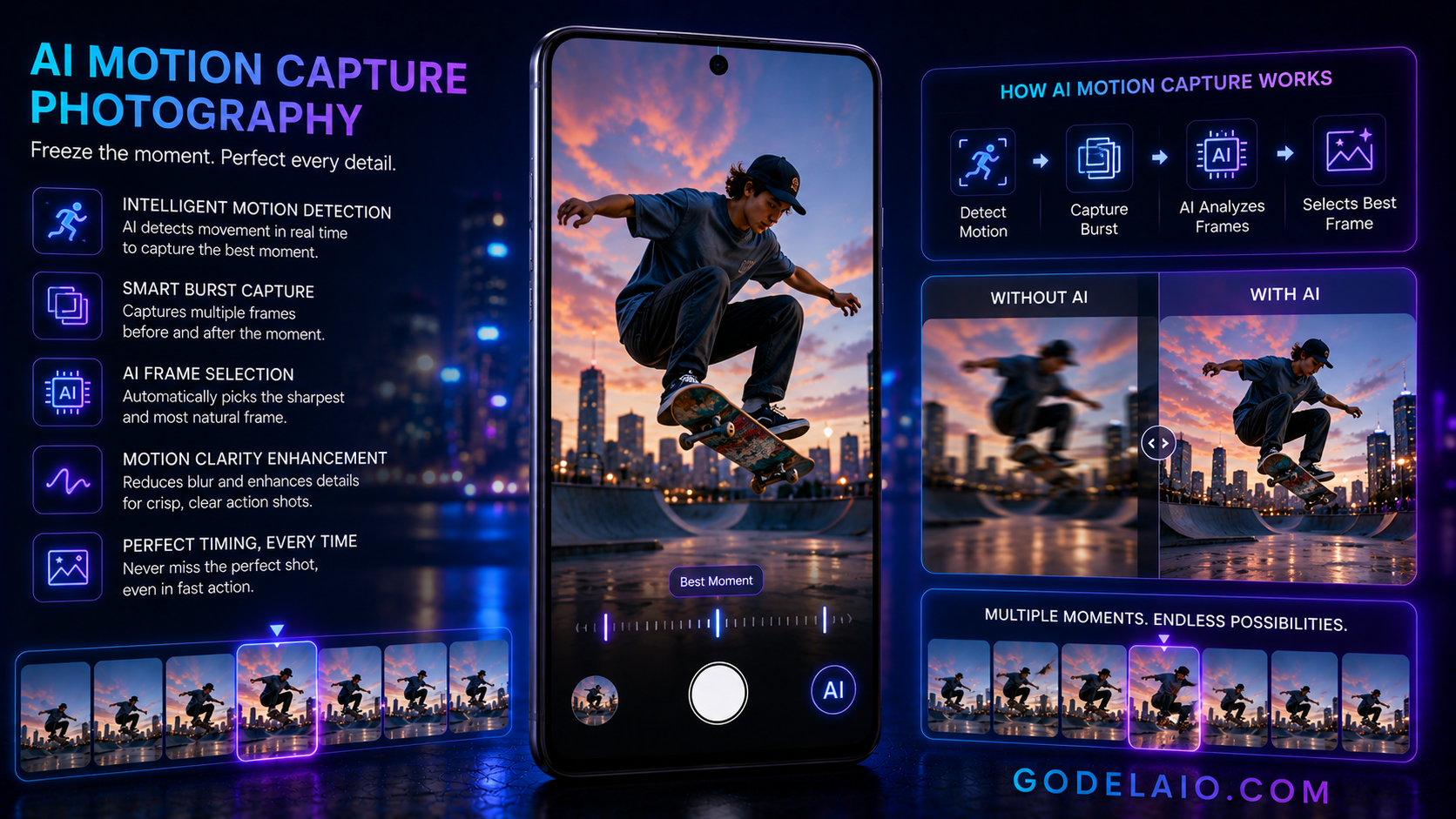
A practical guide to AI motion detection, predictive autofocus, burst analysis and best-frame selection.
Quick Verdict
Main rule: Start with the strongest possible original capture and use AI processing subtly.
Best for: children, pets, sports, dance, vehicles
Avoid if: You require an untouched documentary image or cannot verify problems such as missed focus, motion blur, rolling shutter.
Best by Use Case
Children
Use the feature for children, then compare the processed result with the original before sharing.
Pets
Use the feature for pets, then compare the processed result with the original before sharing.
Sports
Use the feature for sports, then compare the processed result with the original before sharing.
Dance
Use the feature for dance, then compare the processed result with the original before sharing.
Vehicles
Use the feature for vehicles, then compare the processed result with the original before sharing.
Comparison Advice
- Compare how different phones handle capturing moving subjects rather than relying only on feature names.
- Test difficult scenes involving hair, text, motion, reflections and low light.
- Check whether processing is on-device or cloud-based.
- Review export resolution, watermarking, account requirements and regional availability.
Mistakes to Avoid
- Ignoring missed focus.
- Ignoring motion blur.
- Ignoring rolling shutter.
- Ignoring low-light noise.
- Ignoring large burst storage.
- Deleting the original before checking the edited result.
- Assuming realistic-looking generated detail is always accurate.
Deal Advice
- Do not buy a phone for one AI feature alone.
- Prioritise camera consistency, stabilisation, useful focal lengths and software support.
- Confirm whether advertised AI tools are free, permanent and available in your region.
- For creators, also compare video quality, microphones, thermals and storage.
What Is AI Motion Capture Photography?
This guide focuses on capturing moving subjects. Modern smartphones combine camera hardware, image-signal processing and machine-learning models to analyse the scene and produce a result more quickly than a fully manual workflow.
The technology is most useful for children, pets, sports, dance and vehicles. Results still depend on lighting, camera hardware, software quality and how aggressively the phone processes the image.
- Primary purpose: capturing moving subjects.
- Key techniques include predictive autofocus, motion detection, burst ranking, shutter optimisation and best-frame selection.
- Some processing happens during capture, while other processing happens after capture.
- The original file should be preserved before applying strong generative or corrective edits.
How the AI Processing Works
The phone first analyses the scene and identifies relevant visual or audio information. Depending on the feature, it may compare multiple frames, estimate depth, detect motion, classify subjects or generate replacement pixels.

For capturing moving subjects, the most important processing stages are predictive autofocus, motion detection, burst ranking, shutter optimisation, best-frame selection. The exact pipeline varies by phone, app and software version.
- Stage 1: Predictive autofocus.
- Stage 2: Motion detection.
- Stage 3: Burst ranking.
- Stage 4: Shutter optimisation.
- Stage 5: Best-frame selection.
Best Use Cases
This feature is especially useful for children, pets, sports, dance, vehicles. It performs best when the input is technically clean and the phone has enough visual information to make a reliable decision.
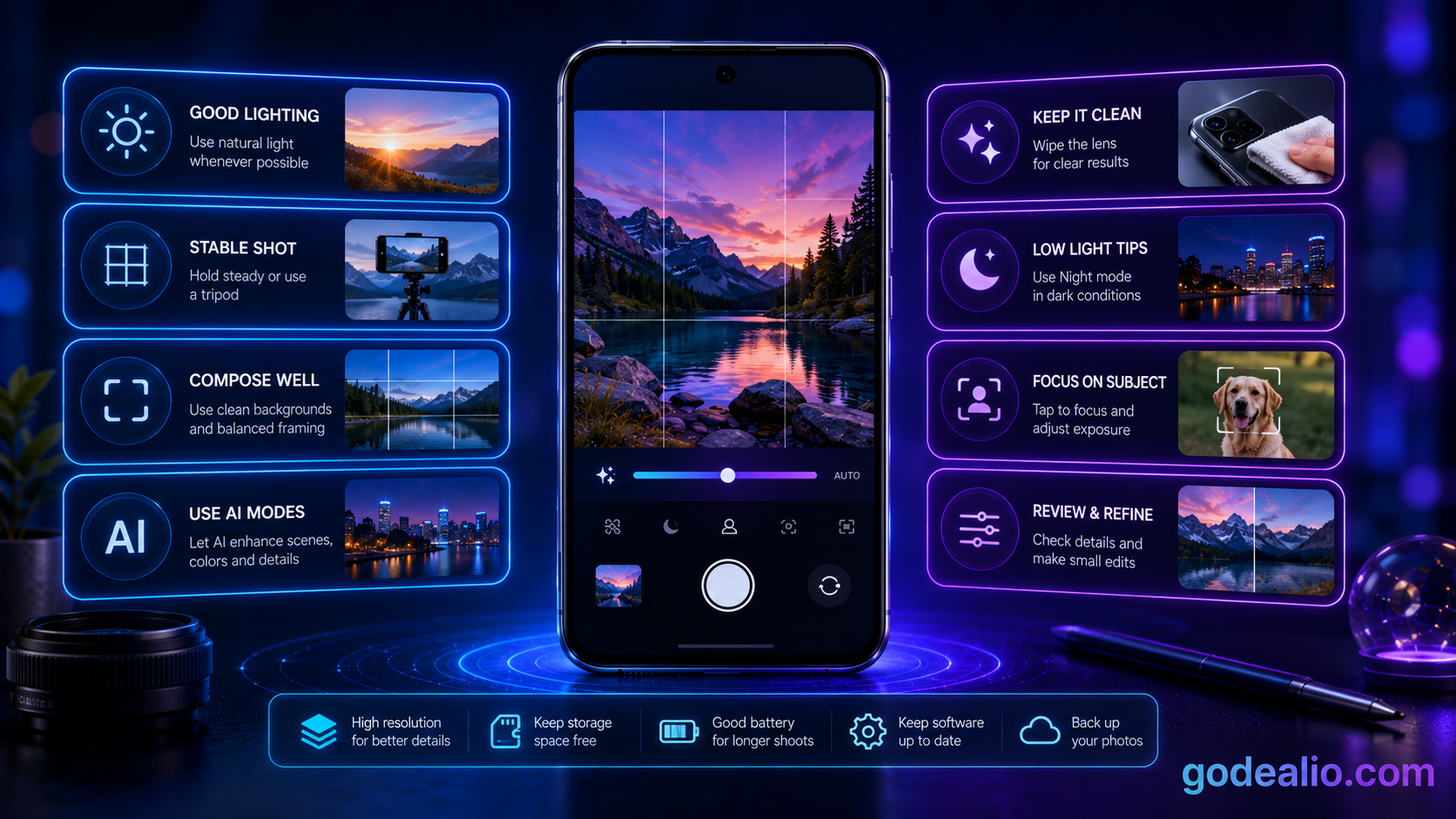
Good lighting, stable framing and a clean lens improve the quality of almost every AI-assisted result.
- Use it for children.
- Use it for pets.
- Use it for sports.
- Use it for dance.
- Use it for vehicles.
How to Use It Effectively
Open the camera or gallery tool that contains the feature, start with the highest-quality original available and apply only the minimum correction needed.
After processing, zoom in and inspect faces, hands, text, edges, reflections and repeating patterns. Compare the result with the original before exporting or sharing.
- Clean the lens and capture the strongest possible original.
- Use the main camera or an optical focal length where possible.
- Apply one major AI adjustment at a time.
- Inspect difficult edges and fine details at full size.
- Save the result as a copy and retain the original.
Common Problems and Limitations
Typical failure cases include missed focus, motion blur, rolling shutter, low-light noise, large burst storage. AI tools can create convincing results even when some details are inaccurate, so visual realism should not be confused with factual accuracy.
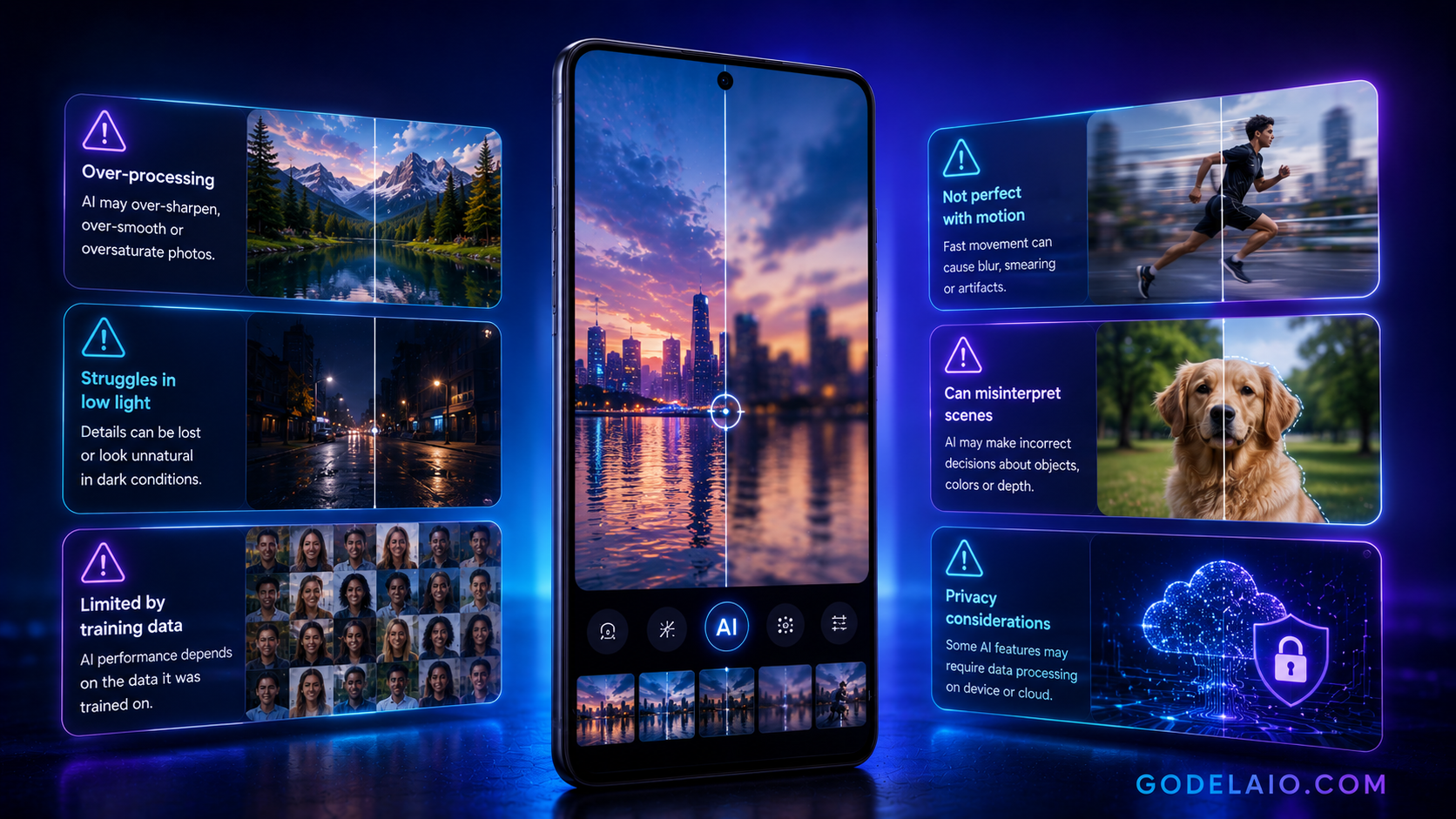
Moving subjects, low light, reflective surfaces, hair, transparent objects and text are common stress tests for camera AI.
- Watch for missed focus.
- Watch for motion blur.
- Watch for rolling shutter.
- Watch for low-light noise.
- Watch for large burst storage.
Camera Hardware Versus AI Processing
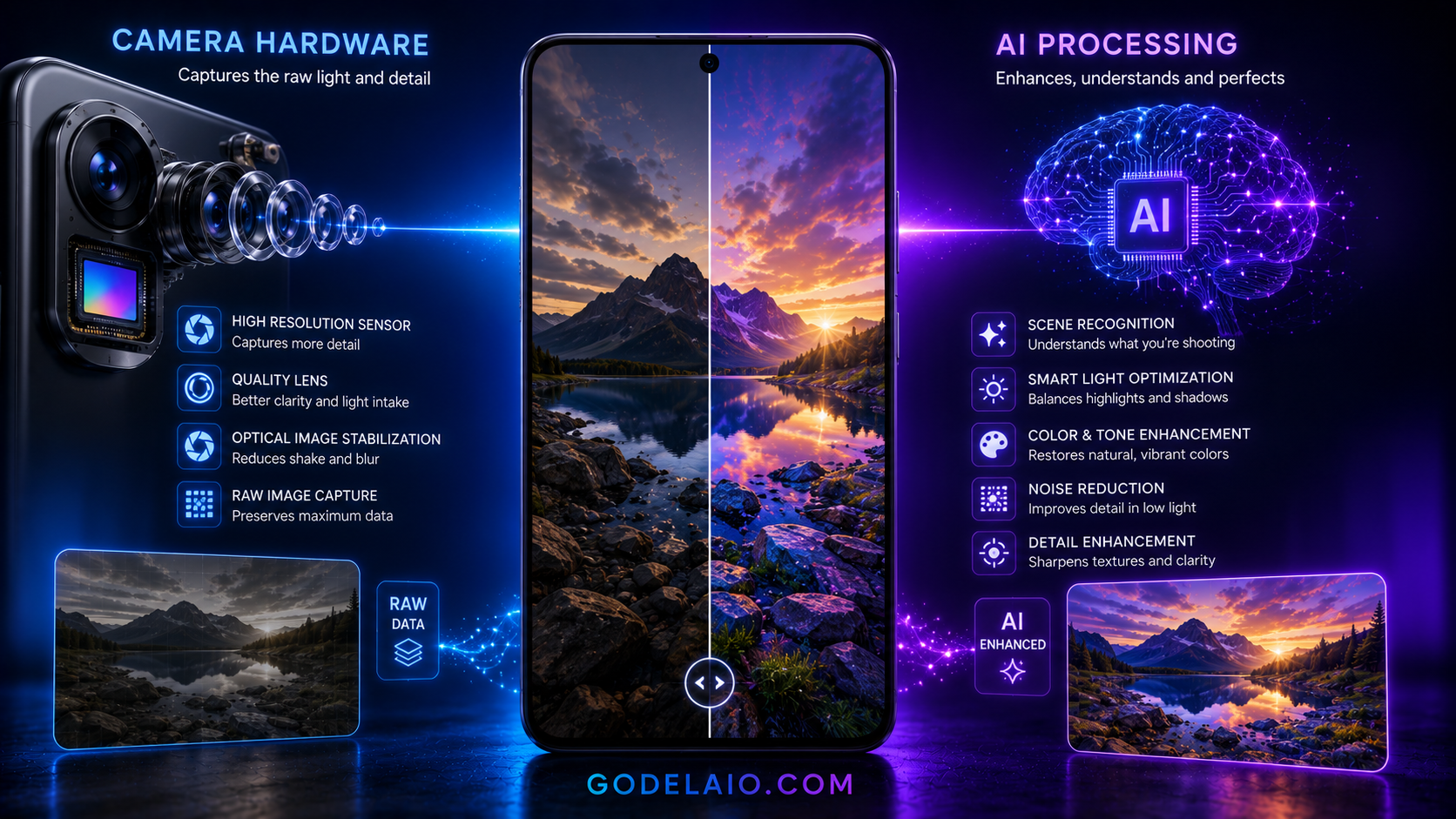
AI can improve exposure, colour, detail and usability, but it cannot fully replace a good sensor, lens, autofocus system or optical stabilisation.
When comparing phones, first check consistency from the main, ultrawide and telephoto cameras. Then consider whether the AI feature meaningfully improves your real workflow.
- Sensor size affects light collection.
- Lens quality affects sharpness and flare.
- Optical stabilisation helps low-light photos and video.
- Telephoto hardware produces more trustworthy zoom detail.
- AI determines how the captured data is interpreted and rendered.
Privacy, Authenticity and Responsible Use
Some features run entirely on the phone, while others upload media to cloud servers. Check data handling before processing private documents, children, confidential locations or sensitive recordings.

Disclose meaningful generative edits when accuracy matters. This is particularly important for journalism, evidence, product listings, competitions and public-interest content.
- Check whether internet access or an account is required.
- Review whether uploaded media is retained or used for model improvement.
- Keep original files and edit copies.
- Avoid edits that misrepresent people, products or events.
- Use visible disclosure when a major generative change affects context.
Final Verdict
AI Motion Capture Photography can save time and improve results when used carefully. Its greatest value is making difficult capture or editing tasks more accessible on a phone.
Use AI as an assistant rather than a substitute for strong camera technique. Capture the best original possible, apply subtle processing and inspect the result before publishing.
Frequently Asked Questions
What is ai motion capture photography?
It is a smartphone camera or editing capability that uses machine learning and computational processing for capturing moving subjects.
Does ai motion capture photography work on every phone?
No. Availability depends on the phone model, processor, operating-system version, app, region and whether cloud processing is supported.
Does the feature require an internet connection?
Some implementations run on-device, while others require cloud processing. Check the exact feature requirements on your phone.
Can the AI result be inaccurate?
Yes. Common issues include missed focus, motion blur, rolling shutter. Always inspect the processed result at full size.
Should I keep the original photo or video?
Yes. Save AI edits as copies so you can compare, retry or recover the untouched original.
Is camera hardware still important?
Yes. Sensor size, lens quality, autofocus, stabilisation and optical zoom strongly influence the quality of the data available to the AI.
Who benefits most from ai motion capture photography?
It is most useful for children, pets, sports, dance and vehicles.
Related Reading on Godealio
More Guide Details
Guide Hubs
- ai-guides
- camera-guides
Featured
false