
How to Choose a Smartphone Processor: Snapdragon, Dimensity & Exynos Explained
A practical beginner-friendly guide to comparing Snapdragon, MediaTek Dimensity and Samsung Exynos processors before buying a smartphone in India.
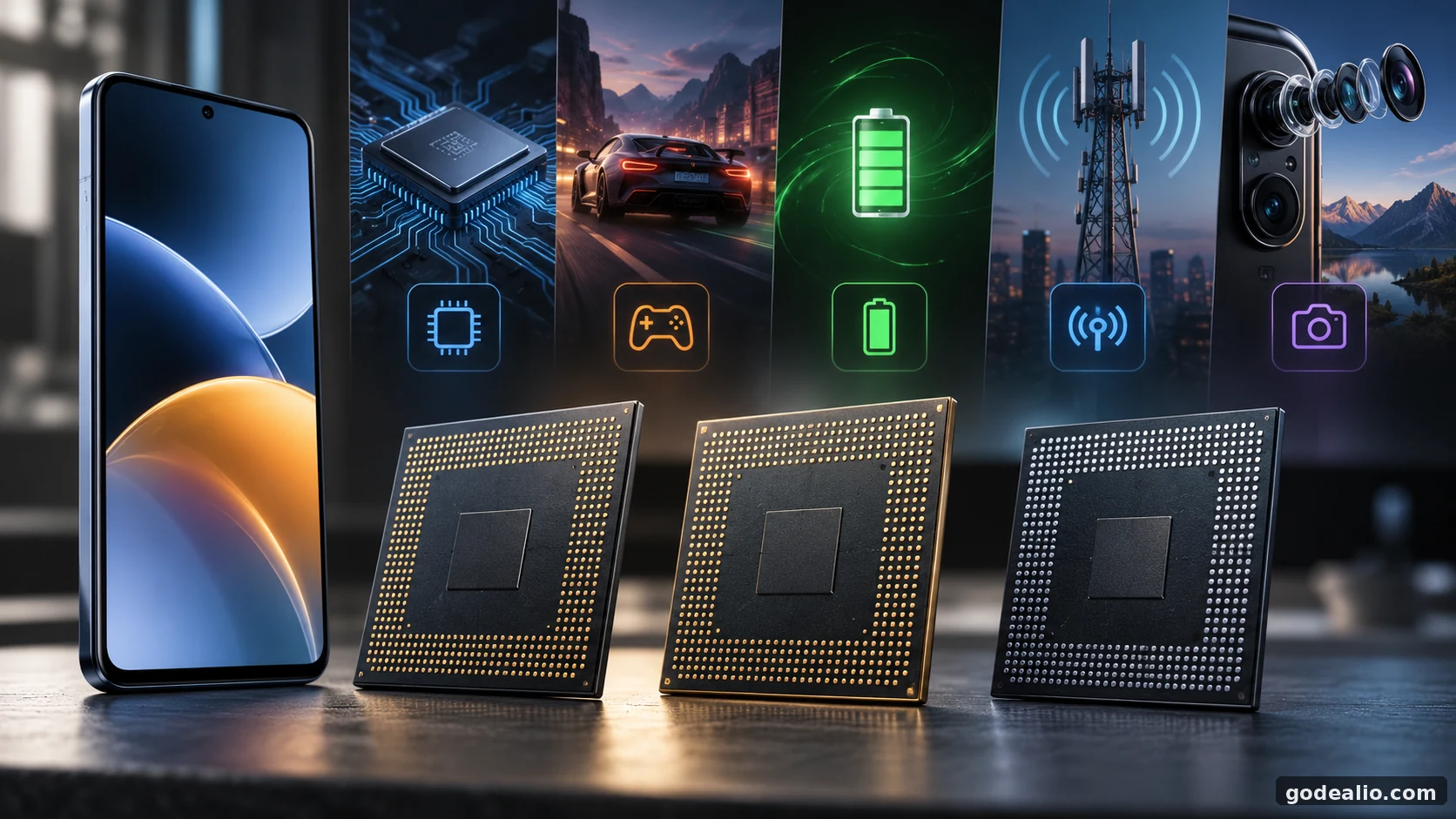
Learn how to compare Snapdragon, Dimensity and Exynos processors step by step using CPU, GPU, efficiency, thermals, benchmarks and complete-phone value.
Quick Verdict
Main rule: Never choose a phone from the Snapdragon, Dimensity or Exynos name alone. Identify the exact processor model and generation, match it to your workload, then check how that chip performs inside the exact phone.
Best for: Buyers comparing Android smartphones who want a simple method to judge processor performance without relying on brand reputation or a single benchmark score.
Guide Overview
- Guide type
- explainer
- Difficulty
- beginner
- Market
- India
- Time required
- About 20–40 minutes for a useful shortlist comparison; longer if gaming, thermals and battery endurance need detailed review.
- Cost estimate
- No additional cost is required to compare processor specifications and device-level test results.
Who this guide is for
Indian smartphone buyers who want to understand processor names, compare Android chipsets correctly and choose a phone for everyday use, gaming, multitasking, photography or long-term ownership.
Before You Start
Requirements
- The exact model names of the smartphones you are comparing
- The exact processor name used by each phone
- A clear idea of whether your priority is everyday use, gaming, multitasking, photography, battery life or long-term ownership
- Access to specifications and reliable device-level performance information
Prerequisites
- Do not treat Snapdragon, Dimensity or Exynos as a single performance level
- Compare the exact processor model and generation
- Verify the processor used by the exact Indian variant of the phone
- Use benchmark results as supporting evidence rather than the entire buying decision
Tools Needed
- Official smartphone specification page or reliable product specification
- Processor model name for each shortlisted phone
- Independent device-level reviews for sustained gaming, battery and thermal behaviour
- A simple shortlist or notes page for comparing the phones side by side
Requirement Details
Exact smartphone variant
RequiredUse the model sold in India because processor configurations can vary between markets or variants.
Exact processor model
RequiredA family name such as Snapdragon, Dimensity or Exynos is not enough. Record the full chipset name and generation.
Your main workload
RequiredDecide whether you mainly need everyday responsiveness, gaming, multitasking, photography, battery efficiency or a balanced mix.
Independent device testing
OptionalUseful when sustained gaming, heat, throttling or battery endurance matters because the complete phone affects these results.
Step-by-Step Guide
Follow the relevant steps in order and avoid changing unrelated advanced settings.
Identify the exact processor in each phone
- Write down the full chipset name for every phone on your shortlist.
- Confirm the processor for the exact Indian model rather than assuming every regional version uses identical hardware.
- Note the processor generation as well as the family name.
- If a listing only says Snapdragon, Dimensity or Exynos without the exact model, verify the specification before comparing performance.
Expected result
You should have a shortlist where every phone has a confirmed processor model and generation.
Warning
Do not rank phones from the processor manufacturer name alone.
Platform: Android
Define what you actually do with your phone
- Choose your main workload: everyday apps, multitasking, gaming, photography, video work or a balanced mix.
- If you mostly call, message, browse, stream and use social apps, prioritise balanced performance and efficiency.
- If you play demanding games, give more weight to GPU capability, sustained performance and cooling.
- If you frequently switch between demanding apps, consider CPU capability together with RAM and storage.
Expected result
You should know which processor characteristics matter for your own usage instead of chasing the highest specification.
Platform: Android
Place each processor in the correct performance class
- Compare processors from similar generations and intended market classes where possible.
- Do not assume an older flagship processor automatically beats a newer mid-range processor.
- Check CPU and GPU information separately because two chips can trade advantages across different workloads.
- Use several pieces of evidence instead of relying on a family name or model number hierarchy.
Expected result
You should know whether the processors are genuinely comparable rather than simply belonging to different brands.
Warning
Processor naming schemes can change between generations, so model numbers are not a universal cross-brand ranking.
Platform: Android
Compare CPU performance for everyday speed and heavy tasks
- Look at CPU performance when responsiveness, computation and multitasking are important.
- Compare like-for-like test results when benchmark evidence is available.
- Check whether the phone remains responsive under repeated or demanding workloads.
- Consider RAM and storage alongside the processor because they also affect the overall experience.
Expected result
You should understand which shortlisted phone has enough CPU capability for your workload.
Warning
A CPU benchmark measures a particular workload and should not be treated as a complete phone score.
Platform: Android
Compare GPU capability if gaming matters
- Give GPU performance greater weight if you play demanding 3D games.
- Look for tests of the exact phone rather than assuming the processor's peak capability will always be sustained.
- Check longer gaming sessions where possible to see whether frame performance remains consistent.
- Consider display resolution, refresh behaviour, cooling and software optimisation because they influence the gaming workload.
Expected result
You should know which phone is better suited to your gaming workload and whether it can maintain useful performance.
Warning
Short benchmark runs can hide heat-related performance reductions that appear during longer gaming sessions.
Platform: Android
Check efficiency, thermals and sustained performance
- Look for device-level battery tests instead of predicting endurance from the processor alone.
- Check whether reviewers observe significant performance reduction during prolonged demanding workloads.
- Compare heat and sustained performance for the exact smartphone model.
- Remember that battery capacity, display, radios, software and usage patterns also affect endurance.
Expected result
You should understand whether the phone balances speed, heat and battery behaviour for your intended use.
Warning
Manufacturing process size alone does not establish real-world battery life or thermal behaviour.
Platform: Android
Evaluate camera and AI claims at phone level
- Treat processor imaging and AI hardware as enabling components rather than a guarantee of better photos.
- Compare actual camera results from the exact smartphone when photography matters.
- Consider sensors, lenses, image processing and manufacturer tuning together.
- Avoid choosing a phone only because its processor advertises advanced imaging or AI capability.
Expected result
You should separate processor capability from the quality of the complete camera implementation.
Platform: Android
Compare the rest of the smartphone
- Compare RAM, storage, display, battery, cameras, connectivity and software support alongside the processor.
- Check whether choosing a faster processor forces a compromise in another feature you value more.
- Consider how long you plan to keep the phone and whether the overall hardware and software package suits that period.
- Remove phones from the shortlist if their overall package does not meet your needs even when the processor is strong.
Expected result
Your shortlist should now reflect complete-phone suitability rather than chipset performance alone.
Platform: Android
Make the final value decision
- Compare the remaining phones based on the workloads you prioritised at the beginning.
- Do not pay extra for processor performance you are unlikely to use unless the overall phone also gives you meaningful benefits.
- If two phones perform similarly for your needs, use battery, display, cameras, storage and software support as tie-breakers.
- Choose the complete smartphone that best matches your use rather than choosing a processor brand.
Expected result
You should have a defensible buying decision based on your actual usage and the complete smartphone.
Platform: Android
Quick answer: choose the exact chip, not the processor brand
Snapdragon, MediaTek Dimensity and Samsung Exynos are broad processor families, not three fixed performance levels. Each family includes different generations and classes, so the logo or family name cannot tell you whether one phone is faster, more efficient or better suited to gaming.
The practical method is to identify the exact chipset in each phone, define your workload, compare CPU and GPU capability, check sustained performance and efficiency, and then evaluate the processor inside the complete smartphone. A strong processor can still be paired with limited cooling, less suitable storage, a demanding display or a software package that changes the overall experience.
For Indian buyers, also verify the exact local variant. Processor configurations can vary by device and market, so the specification of the phone you are actually buying matters more than a generic global comparison.
Who this processor guide is for
This guide is for buyers who see Snapdragon, Dimensity and Exynos names on smartphone listings but are unsure what those names actually mean. It is particularly useful when two similarly priced Android phones use processors from different companies and marketing material makes both sound equally powerful.
You do not need to understand processor architecture in detail. The aim is to give you a repeatable buying method: identify the chip, match it to your workload, check the evidence that matters and then compare the rest of the phone. That approach works for everyday buyers as well as people choosing a device for gaming, multitasking or photography.
What a smartphone processor actually contains
The component commonly called a smartphone processor is a system-on-chip, or SoC. A modern mobile SoC combines multiple specialised components. The CPU handles general computation, while the GPU processes graphics. Mobile platforms can also integrate image-processing hardware, AI or machine-learning acceleration and connectivity functions.
This explains why processor choice can influence several parts of the phone at once. It can contribute to app responsiveness, game rendering, computational photography, connectivity and power consumption. However, the processor does not determine these outcomes by itself. The smartphone maker still decides how the chip is cooled, powered and integrated with memory, storage, cameras, display hardware and software.
When comparing phones, think of the SoC as the engine of a larger system rather than a single specification that automatically decides the quality of the device.
- CPU: general computation and many everyday workloads.
- GPU: graphics rendering and gaming workloads.
- Image-processing hardware: contributes to camera processing.
- AI hardware: accelerates supported machine-learning workloads.
- Connectivity components: contribute to mobile and wireless functions.
Snapdragon explained: what buyers should look for
Qualcomm Snapdragon platforms appear across multiple Android smartphone classes. That means the Snapdragon name by itself does not represent flagship performance. Different series and generations offer different CPU, GPU, imaging, AI and connectivity capabilities, so you need the full processor model before making a useful comparison.
Qualcomm integrates Adreno graphics into Snapdragon mobile platforms, making GPU capability an important part of Snapdragon comparisons for gaming-focused buyers. But even a capable GPU does not guarantee identical gaming results across phones. Cooling, power limits, software optimisation, memory and the display workload influence what the device can sustain.
The useful question is therefore not whether a phone has Snapdragon. Ask which Snapdragon it uses, how that processor compares with alternatives from the same period and how well the exact phone sustains its performance.
- Check the exact Snapdragon model and generation.
- Do not assume the Snapdragon label means flagship performance.
- For gaming, compare GPU capability and sustained device-level results.
- Judge the processor together with cooling, memory and software.
MediaTek Dimensity explained: more than a budget option
MediaTek's Dimensity portfolio spans several smartphone performance segments, including high-end platforms. That makes the old shortcut of treating MediaTek or Dimensity as automatically budget-focused unreliable. As with Snapdragon, the exact Dimensity model and generation determine what kind of performance you should expect.
A Dimensity-powered phone can be attractive when the complete device balances CPU performance, GPU capability, efficiency, cameras, display and battery well. The correct comparison is between the exact Dimensity chip and the exact Snapdragon or Exynos alternative, not between the company names.
For buyers who multitask heavily or play games, examine both peak and sustained results. For everyday buyers, a balanced Dimensity platform may already provide more processing capability than routine apps require, making the rest of the phone just as important.
- Dimensity covers multiple performance classes.
- Do not reject a phone because of outdated MediaTek assumptions.
- Compare the exact chip rather than the processor brand.
- Use phone-level evidence for thermals, gaming and battery behaviour.
Samsung Exynos explained: generation matters
Exynos is Samsung's mobile processor family and is commonly encountered when comparing Galaxy smartphones. Exynos designs have changed substantially between generations, including their CPU, graphics and supporting components, so an opinion formed around an older Exynos chip should not automatically be applied to a newer one.
This is particularly important for thermals and efficiency. Historical discussion about older devices can tell you what to investigate, but current device-level testing is the appropriate evidence for a current phone. Samsung also notes that Exynos-equipped device availability can vary by country or carrier, which makes variant verification important before purchase.
If an Exynos Galaxy phone fits your needs, compare that exact phone on current performance, sustained behaviour, battery life, cameras, software support and overall value rather than accepting a blanket judgement about the processor family.
- Check the exact Exynos generation.
- Do not project older thermal behaviour onto new generations without evidence.
- Verify the processor used in the Indian variant.
- Judge the complete Galaxy device rather than the processor name alone.
CPU vs GPU: know which performance matters to you
CPU and GPU performance answer different buying questions. CPU capability matters for general computation and contributes to responsiveness and demanding application workloads. GPU capability becomes especially important when a phone has to render complex game graphics. A buyer focused on messaging, browsing, payments and streaming therefore has different processor needs from someone buying primarily for gaming.
This is why one overall benchmark number is not enough. Two processors can be relatively close in one CPU test but differ more substantially in graphics workloads, or the reverse. Start with the workload you actually care about and then look at the component most relevant to it.
Also remember that RAM and storage affect the experience around the processor. A chipset comparison is more useful when the phones being compared have sensible memory and storage configurations for the intended workload.
- Everyday use: prioritise balanced responsiveness and efficiency.
- Heavy multitasking: consider CPU, RAM and storage together.
- Gaming: give GPU and sustained performance greater weight.
- Do not use one combined score to answer every performance question.
How to read smartphone benchmarks without being misled
Benchmarks are useful because they provide repeatable workloads, but they are not universal measures of phone quality. A CPU benchmark tells you about the workload it tests; a graphics benchmark tells you something different. Scores from different benchmark versions or test conditions should not be treated as directly interchangeable.
Peak scores can also hide what happens after a phone becomes warm. For demanding use, look for sustained tests that run long enough to reveal whether performance remains stable. Gaming buyers should pay attention to frame consistency and longer sessions rather than only the highest number achieved at the start.
Use benchmarks to support a buying decision, not to replace one. If a small benchmark advantage does not affect your workload, battery life, cameras, display quality or software support may be more meaningful differences between the phones.
- Compare the same benchmark version where possible.
- Check CPU and GPU tests separately.
- Use sustained tests for demanding workloads.
- Prefer exact-phone results over chipset-only assumptions.
- Treat small score differences cautiously when they do not affect your use.
Efficiency, heat and throttling: why the phone matters
A mobile processor has to operate within the thermal and power limits of a compact phone. During a demanding workload, heat can build up. If the device reaches its operating limits, performance can be reduced. The amount of sustained performance available therefore depends on more than the processor specification.
Cooling design, chassis constraints, software power management and workload all matter. Two smartphones using the same or similar processor can behave differently during a long game or intensive task. That is why device-level thermal testing is more useful than assuming every implementation of a chipset behaves identically.
Manufacturing process is another specification that is easy to overinterpret. It can contribute to efficiency, but node size alone does not prove that one complete smartphone will run cooler or last longer on battery.
- Peak speed and sustained speed are not the same thing.
- Cooling design matters for long gaming sessions.
- Compare the exact smartphone, not only the chipset.
- Do not use process-node size as a battery-life prediction.
How much does the processor affect battery life?
Processor efficiency matters because the SoC consumes power while handling CPU, GPU, connectivity and other workloads. But battery life is a device-level outcome. Display brightness and refresh behaviour, network conditions, battery capacity, background applications, camera use, gaming and software optimisation can all change endurance.
This means a phone with a theoretically efficient processor does not automatically have the longest battery life. Likewise, two phones using the same processor can produce different endurance because their batteries, displays and software configurations differ.
If battery life is a major priority, use complete-phone endurance tests as the primary evidence. Processor architecture and manufacturing technology can help explain a result, but they should not replace actual testing of the device you plan to buy.
- Processor efficiency contributes to battery use.
- Display and network conditions can significantly affect endurance.
- Battery capacity and software also matter.
- Use complete-device battery tests for buying decisions.
Processor, camera and AI: what the chip can and cannot tell you
Modern mobile processors include hardware that can contribute to image processing and supported AI workloads. That capability is important, but it does not guarantee that one phone will take better photos than another. Camera sensors, lenses, stabilisation, processing algorithms and manufacturer tuning all contribute to the final result.
The same principle applies to AI features. Hardware acceleration can enable or improve supported workloads, but the features available to the buyer depend on the phone maker's software implementation. Avoid buying from an AI or imaging processor claim without checking what the exact smartphone actually provides.
For a photography-focused purchase, use processor capability as supporting context and judge camera quality from the complete device. For AI-focused buying, verify the actual phone features and their availability rather than inferring them from the processor alone.
- Image-processing capability is only part of camera quality.
- Sensors, optics and software tuning remain important.
- AI hardware does not guarantee identical AI features across phones.
- Verify features on the exact smartphone.
Which processor should you choose for your use case?
For everyday calling, messaging, browsing, UPI apps, navigation, social media and streaming, you usually need a balanced processor rather than the fastest flagship silicon. Smooth everyday behaviour, efficiency, adequate memory and good software support can matter more than a large benchmark lead.
For gaming, prioritise the exact GPU, sustained performance, cooling and the behaviour of the complete phone. For heavy multitasking, look at CPU capability together with RAM and storage. For photography, compare the actual cameras rather than selecting from processor imaging specifications alone.
If you want to keep the phone for several years, processor headroom can be useful, but software support, storage capacity, battery quality and the rest of the hardware should be considered at the same time.
- Everyday buyer: balanced performance and efficiency.
- Gamer: GPU, sustained performance and cooling.
- Heavy multitasker: CPU plus sufficient RAM and storage.
- Camera buyer: complete camera implementation.
- Long-term buyer: performance headroom plus software support.
Final smartphone processor buying checklist
Once you have narrowed the choice to two or three phones, make one final side-by-side check. Confirm the exact Indian processor variant, generation, CPU and GPU suitability, sustained performance evidence and battery behaviour. Then compare the non-processor features that affect daily ownership.
If two phones are already fast enough for your workload, the processor should stop dominating the decision. Display quality, cameras, battery, storage, software support and overall value can become more useful tie-breakers. Paying for unused processing headroom is not automatically better value.
The goal is not to identify a permanent winner among Snapdragon, Dimensity and Exynos. The goal is to identify which exact smartphone gives you the right combination of performance and features for the way you will actually use it.
- Exact Indian processor variant confirmed.
- Generation and performance class checked.
- CPU capability matches your workload.
- GPU and sustained performance checked for gaming.
- Battery and thermals checked at device level.
- RAM, storage, display and cameras compared.
- Software support considered.
- Complete-phone value checked before purchase.
Common processor comparison mistakes to avoid
The most common mistake is creating a permanent brand ranking. Snapdragon, Dimensity and Exynos change from generation to generation and cover different performance levels. A brand-level statement removes the exact information needed for a useful comparison.
Another mistake is treating easy-to-read specifications as final answers. Process-node size, clock speed and benchmark scores can provide context, but none independently tells you battery life, sustained gaming behaviour or complete-phone quality. Device implementation matters.
Finally, do not let processor research make you ignore the rest of the purchase. A phone is a combination of processor, memory, storage, display, cameras, battery, connectivity, software and physical design. Your buying decision should reflect that complete package.
- Do not rank processor companies as permanent winners.
- Do not compare only clock speeds or model numbers.
- Do not rely on one benchmark.
- Do not predict battery life from process node alone.
- Do not ignore cooling, software, RAM and storage.
Methodology and limitations
This guide uses processor-family information to explain a buying method rather than to create a universal ranking. Snapdragon, Dimensity and Exynos product ranges change over time, and individual smartphones can implement processors differently. For that reason, exact-phone evidence should be used whenever thermals, battery life or sustained gaming performance matters.
No numerical benchmark scores or smartphone prices are used because those figures can become outdated or depend on test conditions. No claim is made that one processor manufacturer is universally superior. The guide instead focuses on verifiable comparison principles: exact model, generation, CPU and GPU workload, device implementation and complete-phone value.
Indian buyers should verify the exact local model before purchase, particularly when a smartphone is sold in multiple regional configurations.
- No universal processor-brand ranking is used.
- No unsupported benchmark numbers are included.
- No unsupported Indian prices are included.
- Device-level evidence is preferred for thermals and battery.
- Regional processor variants should be verified before purchase.
Troubleshooting
Two processors have similar benchmark results but the phones feel different
Likely causes
- Different cooling systems or power limits
- Different software optimisation
- Different RAM or storage configurations
- Different display workloads
- Different background processes or test conditions
What to try
- Compare reviews of the exact phone models rather than chipset benchmarks alone.
- Look at sustained performance and battery tests.
- Compare memory, storage, display and software configuration.
- Use multiple tests instead of one benchmark result.
When to escalate: If the phone is newly launched and reliable device-level testing is unavailable, avoid firm conclusions about sustained performance until better evidence is available.
A newer mid-range processor looks close to an older flagship chip
Likely causes
- CPU and GPU architectures change between generations
- Manufacturing technology can improve
- Different chips prioritise different workloads
- Old flagship and new mid-range labels do not form a universal performance ranking
What to try
- Compare the exact processors rather than their historical market labels.
- Check CPU and GPU results separately.
- Check sustained device-level performance.
- Consider the age and software support of the complete phones.
When to escalate: Use current device-level comparisons if the performance difference will determine the purchase.
Gaming starts fast but slows down after several minutes
Likely causes
- Thermal throttling
- Limited cooling capacity
- High graphics settings
- High display workload
- Device-specific power management
What to try
- Check sustained gaming tests for the exact phone.
- Compare frame consistency rather than peak frame rate.
- Reduce graphics settings if you already own the device and the game permits it.
- Avoid assuming another phone with the same chipset will behave identically.
When to escalate: If the phone becomes unusually hot or unstable during ordinary use, follow the device manufacturer's support guidance.
The phone has a powerful processor but battery life is disappointing
Likely causes
- Display brightness or refresh behaviour
- Heavy mobile-network usage
- Background applications
- Battery capacity
- Software configuration
- Demanding workloads
What to try
- Compare battery tests of the exact phone.
- Check whether your usage differs substantially from the test conditions.
- Review display and application usage rather than blaming the processor alone.
- Compare competing phones at device level.
When to escalate: If battery behaviour appears abnormal for the device, use the manufacturer's battery diagnostics or support process.
Different websites disagree about which processor is faster
Likely causes
- Different benchmark versions
- Different phone implementations
- Different test temperatures or performance modes
- Different workloads
- Results measured at different software versions
What to try
- Check whether the tests use the same benchmark and version.
- Prefer exact-phone comparisons where possible.
- Look for agreement across multiple independent tests.
- Prioritise tests that match your own workload.
When to escalate: Treat the result as uncertain when comparable testing is not available rather than forcing a definitive ranking.
Buying & Decision Checklist
- Confirm the exact chipset model and generation.
- Verify the chipset used in the exact Indian variant.
- Define whether everyday use, gaming, multitasking, photography or battery life is your main priority.
- Compare CPU performance for CPU-heavy workloads.
- Compare GPU performance if gaming matters.
- Check sustained performance rather than peak scores alone.
- Look for device-level thermal testing.
- Compare real battery tests of the complete phone.
- Check RAM and storage alongside the processor.
- Consider display resolution and refresh behaviour.
- Evaluate camera quality at phone level rather than from the processor alone.
- Check software-update support separately.
- Compare connectivity features that matter to your use.
- Compare the complete phone before paying extra for a faster processor.
Common Mistakes
- Assuming every Snapdragon processor is faster than every Dimensity or Exynos processor.
- Comparing only processor brands instead of exact models and generations.
- Using one benchmark score as an overall phone rating.
- Assuming a smaller manufacturing-process number automatically means better battery life.
- Ignoring cooling and sustained performance when buying a gaming phone.
- Assuming processor efficiency alone determines battery endurance.
- Ignoring RAM, storage, display and software optimisation.
- Paying extra for flagship performance when your normal workload is light.
- Assuming an older flagship must beat every newer mid-range chip.
- Applying the thermal reputation of an older processor generation to a newer one without current evidence.
Key Takeaways
- Snapdragon, Dimensity and Exynos are processor families, not fixed performance levels.
- The exact chipset model and generation matter more than the manufacturer name.
- CPU and GPU performance should be evaluated separately according to your workload.
- Gaming buyers should check sustained performance and cooling, not only peak benchmarks.
- MediaTek Dimensity spans several performance classes and is not a budget-only processor family.
- Exynos capabilities vary significantly by model and generation.
- Battery life depends on the complete phone and usage, not only the processor.
- Camera quality cannot be predicted from the processor alone.
- The best processor choice is the processor inside the complete phone that best matches your needs and budget.
Important Warnings
- Processor naming schemes can change between generations and should not be used as a universal ranking.
- Processor configurations can vary by smartphone model, country or carrier; verify the exact Indian variant.
- Benchmark scores vary with benchmark version, device configuration, temperature, software and test methodology.
- Manufacturing process is only one contributor to efficiency and does not by itself prove better battery life.
- Battery endurance depends on the complete device and usage pattern.
- Camera quality depends on sensors, optics, image processing and software tuning as well as processor capability.
- Historical thermal characteristics of older processor generations should not automatically be applied to newer models.
Useful Tips
- Start by writing the exact processor name beside every phone in your shortlist.
- Compare chips from similar generations and market classes before looking at benchmark differences.
- For gaming, search for sustained frame-rate or long-session testing of the exact phone.
- For battery-focused buying, prioritise complete-device endurance tests.
- When two processors are close enough for your workload, let display, cameras, battery, storage and software support decide the phone.
Frequently Asked Questions
Is Snapdragon always better than MediaTek Dimensity?
No. Snapdragon and Dimensity both contain multiple processor generations and performance classes. Compare the exact chip models, CPU and GPU capability, sustained device performance and the complete phones using them.
Is MediaTek Dimensity good for gaming?
Some Dimensity processors target high-performance smartphones and can support demanding gaming workloads. The actual experience depends on the exact chip, GPU, phone cooling, software, display and sustained performance, so check the exact smartphone rather than relying on the Dimensity name alone.
Should I avoid a Samsung phone because it uses Exynos?
No blanket rule is useful. Exynos capabilities vary by model and generation. Check the exact processor and the current device's performance, thermals, battery behaviour, cameras, software support and overall value.
Which is better for gaming: Snapdragon, Dimensity or Exynos?
There is no universal brand-level winner. Gaming performance depends on the exact processor and GPU, the phone's cooling and power limits, software optimisation, display workload and the game itself. Compare sustained gaming results for the exact phones.
Does a higher benchmark score mean the phone is better?
Not necessarily. A benchmark measures a specific workload under particular conditions. A higher comparable score can indicate an advantage in that test, but it does not automatically mean better battery life, cameras, thermals, software or overall user experience.
Can two phones with the same processor perform differently?
Yes. Cooling, power management, RAM, storage, display configuration and software can affect sustained performance and battery behaviour even when the processor is the same.
Does the processor affect smartphone battery life?
Yes, processor efficiency contributes to power consumption, but battery endurance also depends on the display, network conditions, battery capacity, software, applications and usage. Complete-phone battery tests are more useful than processor specifications alone.
Is a smaller processor manufacturing process always better?
No. Manufacturing process can contribute to efficiency, but the node number alone does not establish real-world speed, temperature or battery life. Architecture, power management and the complete smartphone implementation also matter.
Should I buy an older flagship processor or a newer mid-range processor?
Compare the exact chips instead of relying on flagship and mid-range labels. CPU, GPU, efficiency and sustained performance can change significantly between generations. Also compare the age, software support and complete specifications of the phones.
How important is the processor for smartphone cameras?
The processor contributes to image processing, but camera quality also depends on sensors, lenses, stabilisation, software algorithms and manufacturer tuning. Judge photography from the complete phone rather than the processor alone.
Recommended Deals
Related Reading on Godealio
More Guide Details
Featured
false