
Apple Mac Studio (M4 Max) Review: A Compact Workstation for Serious Creators
The Apple Mac Studio with M4 Max is a compact desktop aimed at creators, developers, and production teams who want workstation-class performance without a tower-sized footprint. In India, it stands out for its Thunderbolt 5 connectivity, strong media engines, multi-display support, and Apple’s polished macOS ecosystem, but it is also a premium purchase that demands careful configuration planning.
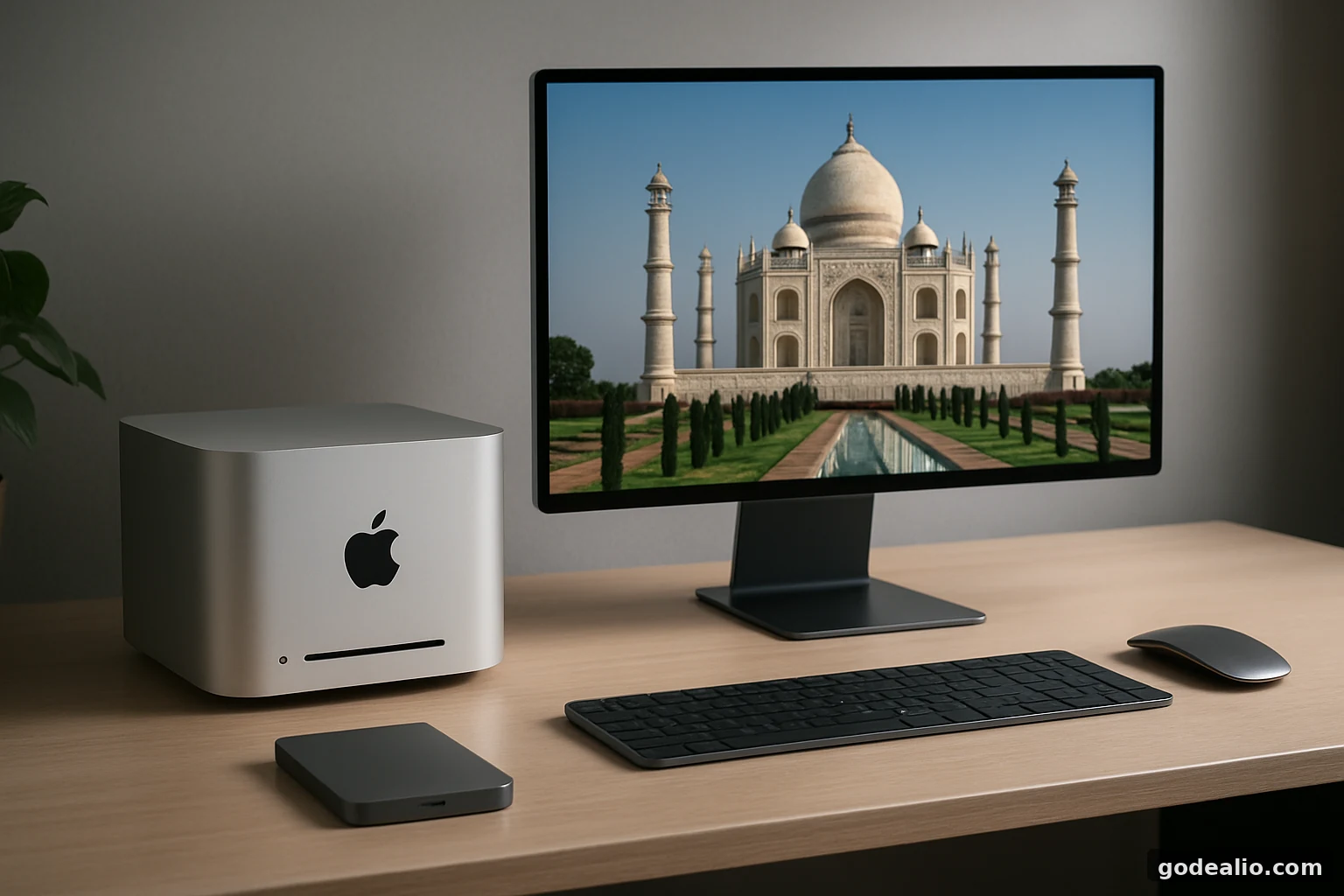
The Apple Mac Studio with M4 Max is a compact desktop aimed at creators, developers, and production teams who want workstation-class performance without a tower-sized footprint. In India, it stands out for its Thunderbolt 5 connectivity, strong media engines, multi-display support, and Apple’s polished macOS ecosystem, but it is also a premium purchase that demands careful configuration planning.
Pros
- Compact workstation design with a very small footprint
- Strong M4 Max performance for pro workloads
- Hardware-accelerated media engines for H.264, HEVC, ProRes, ProRes RAW and AV1 decode
- Thunderbolt 5, HDMI 2.1, SDXC, USB-A, and 10Gb Ethernet
- Excellent multi-display support for productivity and creative setups
- macOS with Apple Intelligence and iPhone Mirroring support
Cons
- Premium pricing for Indian buyers
- No built-in camera
- No internal battery
- Memory and storage must be chosen at purchase time
- External display, keyboard, and mouse are required
- Not a portable machine
Overview: What the Mac Studio (M4 Max) is trying to solve
The Mac Studio with M4 Max is Apple’s answer to a very specific kind of buyer: someone who wants a powerful desktop for creative work, software development, audio production, and multi-monitor productivity, but does not want to move up to a large workstation tower. It sits above the Mac mini in ambition and below the most extreme desktop setups in size, while still packing a lot of pro-focused hardware into a small chassis. For Indian buyers, that compact form factor matters because it makes desk placement easier in home offices, studios, and agency environments where space is often limited. Apple lists the M4 Max version at a starting price of ₹2,79,900 in the supplied notes, which immediately places it in premium territory. This is not a casual desktop for browsing and office work alone. It is built for users who regularly work with high-resolution media, multiple displays, fast external storage, and long creative sessions, and who value macOS stability and Apple’s ecosystem integration as much as raw hardware.
Design and build: Small footprint, serious desktop intent
Apple keeps the Mac Studio design minimal and familiar, with a square aluminium body measuring 19.7 cm by 19.7 cm and 9.5 cm tall. The M4 Max model weighs 2.74 kg, so it is easy to reposition when needed, but it is still very much a desktop and not something you would carry around daily. The benefit of this design is practical: the machine can sit under a monitor, beside a display stand, or in a small creative workstation without dominating the room. The compact size also makes it suitable for Indian homes where desk space is at a premium. The rear I/O layout is clearly oriented toward fixed workstation use, while the front ports are meant for quick access to cards and accessories. One useful detail is that Apple includes only the Mac Studio and a power cord in the box, which means buyers should budget separately for a display, keyboard, mouse, and any storage accessories they need. The design is understated, but it is clearly engineered for high-output professional use rather than style alone.
Performance: Why the M4 Max matters for creators and pros
The headline attraction here is the M4 Max chip. In Apple’s listed base configuration, it brings a 14-core CPU with 10 performance cores and 4 efficiency cores, a 32-core GPU, hardware-accelerated ray tracing, a 16-core Neural Engine, and 410GB/s memory bandwidth. That combination is aimed at workloads that benefit from both CPU and GPU acceleration, such as editing high-resolution footage, compositing, code compilation, 3D work, and advanced app multitasking. Apple also offers a higher M4 Max configuration with a 16-core CPU, 40-core GPU, and 16-core Neural Engine, along with 546GB/s memory bandwidth. That matters because the Mac Studio is not only about speed on paper; it is about maintaining that speed while juggling multiple pro apps and large projects. The built-in media engine is also a major advantage for video-heavy users, with hardware-accelerated H.264, HEVC, ProRes, ProRes RAW, AV1 decode, and multiple encode/decode engines. For Indian buyers who edit content for YouTube, corporate work, wedding films, or social media production, this is the kind of hardware that can reduce wait times in real workflows.
Memory and storage: Choose carefully at purchase time
The base M4 Max Mac Studio comes with 36GB unified memory and 512GB SSD storage, which is a strong starting point for many professionals. Apple also lists a 64GB memory option for the M4 Max configuration with the 16-core CPU and 40-core GPU, while storage can be configured to 1TB, 2TB, 4TB, or 8TB for this model. This is an important buying consideration because desktop Mac configurations are chosen up front, so you need to think about your future workload before ordering. For example, a developer who works with virtual machines, a photographer managing large RAW libraries, or a filmmaker handling multiple 4K timelines will likely want more memory and storage than the base model provides. If you are buying in India, it is especially wise to calculate the real cost of your desired configuration, since the step up from base storage or memory can be significant. A thoughtful configuration is more valuable than a flashy one. The Mac Studio rewards buyers who know exactly what they need, not those who expect to upgrade the machine later.
Display support: Built for multi-monitor, high-resolution desks
The Mac Studio’s display support is one of its most useful professional features. With the M4 Max, Apple says it can simultaneously support up to five displays. In one scenario, that includes up to four displays at 6K resolution at 60Hz over Thunderbolt plus one 4K display at 144Hz over HDMI. In another, it can support up to two 6K displays at 60Hz over Thunderbolt and one 8K display at 60Hz or a 4K display at up to 240Hz over HDMI. That is a very strong specification for editors, coders, traders, and anyone who likes to keep multiple windows and reference panels open. The practical meaning for Indian buyers is simple: you do not need a bulky workstation tower to build a serious desktop setup. Just remember that the Mac Studio is a headless desktop, so the cost of one or more quality monitors must be added to your budget. If your job depends on precise colour work, motion timelines, or having separate displays for tools and preview windows, this machine is clearly designed to handle that kind of environment.
Connectivity and expansion: Thunderbolt 5 is the big story
Connectivity is another area where the Mac Studio feels genuinely pro-grade. Apple equips the M4 Max model with four Thunderbolt 5 ports on the back, two USB-A ports, HDMI 2.1, 10Gb Ethernet, and a 3.5 mm headphone jack with advanced support for high-impedance headphones. On the front, there are two USB-C ports and an SDXC card slot with UHS-II support. The Thunderbolt 5 ports support up to 120Gbps, plus USB 4, USB 3, and DisplayPort 2.1 output. For Indian creative buyers, this matters because it reduces friction in a real workflow: you can connect fast external SSDs, docks, audio gear, card readers, and one or more displays without immediately running out of ports. The 10Gb Ethernet port is especially valuable for agencies, studios, and offices that move large files over a network. Wi-Fi 6E and Bluetooth 5.3 are also included, but on a desktop like this, wired networking is often the more meaningful advantage. If your work involves frequent media ingest from SD cards or network storage, the port layout is one of the strongest reasons to consider the Mac Studio.
Software, macOS, and Apple Intelligence
The Mac Studio runs macOS, and Apple positions the operating system as central to the experience rather than just a backdrop. The company highlights Apple Intelligence, iPhone Mirroring, window tiling, and updates to Safari as part of the platform story. For buyers, the key point is that this machine is designed to feel like a polished workstation from day one, especially if you already use an iPhone or other Apple devices. Apple describes Apple Intelligence as a personal intelligence system that helps you write, express yourself, and get things done while using privacy protections that keep data inaccessible to others, including Apple. That privacy-first direction is important for professionals who work with confidential client material or business content. For Indian users, the value is not just in headline features but in the smoothness of daily work: app switching, external display handling, and ecosystem integration tend to be more important on a desktop than flashy gimmicks. If your workflow depends on the Mac ecosystem, the Mac Studio offers a very mature software environment that matches the hardware well.
Cameras, audio, and battery: What a desktop does and does not include
Because the Mac Studio is a desktop, it does not have a built-in camera or an internal battery. That is not a shortcoming in the usual sense; it is simply the reality of this product category. If you need video calls, you will need an external webcam or a monitor with a camera. If you want backup power during outages or voltage instability, especially relevant in parts of India, you should plan for a UPS or inverter solution separately. Apple does include a built-in speaker, a 3.5 mm headphone jack with advanced support for high-impedance headphones, and HDMI audio output with multichannel support, so it covers basic audio well. The larger lesson for buyers is that this is not an all-in-one machine. It is a workstation core that assumes you already have, or are willing to buy, the surrounding gear. That can be a positive for professionals who want to choose their own display, keyboard, webcam, mic, and power backup. It also means the real total cost of ownership is higher than the sticker price of the Mac Studio alone.
Pricing and value in India: Premium, but not without logic
On the supplied Apple India listing, the Mac Studio line starts at ₹2,79,900 for the M4 Max model, while a higher-end M3 Ultra configuration is listed at ₹5,99,900. For Indian buyers, that pricing immediately places the Mac Studio in a category where value depends on workload, not on novelty. If your day-to-day use is office apps, web browsing, or casual photo editing, this is overkill. If you are a professional who routinely exports video, works across multiple displays, or needs a quiet, compact, highly capable desktop, the cost can be easier to justify. The key is to compare the machine against the full setup you would otherwise build. A Windows workstation may offer different upgrade and expansion possibilities, but Apple’s compact design, software integration, and media engines may reduce time spent waiting on renders, transfers, or app switching. Indian buyers should also remember to account for the cost of monitors, peripherals, network gear, and power backup. In other words, the Mac Studio is not a cheap purchase, but for the right user, it may still be a rational one.
Alternatives and limitations: When another Mac may be smarter
The most direct alternative is the higher-end Mac Studio configuration with M3 Ultra, which Apple lists with more CPU and GPU cores, more memory bandwidth, and support for more displays. That makes it the stronger choice for users whose workloads are even heavier than what the M4 Max is meant to handle. On the other end, buyers who want a more affordable Apple desktop should compare the Mac Studio with lower-cost desktop options in Apple’s lineup before spending this much. There are also practical limitations to keep in mind: the Mac Studio is fixed at purchase, its value depends heavily on your chosen memory and storage configuration, and it is not meant to be portable. For some Indian buyers, the simpler choice may be a machine that is easier to budget for or move between home and office. If your workload does not need Thunderbolt 5, 10Gb Ethernet, or five-display support, the Mac Studio might be more than you need. If your work does need those features, though, the machine starts making a lot more sense.
Who should buy it, and final verdict
The Apple Mac Studio with M4 Max is best suited to creators, developers, editors, designers, and production teams who want desktop-class power in a very compact body. It is especially attractive if your work benefits from Apple’s media engines, fast external storage, SD card input, multi-monitor support, and macOS workflow stability. Indian buyers who run a home studio, a small agency desk, or a serious editing station will appreciate that it delivers a lot of capability without taking over the room. It is not the best choice for buyers on a strict budget, and it is not meant for people who want an all-in-one desktop with a built-in screen or camera. It also demands planning, because memory and storage should be chosen carefully at checkout. Verdict: the Mac Studio M4 Max is a polished, high-performance workstation for users who know exactly why they need it. If your work is professional and frequent enough to justify the price, it is one of the most compelling compact desktop Macs Apple offers. If your needs are lighter, you should probably spend less and keep the savings for better peripherals.
Review Disclosure
Final Verdict
The Apple Mac Studio with M4 Max is a polished, high-performance compact workstation for creators, developers, editors, designers, and production teams that can make real use of its media engines, Thunderbolt 5 connectivity, fast external storage support, multi-display capability, and macOS ecosystem. Its premium India pricing and the need to choose memory and storage carefully make it unnecessary for lighter workloads, but for professionals who need this level of sustained desktop capability, it is a compelling compact Mac.
FAQs
Is the Apple Mac Studio (M4 Max) good for video editing?
Yes. Based on Apple’s listed specs, the M4 Max model is well suited to video editing because it includes hardware-accelerated H.264, HEVC, ProRes and ProRes RAW support, plus dedicated media engines and strong GPU resources. It is especially appealing for creators who work with multi-layer timelines or high-resolution footage.
Does the Mac Studio have a built-in camera or battery?
No. Mac Studio is a desktop computer, so it does not include a built-in camera or an internal battery. You will need an external webcam for video calls and a UPS or similar backup solution if you want power continuity during outages.
How many displays can the M4 Max Mac Studio support?
Apple says the M4 Max Mac Studio can support up to five displays simultaneously, depending on the resolution and port combination used. That includes up to four 6K displays plus one 4K display at 144Hz, or up to two 6K displays plus one 8K display or one 4K display at up to 240Hz over HDMI.
Is 36GB unified memory enough for most buyers?
For many users, 36GB unified memory will be enough, especially if the machine is being used for professional productivity, content creation, or development work. However, buyers handling very large media projects, multiple virtual machines, or heavier creative workloads should consider the higher memory configuration available on the M4 Max model.