
Apple Mac Studio (M4 Max) Review (2026): The Ultimate Desktop for Developers, AI Engineers & Content Creators?
Complete Apple Mac Studio M4 Max review covering performance, Apple Intelligence, developer workflows, video editing, AI, rendering, macOS, ports, and real-world productivity.
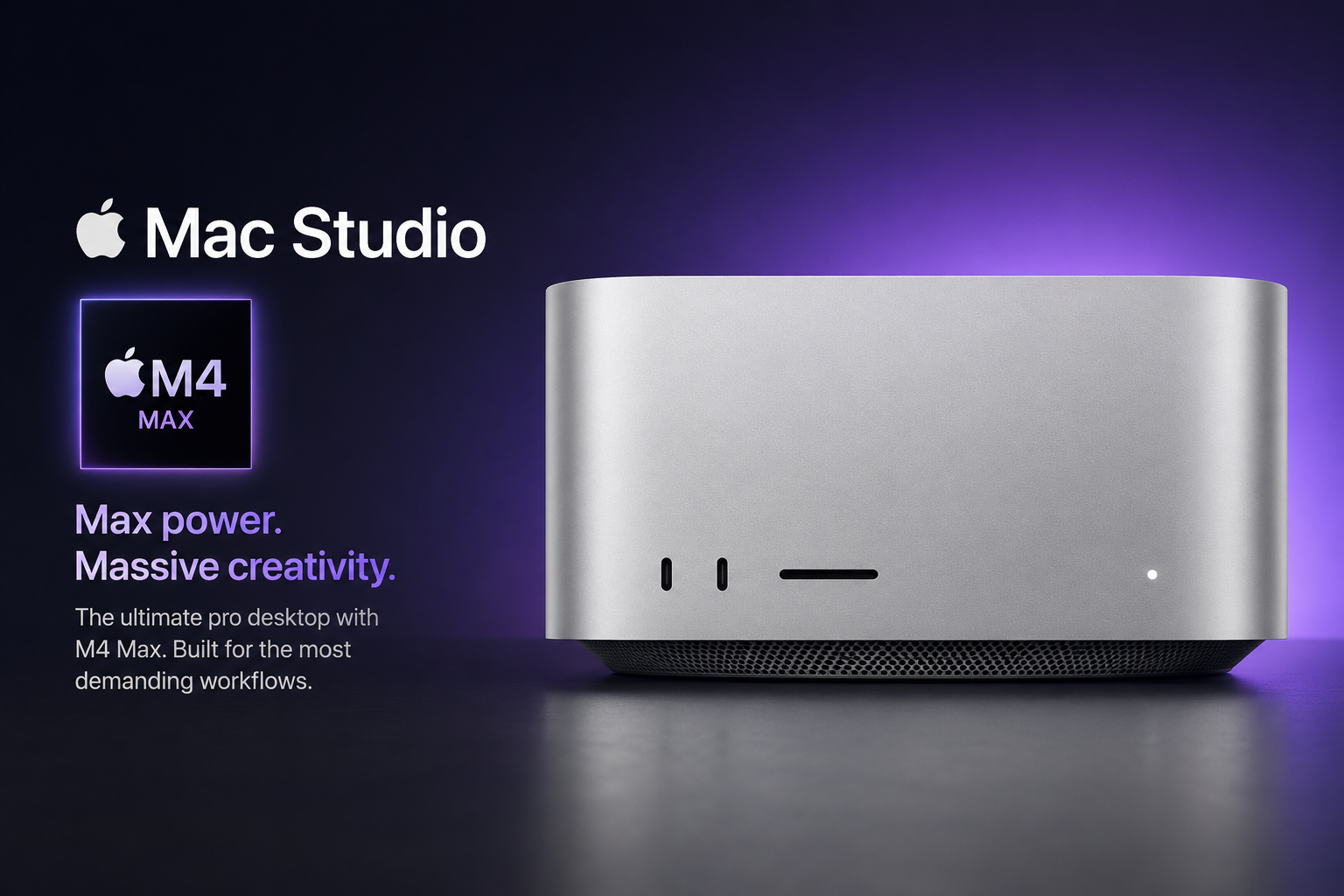
Apple Mac Studio with the M4 Max chip is one of the most powerful compact desktop computers Apple has ever built. Designed for software developers, AI engineers, video editors, photographers, music producers, architects and professional creators, it delivers workstation-class performance while remaining remarkably quiet and power efficient.
India
Specification Highlights
Review Score Breakdown
Pros
- Exceptional CPU performance
- Outstanding GPU acceleration
- Excellent AI and Machine Learning performance
- Professional media engine
- Apple Intelligence ready
- Extremely quiet operation
- Thunderbolt 5 connectivity
- Excellent thermal performance
- Supports multiple displays
- Long macOS software support
Cons
- Premium pricing
- No internal upgradeability
- Memory upgrades are expensive
- Gaming ecosystem still smaller than Windows
- Display sold separately
- Keyboard and mouse purchased separately
Quick Summary
Mac Studio M4 Max is designed for users whose computers generate income.
It delivers workstation-level performance in a compact desktop while maintaining excellent efficiency and nearly silent operation.
Whether compiling millions of lines of code, training AI models, editing ProRes video or rendering 3D scenes, the Mac Studio remains consistently fast.
Design & Build Quality
Apple continues using its premium aluminium enclosure that combines compact dimensions with excellent cooling.
Despite workstation-level performance, the Mac Studio occupies very little desk space.
Its clean industrial design blends naturally into both office and studio environments.
- Premium aluminium body
- Compact workstation
- Excellent airflow
- Extremely quiet
CPU Performance
The Apple M4 Max delivers exceptional CPU performance for professional workloads.
Large software projects compile significantly faster than previous Apple Silicon generations.
Developers working with Xcode, Android Studio, Visual Studio Code, Docker and Kubernetes benefit from the high-performance CPU architecture.
GPU Performance
Apple's integrated GPU continues to impress creative professionals.
Final Cut Pro, DaVinci Resolve, Blender, Motion and other GPU-accelerated software perform exceptionally well.
Metal optimisation allows many professional applications to fully utilise Apple's graphics architecture.
Developer Experience
Mac Studio is arguably one of the best desktop computers available for software development.
Large repositories clone quickly.
Docker containers remain responsive.
Virtual machines perform smoothly.
AI development frameworks continue to mature on Apple Silicon.
- Python
- Java
- Node.js
- React
- Flutter
- Swift
- Rust
- Go
- Docker
- Kubernetes
AI & Machine Learning
Apple Intelligence and Neural Engine acceleration make the Mac Studio attractive for AI workflows.
Developers can build and test local AI applications while benefiting from Apple's on-device processing architecture.
The machine is particularly suitable for Core ML development, local LLM experimentation and AI-assisted productivity.
Video Editing
Video editors benefit enormously from Apple's dedicated media engines.
4K and 8K timelines remain smooth while exporting ProRes footage quickly.
Final Cut Pro remains one of the strongest reasons to choose Apple hardware.
Photography Workflow
Applications like Lightroom Classic, Photoshop and Capture One benefit from the M4 Max architecture.
Large RAW libraries remain responsive even during batch exports.
Music Production
Logic Pro, Ableton Live and Pro Tools users will appreciate the extremely quiet cooling system.
Multiple virtual instruments and large sample libraries perform exceptionally well.
Apple Intelligence
Apple Intelligence integrates directly into macOS.
Writing tools, summaries, image generation, Siri improvements and productivity enhancements work together without relying entirely on cloud processing.
macOS Experience
macOS remains one of the most polished desktop operating systems.
Excellent stability, long software support and seamless ecosystem integration make the Mac Studio attractive for long-term ownership.
Ports & Connectivity
Thunderbolt 5 provides exceptional bandwidth for professional storage, displays and docking stations.
HDMI, Ethernet and USB-C connectivity reduce dependence on external hubs.
Cooling & Thermals
Despite heavy workloads the Mac Studio remains surprisingly quiet.
Apple's thermal engineering allows sustained performance without excessive fan noise.
Real World India Usage
Indian software companies, YouTubers, photographers, architects, designers and AI startups will benefit greatly from the Mac Studio.
The combination of performance, reliability and low operating noise makes it ideal for professional offices and home studios.
Is Mac Studio M4 Max Worth Buying?
If your daily workflow includes programming, AI development, video editing, CAD, music production or professional creative work, the Mac Studio M4 Max is one of the best investments available.
Casual users and students may find Mac mini or MacBook Air provides better overall value.
Final Verdict
Apple Mac Studio M4 Max is arguably the best desktop computer available for professionals who depend on reliability, performance and Apple's ecosystem. Developers, AI engineers, photographers, filmmakers, musicians and creative professionals will appreciate its exceptional speed, efficiency and workstation-class capabilities.
FAQs
Is Mac Studio M4 Max worth buying?
Yes, particularly for professionals who rely on heavy creative or development workloads.
Is Mac Studio good for programming?
Yes. It excels in software development, containers, virtual machines and large codebases.
Is Mac Studio good for AI?
Yes. Apple Silicon offers strong AI acceleration for local development and Apple Intelligence.
Can Mac Studio edit 8K video?
Yes. Professional editing applications benefit from Apple's hardware media engines.
Who should buy Mac Studio?
Developers, creators, AI engineers, architects, photographers, musicians and filmmakers.