
Apple Mac Studio (M3 Ultra) Review (2026): The Ultimate Apple Workstation for AI, 3D, Video Editing & Professional Development
Complete Apple Mac Studio M3 Ultra review covering CPU, GPU, Apple Intelligence, AI workloads, software development, rendering, video editing, music production, and professional workflows.
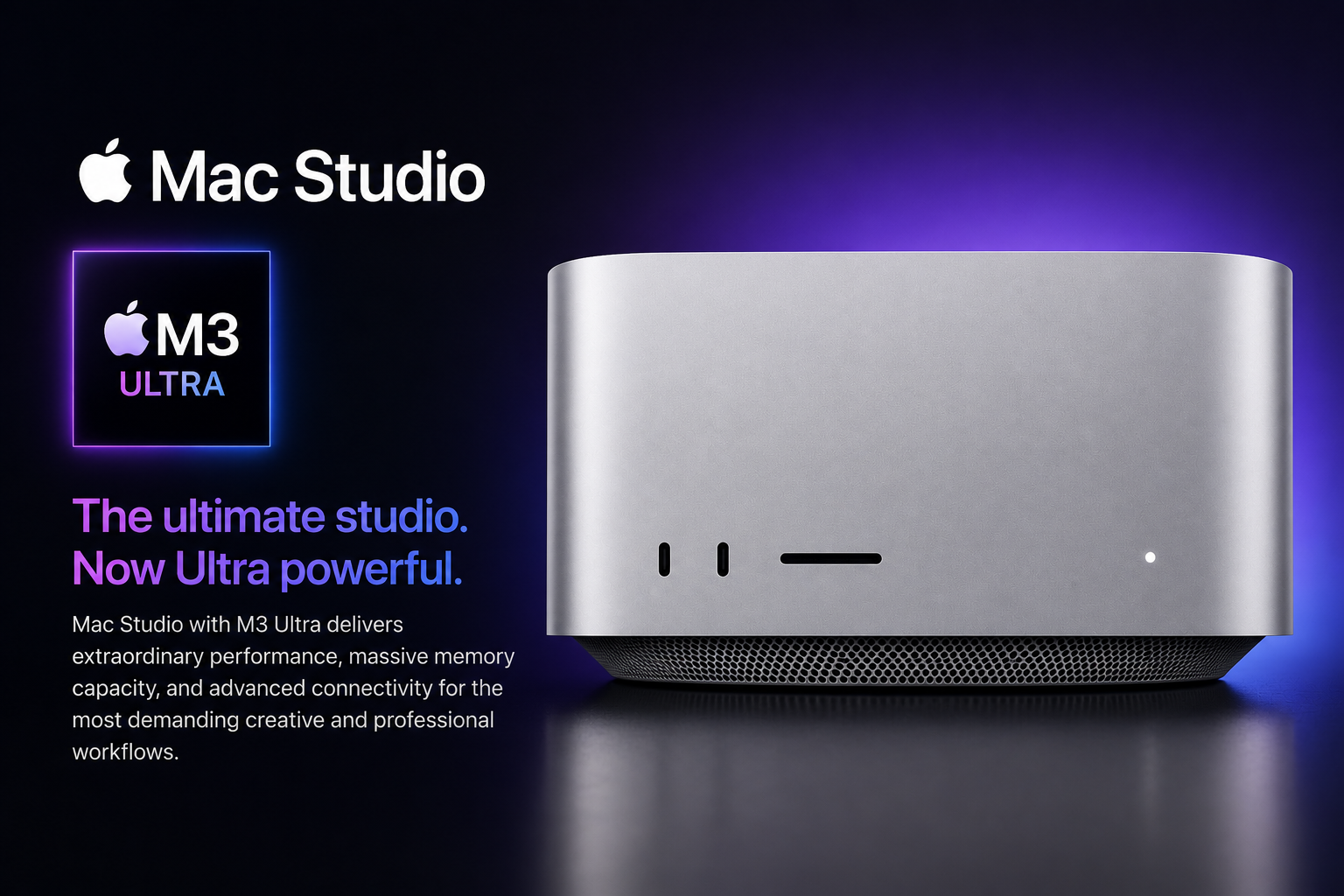
Apple Mac Studio powered by the M3 Ultra is Apple's fastest desktop workstation for professionals. Featuring up to a 32-core CPU, up to an 80-core GPU, a 32-core Neural Engine, Thunderbolt 5 connectivity, massive unified memory, and Apple's Media Engine, it is built for developers, AI engineers, filmmakers, photographers, architects, music producers, and enterprise creators who need maximum performance in a compact desktop.
India
Specification Highlights
Key Specifications
Expert Review Notes
Review Score Breakdown
Up to 32 CPU cores make it exceptionally strong for heavily threaded professional workloads.
Up to 80 GPU cores plus ray tracing and mesh shading target demanding 3D, compute and creative workflows.
Up to 512GB unified memory, a 32-core Neural Engine and high memory bandwidth make local AI a major strength.
Dedicated media acceleration and extensive ProRes capability are particularly valuable for professional video pipelines.
96GB starting memory and up to 512GB provide unusually large headroom for workstation-class projects.
Thunderbolt 5, 10Gb Ethernet, HDMI, USB-A and SDXC provide a broad professional I/O mix.
The compact Apple-silicon workstation design prioritises performance per watt and low-noise operation.
Internal memory and storage are not conventional user-upgradeable components.
The M3 Ultra configuration is excessive for routine productivity and mainstream home use.
It can justify its price where render, compile, AI or media-processing time directly affects productivity or revenue.
Pros
- Apple's fastest desktop processor
- Outstanding multi-core performance
- Excellent AI performance
- Up to 80-core GPU
- Supports enormous unified memory
- Professional Media Engine
- Extremely quiet cooling
- Thunderbolt 5
- Supports multiple Pro Display XDR and Studio Displays
- Built for Apple Intelligence
- Exceptional power efficiency
- Long macOS software support
Cons
- Extremely expensive
- No internal upgradeability
- Display not included
- Keyboard and Mouse sold separately
- Gaming ecosystem smaller than Windows
- Most users will never utilize its full performance
Quick Summary
Mac Studio M3 Ultra is not designed for average consumers. It targets professional workloads where time directly impacts productivity and revenue.
Whether compiling enterprise applications, training machine learning models, editing feature-length films or rendering complex 3D scenes, the M3 Ultra delivers workstation-class performance while remaining remarkably compact.
Apple positions it as the most powerful Mac Studio ever produced.
Design & Build
Apple retains the compact aluminium enclosure first introduced with Mac Studio.
Despite housing one of Apple's fastest processors, the machine occupies minimal desk space.
The aluminium body also acts as part of the cooling solution, keeping temperatures under control during sustained workloads.
- Premium aluminium enclosure
- Compact footprint
- Excellent airflow
- Professional appearance
- Studio-quality build
CPU Performance
The M3 Ultra features up to a 32-core CPU, making it one of the fastest processors Apple has ever shipped in a desktop computer.
Professional workloads such as compiling large software projects, scientific computing, virtualization and simulation benefit greatly from the high core count.
Developers working with Xcode, Docker, Kubernetes, Java, Python, Rust, Go and Flutter will appreciate the sustained performance during long build sessions.
GPU Performance
The integrated Apple GPU scales up to 80 cores and supports hardware-accelerated ray tracing.
Applications like Final Cut Pro, DaVinci Resolve, Blender, Cinema 4D and Motion can fully utilise Apple's graphics architecture.
The unified memory architecture reduces bottlenecks when handling extremely large creative projects.
Artificial Intelligence
A 32-core Neural Engine accelerates Apple Intelligence features and AI workloads.
Developers building Core ML applications, experimenting with local language models or running AI-assisted creative tools benefit from the dedicated neural processing hardware.
Apple Intelligence integrates directly into macOS while maintaining Apple's privacy-first approach.
Developer Workflows
Mac Studio M3 Ultra is arguably one of the best development workstations available.
Large enterprise repositories compile rapidly.
Docker containers remain highly responsive.
Multiple virtual machines can run simultaneously thanks to the large unified memory options.
It is especially attractive for iOS, macOS and visionOS developers.
Video Editing
The dedicated Media Engine accelerates ProRes, ProRes RAW, HEVC and H.264 workflows.
Professional editors working in Final Cut Pro or DaVinci Resolve can comfortably edit multiple streams of high-resolution footage while benefiting from hardware encode and decode engines.
Photography
Applications including Adobe Photoshop, Lightroom Classic, Capture One and Affinity Photo perform exceptionally well.
Large RAW catalogues remain responsive while exports complete significantly faster than on previous Apple Silicon generations.
Music Production
Logic Pro users benefit from the near-silent cooling system and abundant processing headroom.
Massive orchestral templates and hundreds of software instruments can run simultaneously.
Unified Memory
One of the defining strengths of the M3 Ultra configuration is unified memory.
Starting at 96GB and configurable to significantly larger capacities, professionals can work with extremely large datasets, AI models and video projects without relying heavily on slower storage.
Ports & Connectivity
Thunderbolt 5 provides enormous bandwidth for external SSDs, professional audio interfaces, capture cards and multiple high-resolution displays.
The inclusion of HDMI, Ethernet and USB-C means fewer dongles are required compared to many laptops.
macOS & Apple Intelligence
macOS continues to provide one of the most polished desktop operating systems available.
Apple Intelligence integrates naturally into productivity workflows through writing tools, summaries, image generation and Siri enhancements.
For businesses already invested in Apple's ecosystem, continuity features improve daily productivity.
Cooling
Despite workstation-class performance, Mac Studio remains impressively quiet.
Apple's thermal design allows sustained heavy workloads without excessive fan noise.
Real World India Usage
For Indian production studios, software companies, architects, AI startups and YouTubers, Mac Studio M3 Ultra can replace traditional rack-mounted workstations while consuming significantly less power.
Its compact design also makes it suitable for modern office environments where space is limited.
M3 Ultra Architecture: What Makes It Different
M3 Ultra uses Apple's UltraFusion packaging architecture to combine two M3 Max dies so macOS and applications can address the resulting system as one chip. Apple states that the interconnect spans more than 10,000 signals and provides over 2.5TB/s of low-latency interprocessor bandwidth.
The chip contains 184 billion transistors. Its top CPU configuration has 32 cores, split between 24 performance cores and eight efficiency cores, while the GPU scales to 80 cores. This design is aimed at heavily threaded compute, graphics, rendering, scientific and professional media workloads rather than ordinary web and office work.
For buyers, the architectural advantage is not simply a larger benchmark number. CPU, GPU, Neural Engine and media accelerators all operate around the unified-memory design, reducing the need to copy large working datasets between separate pools of system and graphics memory.
- Up to 32-core CPU
- Up to 80-core GPU
- 32-core Neural Engine
- 184 billion transistors
- Over 2.5TB/s UltraFusion interprocessor bandwidth
- Over 800GB/s unified-memory bandwidth
Media Engine and 8K Production
The M3 Ultra media engine is one of the clearest reasons to choose this machine for professional video. Apple lists hardware-enabled H.264 and HEVC processing together with four ProRes encode and decode engines.
Apple states that the M3 Ultra can play back up to 24 streams of 8K ProRes 422 video. That specification is especially relevant to multi-camera editing, finishing, compositing and high-resolution review workflows where decoding media in hardware can free CPU and GPU resources for effects and other processing.
This should not be interpreted as a guarantee that every 8K timeline will behave identically. Real project performance still depends on codecs, effects, storage throughput, plug-ins, application optimisation and project complexity.
- Hardware-accelerated H.264 and HEVC
- Four ProRes encode/decode engines
- Up to 24 streams of 8K ProRes 422 playback
- Designed for high-resolution professional media workflows
Unified Memory Configuration Guide
The M3 Ultra starts at 96GB of unified memory and can be configured up to 512GB. Unlike a conventional workstation with separate system RAM and discrete GPU VRAM, Apple silicon uses a unified pool that can be accessed by the chip's compute engines.
For software development, photography and mainstream professional editing, the entry memory capacity is already substantial. Larger configurations become more relevant for huge 3D scenes, scientific datasets, very large local AI models, multiple demanding virtual machines and complex professional finishing workloads.
Because memory is not a normal post-purchase DIMM upgrade, buyers should estimate their three-to-five-year workload before ordering. Paying for unused memory is expensive, but undersizing a workstation that will later handle larger AI or creative projects can also shorten its useful professional life.
- 96GB starting unified memory
- Configurable up to 512GB
- Shared CPU/GPU memory architecture
- Choose capacity at purchase with future workload growth in mind
Thunderbolt 5 and Workstation Expansion
Thunderbolt 5 is a major generational upgrade for workflows built around fast external storage, docks, capture devices and expansion hardware. Apple specifies transfer speeds up to 120Gb/s and gives each Thunderbolt 5 port on the M3 Ultra implementation its own custom-designed controller.
The Mac Studio also retains workstation-friendly connectivity beyond Thunderbolt. Its port mix includes USB-A, HDMI, 10Gb Ethernet, a 3.5mm headphone connection and a front SDXC card slot, reducing the number of adapters needed in many editing and production desks.
For studios working from large external SSD arrays or network storage, the combination of Thunderbolt 5 and 10Gb Ethernet is more important than a long list of consumer ports because it directly affects ingest, backup, shared storage and high-resolution media workflows.
- Thunderbolt 5 up to 120Gb/s
- 10Gb Ethernet
- HDMI
- USB-A
- Front SDXC UHS-II slot
- 3.5mm headphone connection
Local AI and Machine-Learning Workloads
The M3 Ultra is unusually interesting as a local AI workstation because its unified-memory ceiling reaches 512GB. Large memory capacity can be more important than peak accelerator throughput when a model or working dataset simply cannot fit into the memory available to a smaller machine.
Apple says the M3 Ultra platform can run large language models with more than 600 billion parameters on device. That is a capability statement about model capacity, not a promise of a particular tokens-per-second result. Model architecture, precision, quantisation, framework and software optimisation can materially change actual inference performance.
For organisations considering local AI for privacy, prototyping or offline workflows, the Mac Studio therefore deserves evaluation on model fit, memory requirements, framework support and total workflow time rather than on Neural Engine core count alone.
- Up to 512GB unified memory
- 32-core Neural Engine
- GPU and CPU ML acceleration
- Designed for very large on-device models
- Actual inference speed depends on model and software stack
Power Consumption and Workstation Efficiency
Apple's published power-consumption data for a high-end 2025 Mac Studio with a 32-core CPU, 80-core GPU, 512GB unified memory and 16TB SSD lists 9W at idle and 270W under Apple's defined maximum compute-intensive test.
That figure is useful for offices and studios planning electrical capacity, UPS sizing and thermal load, but it should not be treated as the power draw of every M3 Ultra configuration or every workload. Connected displays, storage and peripherals add their own consumption.
For Indian businesses running workstations for long production sessions, performance per watt can affect operating cost, room cooling requirements and UPS planning as well as environmental targets.
- Apple test configuration: 32-core CPU / 80-core GPU / 512GB / 16TB
- Published idle consumption: 9W
- Published maximum test consumption: 270W
- Peripheral and display power is additional
Alternatives
Compare Mac Studio M3 Ultra against Mac Studio M4 Max, Mac mini, MacBook Pro M5, Windows Threadripper workstations and Intel Xeon desktop systems before making a purchasing decision.
Is Mac Studio M3 Ultra Worth Buying?
If your daily work includes AI development, enterprise software engineering, 8K video production, 3D rendering, scientific research or large-scale creative production, Mac Studio M3 Ultra is one of the finest desktop computers currently available.
For general office work, students or home users, it represents unnecessary overkill.
Review Disclosure
Final Verdict
Mac Studio M3 Ultra is designed for professionals whose livelihood depends on computing performance. Developers compiling massive projects, AI researchers running local models, filmmakers editing 8K ProRes, photographers processing huge RAW libraries, engineers, architects and musicians will all benefit from its incredible performance. Casual users should instead consider the Mac mini or MacBook Air.
FAQs
Who should buy Mac Studio M3 Ultra?
Professional developers, AI engineers, video editors, architects, photographers, musicians, filmmakers and enterprises requiring workstation-level performance.
Is Mac Studio M3 Ultra good for AI development?
Yes. The powerful CPU, Neural Engine, unified memory architecture and Apple Intelligence support make it highly suitable for AI development and local inference workloads.
Is Mac Studio better than MacBook Pro?
For maximum sustained desktop performance, yes. MacBook Pro remains the better choice if portability is important.
Can Mac Studio edit 8K video?
Yes. Apple's Media Engine is designed specifically for professional video workflows including ProRes and ProRes RAW.
Does Mac Studio support multiple displays?
Yes. Mac Studio supports multiple external displays, with support varying by chip configuration.
How much unified memory can the M3 Ultra Mac Studio have?
The M3 Ultra Mac Studio starts with 96GB of unified memory and can be configured up to 512GB.
How fast is Thunderbolt 5 on the M3 Ultra Mac Studio?
Apple specifies Thunderbolt 5 connectivity at up to 120Gb/s on the M3 Ultra platform.
How many 8K ProRes streams can M3 Ultra play?
Apple states that M3 Ultra can play back up to 24 streams of 8K ProRes 422 video using its media-engine capabilities.
Is 512GB memory useful for local AI?
It can be valuable when very large models or datasets need to remain in memory. Actual AI speed still depends on the model, precision, framework and software optimisation.
Can the Mac Studio memory be upgraded later?
Buyers should treat unified-memory capacity as a purchase-time configuration decision rather than expecting conventional user-upgradeable DIMMs.