
Apple Mac mini M4 Review (2026): The Best Compact Desktop for Developers, Students & Professionals?
Complete Apple Mac mini M4 review covering performance, Apple Intelligence, programming, AI, video editing, productivity, gaming, ports, and long-term ownership.
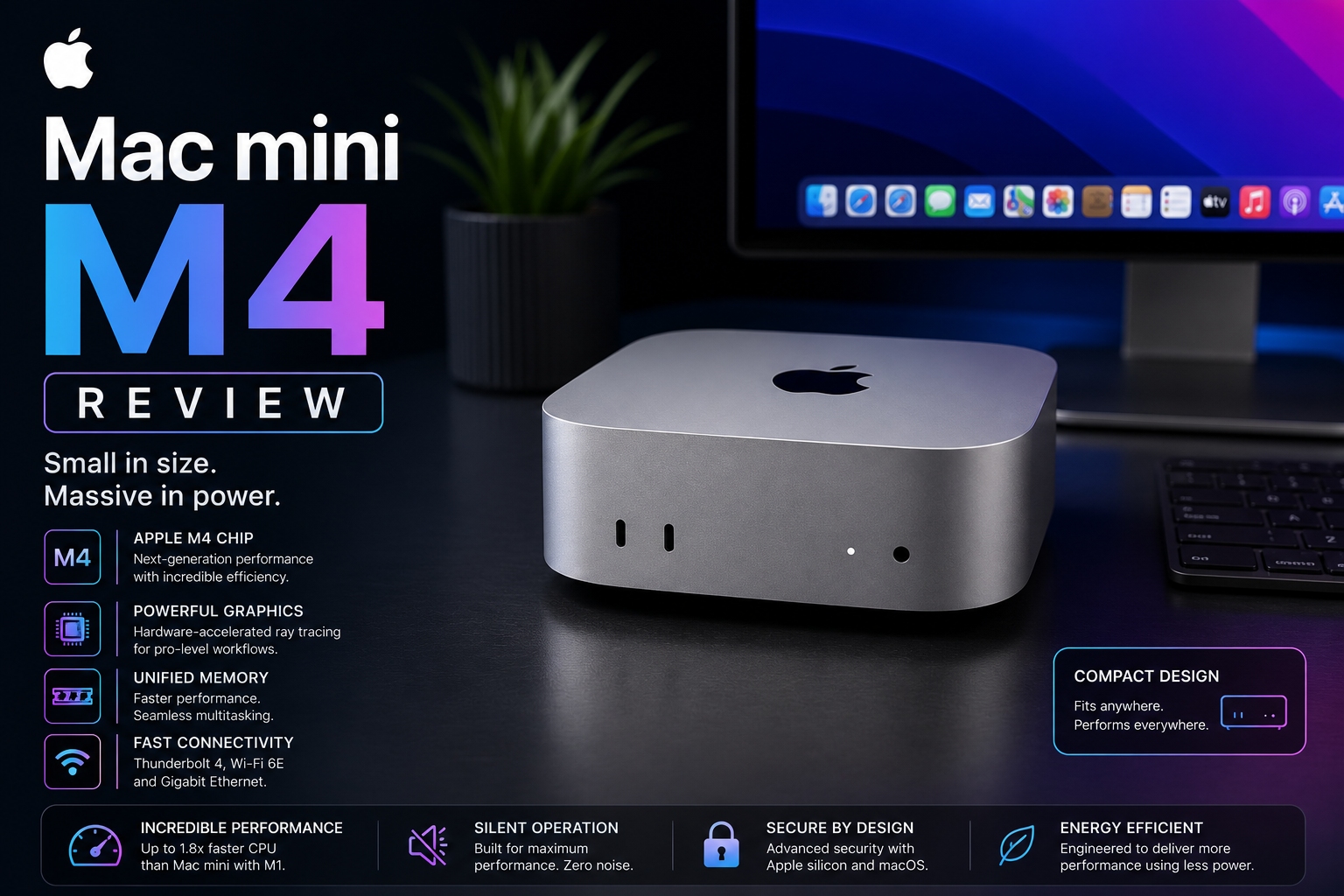
Apple Mac mini M4 is one of the best-value desktop computers Apple has ever released. Despite its tiny 5×5-inch footprint, it delivers excellent CPU performance, capable graphics, Apple Intelligence support, and outstanding power efficiency. For developers, students, content creators, office professionals and anyone wanting a compact desktop, Mac mini M4 offers remarkable performance for its size and price. Apple redesigned the Mac mini around the M4 and M4 Pro chips, added front and rear ports, and built the system for Apple Intelligence. :contentReference[oaicite:0]{index=0}
India
Specification Highlights
Review Score Breakdown
Pros
- Excellent value for money
- Very compact design
- Outstanding CPU performance
- Excellent developer desktop
- Apple Intelligence support
- Very quiet operation
- Excellent energy efficiency
- Front USB-C ports improve usability
- Excellent media engine
- Supports multiple displays
- Good resale value
- Long macOS support
Cons
- Display sold separately
- Keyboard and mouse not included
- Internal upgrades are impossible
- Storage upgrades are expensive
- Gaming ecosystem smaller than Windows
- Base storage may be limiting for professionals
Quick Summary
Mac mini M4 completely changes expectations for entry-level desktop computers.
It combines Apple's latest M4 processor, compact design, excellent efficiency and professional-grade performance.
For developers, students, office users and creators, it delivers exceptional value while occupying almost no desk space.
Design & Build Quality
Apple redesigned the Mac mini around Apple Silicon, reducing its footprint to roughly 5×5 inches while moving ports to both the front and back for easier access. :contentReference[oaicite:1]{index=1}
The aluminium enclosure feels premium and should easily last many years.
Its compact dimensions make it ideal for home offices, development desks and studio environments.
- Premium aluminium body
- Extremely compact
- Front USB-C ports
- Professional appearance
Performance
Apple's M4 processor provides excellent single-core and multi-core performance.
Applications launch instantly.
Web browsing, Office applications, Lightroom, Photoshop, Final Cut Pro, Xcode and Docker all perform smoothly.
Most users will never fully utilise its processing capability.
Programming & Software Development
Mac mini M4 is one of the best developer desktops available.
Python, Java, Node.js, Go, Rust, Flutter, React Native, Docker and Kubernetes all perform exceptionally well.
Its low power consumption makes it suitable for continuous development environments.
- Excellent Docker performance
- Great for backend development
- Perfect for iOS development
- Excellent CI workstation
Apple Intelligence & AI
Apple Intelligence is built directly into macOS.
The 16-core Neural Engine accelerates local AI features including writing assistance, summarisation and image tools.
Developers can also build Core ML applications while taking advantage of Apple Silicon.
Creative Work
Mac mini handles photography, graphic design and moderate video editing extremely well.
Final Cut Pro, Photoshop, Lightroom and Affinity applications all benefit from Apple's Media Engine.
Heavy 3D rendering users may benefit from Mac Studio instead.
Office Productivity
Microsoft Office, Google Workspace, Zoom, Slack, Teams and browsers perform flawlessly.
For business users this may be the ideal desktop because of its reliability, efficiency and low operating cost.
Students
Engineering, Computer Science, MBA, Design and Media students will find Mac mini provides excellent long-term value.
Adding a quality monitor creates a workstation capable of lasting many years.
macOS Experience
macOS remains one of the most polished desktop operating systems.
Excellent integration with iPhone, AirPods, Apple Watch and iPad significantly improves productivity.
Ports & Connectivity
Mac mini includes convenient front USB-C ports, rear Thunderbolt ports, HDMI, Ethernet and a headphone jack, making it easier to connect displays, storage and peripherals without constantly reaching behind the computer. Port capabilities vary between M4 and M4 Pro configurations. :contentReference[oaicite:2]{index=2}
Power Efficiency
One of Mac mini's biggest strengths is its outstanding efficiency.
It consumes significantly less electricity than many traditional desktop computers while maintaining excellent performance.
Gaming
Gaming performance continues improving thanks to Metal and hardware-accelerated ray tracing on M4, but Windows still offers the largest game library. Casual and Apple-native gaming is excellent, while dedicated gamers may prefer Windows systems. :contentReference[oaicite:3]{index=3}
Real World India Usage
For Indian software companies, startups, colleges, YouTubers and freelancers, Mac mini offers exceptional value.
It handles programming, meetings, editing, accounting and cloud development with ease.
Alternatives
Compare Mac mini M4 with Mac mini M4 Pro, Mac Studio M4 Max, MacBook Air M5, Dell XPS Desktop, Intel NUC and premium Windows mini PCs before making your decision.
Is Mac mini M4 Worth Buying?
If you already own a monitor, keyboard and mouse, Mac mini M4 is arguably the best value desktop Apple currently sells.
Developers, students, business users and creators will find very few weaknesses.
Final Verdict
Mac mini M4 is arguably the best desktop computer Apple has ever offered at its price point. It provides excellent performance for programming, productivity, photography, office work, software development and moderate creative workloads. Users needing maximum GPU performance or massive memory should consider Mac Studio instead.
FAQs
Is Mac mini M4 worth buying?
Yes. It is one of Apple's best-value computers and suits developers, students, office users and creators.
Is Mac mini good for programming?
Yes. It performs exceptionally well with Xcode, VS Code, Docker, Kubernetes, Python, Java and other development tools.
Is Mac mini good for AI development?
Yes. Apple Intelligence support and the Neural Engine make it suitable for many local AI and Core ML workflows.
Can Mac mini edit 4K video?
Yes. Apple's Media Engine accelerates ProRes, H.264, HEVC and other common video workflows. :contentReference[oaicite:4]{index=4}
Does Mac mini include a monitor?
No. The Mac mini is sold as a desktop computer only, so you'll need to supply your own display, keyboard and mouse.
Who should buy Mac mini?
Developers, students, office professionals, photographers, content creators and anyone wanting a compact desktop with excellent performance.