
The Better Way to Use Gemini on Mac: Why Google's Native App Still Feels Incomplete
Google finally launched a dedicated Gemini app for macOS, but many users may find the browser version and system integrations offer a better overall experience.
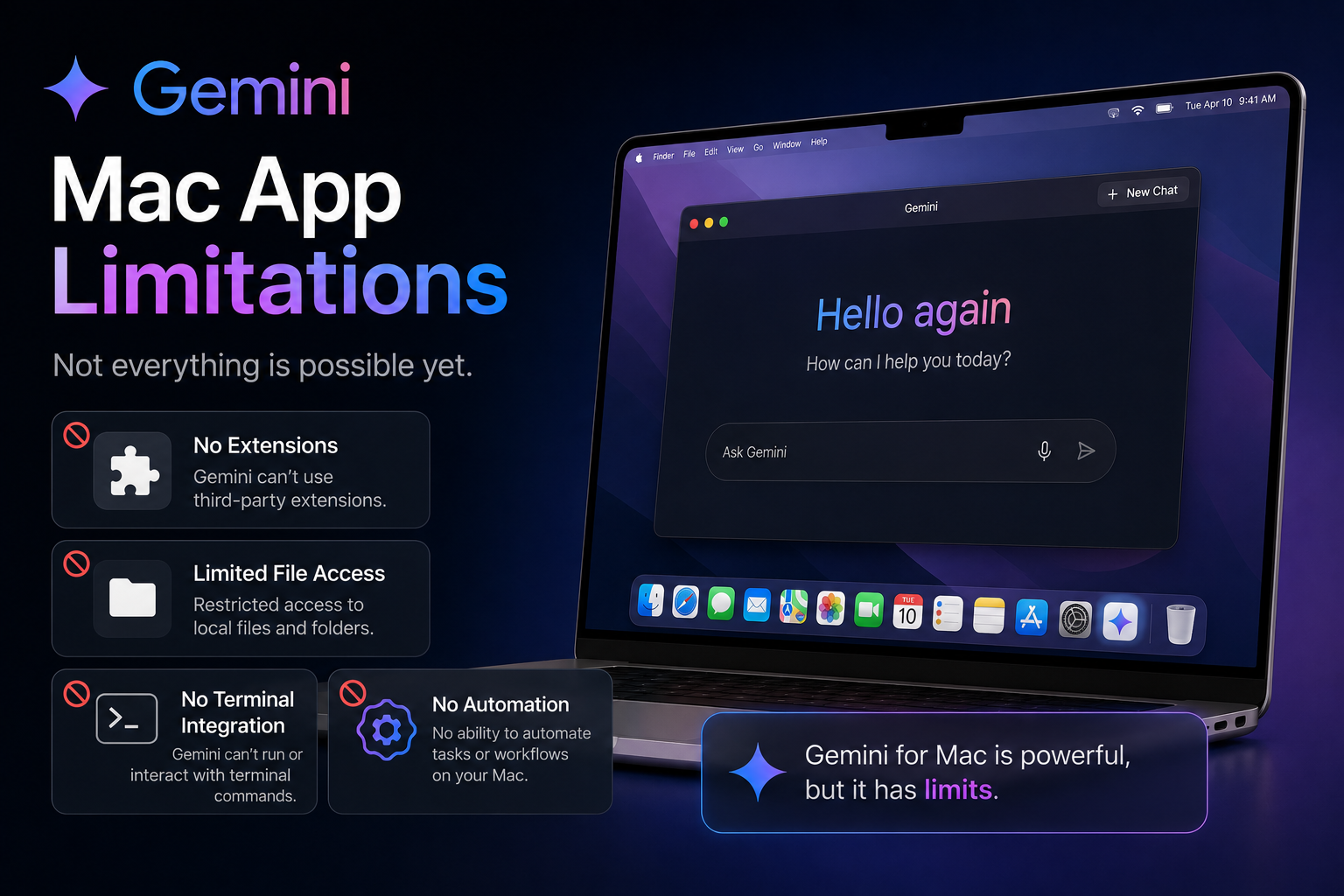
Google released a dedicated Gemini app for macOS to compete with ChatGPT and Claude desktop applications. However, despite the convenience of a native app, Gemini on Mac still lacks several features and workflows that power users expect. Two months after launch, many Mac users are discovering that Gemini works better through alternative methods rather than relying solely on the standalone app.
Brand
Model
Gemini for Mac
Launch Status
Available
Availability
macOS
Rating
8.2
Pros
- Native macOS application
- Quick access through keyboard shortcuts
- Fast AI responses
- Supports Gemini AI models
- Simple and lightweight interface
- Good integration with Google services
Cons
- Limited macOS integration
- Fewer productivity features than ChatGPT
- File handling could be better
- Workflow limitations for power users
- Still feels like a web app in some areas
Final Verdict
Gemini for Mac is a welcome addition to Google's AI ecosystem, but it currently falls short of becoming the ultimate AI companion for macOS users. While casual users will appreciate the convenience, professionals may still prefer browser-based Gemini workflows or competing desktop AI applications.
Gemini Finally Arrived on macOS
Google joined OpenAI and Anthropic by launching a dedicated Gemini desktop application for Mac users.
The arrival of a native app was highly anticipated because many users wanted faster access to Gemini without constantly opening browser tabs.
While the application solves some convenience issues, it quickly becomes clear that the experience is not yet as polished as many hoped.
What Gemini for Mac Gets Right
The application offers fast access to Gemini and removes some of the friction associated with browser-based AI tools.
Users can quickly launch conversations, ask questions and generate content without switching contexts.
Performance is generally smooth and the interface remains clean and easy to understand.
- Quick launch experience
- Clean user interface
- Fast response times
- Native Mac application
- Easy access to Gemini models
The Biggest Problem: It Doesn't Feel Truly Native
Despite being a dedicated application, Gemini still lacks the deep macOS integration that many power users expect.
Unlike some competing AI tools, Gemini often feels like a packaged version of the web experience rather than a platform built specifically for macOS.
Users expecting advanced system-level capabilities may be disappointed.
Why ChatGPT's Mac App Still Feels More Powerful
OpenAI's desktop application has steadily evolved into a productivity-focused assistant with deeper operating system awareness.
Many users find ChatGPT integrates more naturally into their daily workflows, especially when working across multiple applications and documents.
Gemini still has room to grow before reaching that level of seamless integration.
The Browser Version Is Still Surprisingly Better
For many users, Gemini in Chrome or Safari remains the preferred experience.
The browser version often receives new features first and provides easier access to Google's broader ecosystem.
Users who frequently work with Gmail, Google Docs, Google Drive and Google Workspace may find browser-based Gemini more flexible.
The Better Way to Use Gemini on a Mac
Instead of relying entirely on the native application, many power users are combining Gemini with Google's browser tools and Workspace integrations.
Pinned browser tabs, Chrome profiles and Gemini integrations within Google services often create a more efficient workflow.
This approach provides access to the latest features while avoiding some limitations of the standalone application.
- Use Gemini inside Chrome
- Integrate with Gmail
- Leverage Google Docs AI tools
- Use Drive-based workflows
- Combine browser and desktop usage
Google Has Plenty of Room to Improve
The current version of Gemini for Mac feels like an early foundation rather than a finished product.
Future updates could bring deeper system integration, improved file handling, smarter context awareness and productivity enhancements.
Given Google's rapid AI development cycle, significant improvements are likely over the coming months.
Who Should Use Gemini for Mac?
The app is ideal for users who primarily need quick AI access and basic productivity assistance.
Writers, students and casual users will appreciate its simplicity.
Advanced users may still prefer more mature desktop AI applications until Gemini gains additional macOS-specific capabilities.
Final Thoughts
Gemini for Mac is a useful addition to Google's AI strategy, but it is not yet the definitive AI desktop experience many users expected.
For now, the best Gemini experience on a Mac often comes from combining the desktop app with browser-based workflows and Google Workspace integrations.
As Google continues improving Gemini, the app has the potential to become a much stronger competitor to ChatGPT and Claude on macOS.
FAQs
Is Gemini available as a Mac app?
Yes, Google offers a dedicated Gemini application for macOS.
Is the Gemini Mac app better than the browser version?
Not necessarily. Many users still prefer the browser version because of broader integrations and faster feature availability.
How does Gemini compare with ChatGPT on Mac?
ChatGPT currently offers deeper workflow integration and a more mature desktop experience for many users.
Can Gemini integrate with Google Workspace?
Yes. Gemini works across Gmail, Google Docs, Drive and other Google services.
Should Mac users install Gemini?
Yes, but many users may benefit from combining the app with browser-based Gemini workflows.