
Why Does My Phone Battery Drop Even When Switched Off?
A practical Android troubleshooting guide to separate normal charge loss, inaccurate battery readings and possible battery or hardware problems.
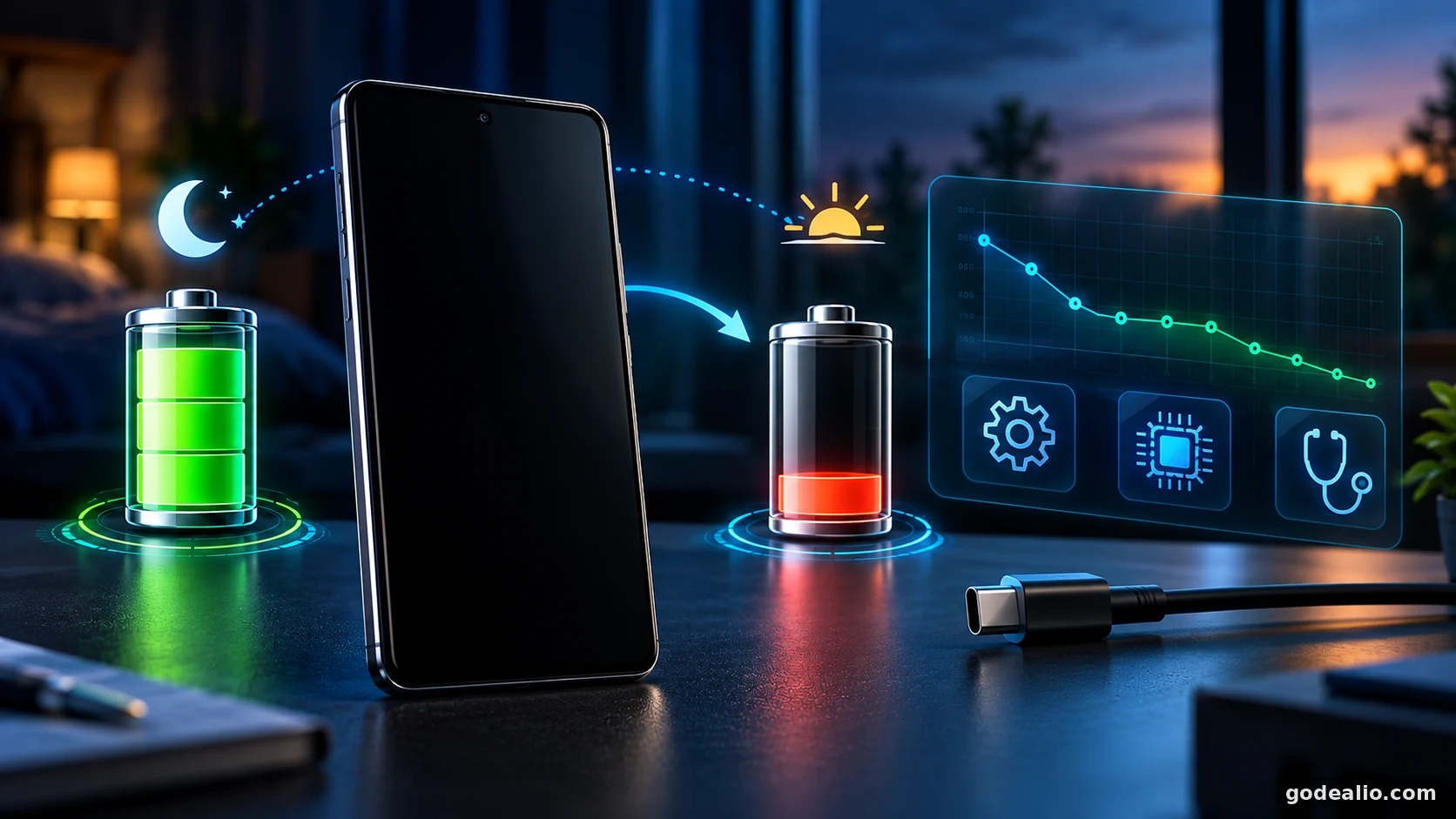
A phone can show a lower battery percentage after being switched off, but a noticeable or repeatable drop deserves testing. This guide explains how to measure powered-off battery drain, rule out misleading percentage readings, check battery health and decide when professional diagnosis makes sense.
Quick Verdict
Guide Overview
- Guide type
- explainer
- Difficulty
- beginner
- Market
- India
- Time required
- About 10 minutes of active setup plus several hours or overnight for each controlled test.
- Cost estimate
- Diagnostic steps are generally free with built-in or manufacturer tools; repair or replacement cost depends on the phone, warranty and service provider.
Who this guide is for
Android users who notice their phone battery percentage falling while the device appears fully switched off and want a safe, repeatable way to diagnose the cause.
Before You Start
Requirements
- A phone that can be charged and powered off normally.
- A compatible charger and cable in good condition.
- Enough time to run at least two comparable powered-off tests.
- Access to manufacturer battery diagnostics if available.
Prerequisites
- Back up important data before advanced troubleshooting or service work.
- Let an unusually hot phone return to a normal temperature before testing.
- Do not open the phone or disconnect its internal battery.
- Record starting and ending battery percentages.
Tools Needed
- Compatible charger and cable
- Notes app, paper or screenshots
- Manufacturer battery diagnostic tool when available
Step-by-Step Guide
Follow the relevant steps in order and avoid changing unrelated advanced settings.
Confirm the phone is actually powered off
- Use the normal power menu and choose the option that fully switches the phone off rather than Restart.
- Wait until the display is completely off and shutdown has finished.
- If your model supports scheduled startup or unusual off-state behaviour, check the manufacturer's support information before interpreting the test.
Expected result
You begin from a known powered-off state rather than a locked, sleeping or restarting phone.
Warning
Shutdown behaviour varies by manufacturer and software version.
Platform: Android
Record a stable starting battery percentage
- Charge the phone normally with a compatible charger.
- Disconnect the charger, then record the displayed battery percentage and time.
- Use a reasonably high starting charge so the comparison is not distorted by a critically low-battery shutdown.
Expected result
You have a clear baseline for the test.
Platform: Android
Leave the phone powered off and disconnected
- Switch the phone off normally.
- Disconnect chargers, power banks, USB devices and other wired accessories.
- Leave it in a stable, moderate-temperature location for a fixed period such as overnight.
- Do not repeatedly boot it just to check the percentage.
Expected result
The phone remains off and undisturbed for a defined period.
Warning
Do not expose the phone to heat or cold to accelerate the test.
Platform: Android
Power on once and record the result
- At the end of the test, turn the phone on once.
- Allow Android to finish booting before recording the displayed percentage.
- Record the ending percentage, time and unusual behaviour such as heat, unexpected shutdown or a large percentage correction.
Expected result
You have a before-and-after result that can be compared.
Platform: Android
Repeat the controlled test
- Repeat on another occasion using a similar starting charge, duration and environment.
- Compare the results instead of treating one reading as proof of a fault.
- If results differ greatly, standardise the conditions and test again.
Expected result
You can see whether the powered-off battery drop is repeatable.
Platform: Android
Check whether the percentage reading is unstable
- Watch for large percentage changes after an ordinary restart.
- Note unexpected shutdowns despite charge apparently remaining.
- If your manufacturer provides an official calibration procedure for these symptoms, follow that guidance rather than a third-party calibration app.
Expected result
You separate a possible charge-estimation issue from confirmed powered-off energy loss.
Warning
Do not repeatedly drain a lithium-ion battery to zero unless the manufacturer specifically recommends it for diagnosis.
Platform: Android
Run manufacturer battery diagnostics
- Use the battery diagnostic feature supplied by the manufacturer when available.
- Review any battery-condition or service recommendation.
- Treat an official degraded-battery result as stronger evidence than repeated informal tests.
Expected result
You obtain manufacturer-provided evidence about battery condition.
Warning
Diagnostic names, availability and menu paths vary by model and software version.
Platform: Android
Compare powered-off drain with powered-on idle drain
- On a separate night, leave the phone powered on but idle and record the battery change.
- Keep this result separate from the powered-off test because apps, radios and system services can affect an idle phone.
- If the issue mainly occurs while powered on, investigate Android battery usage, apps, connectivity and recent software changes.
Expected result
You identify whether the problem is specific to shutdown or part of broader battery drain.
Platform: Android
Check for symptoms that need service
- Stop repeated testing if the phone becomes abnormally hot, has charging problems, shuts down unexpectedly or shows physical damage.
- If powered-off loss remains substantial across controlled tests, contact the manufacturer or an authorised service centre.
- Share your recorded percentages, durations and diagnostic results.
Expected result
A repeatable abnormal result is escalated with useful evidence.
Warning
Do not continue home troubleshooting when there is an immediate battery-safety concern.
Platform: Android
Use software fixes only for evidence of powered-on drain
- If drain mainly occurs while Android is running, review battery usage and install supported Android and app updates.
- Use official battery diagnostics on supported devices.
- Treat factory reset as a later option only after backup and only when software remains a credible cause.
Expected result
Software troubleshooting is used for software-related drain rather than as the first response to a powered-off issue.
Warning
A factory reset removes local data; back up first.
Platform: Android
Why Does My Phone Battery Drop Even When Switched Off?
A phone can show a lower battery percentage after it has been switched off, but the size, consistency and surrounding symptoms matter more than the fact that the number changed. A smartphone battery is an electrochemical component, and the percentage shown by Android is an estimate of remaining charge rather than a direct count of every unit of energy in the cell. A small change between shutdown and the next boot does not by itself prove something is broken. The useful question is whether the loss repeats under similar conditions and whether it appears alongside unexpected shutdowns, rapidly worsening runtime, charging problems, abnormal heat or a manufacturer diagnostic warning. The safest approach is measurement first. Run a controlled powered-off test, repeat it, compare it with powered-on idle behaviour and then check battery condition. This avoids replacing a battery because of one odd reading or dismissing a persistent hardware symptom as ordinary app activity.
What 'Switched Off' Means for Battery Troubleshooting
For this guide, switched off means using the phone's normal shutdown function and allowing the device to complete shutdown. It does not mean the display is merely off, the phone is locked, Battery Saver is enabled or airplane mode is active. Those states still leave Android running and can involve apps, radios and system services. This distinction matters because ordinary Android battery-drain advice focuses on screen use, background applications, connectivity and system activity. Android's own guidance discusses factors such as running apps, display brightness, heat and software updates. Those are useful when the phone is operating, but should not automatically be blamed for a controlled test performed while the device is genuinely shut down. Manufacturer behaviour can differ. Some devices may support scheduled startup, alarms or other model-specific behaviour. Check the manufacturer's documentation if the phone appears to wake itself or behaves unexpectedly while supposedly off.
Why a Battery Reading Can Change While the Phone Is Off
There are several categories to consider. Lithium-ion batteries are physical electrochemical systems, so stored energy is not perfectly static forever. A smartphone also contains power-management circuitry. In addition, the percentage shown before shutdown and the percentage calculated after boot can differ because the displayed value is an estimate. Battery ageing adds another possibility. Samsung describes phone batteries as consumable components whose capacity gradually decreases over time and recommends checking battery condition when users see short runtime or unexpected shutdowns. A worn battery can therefore change the troubleshooting picture even if the phone still turns on and charges. Finally, unusually large and repeatable powered-off loss can justify hardware inspection. The goal is not to guess which component is responsible remotely, but to gather enough evidence to distinguish a minor reading difference, broader battery ageing, ordinary powered-on drain or a symptom needing professional diagnosis.
How to Measure Battery Drain While the Phone Is Switched Off
A controlled test is more useful than trying to remember last night's percentage. Start from a recorded charge level, note the time, shut the phone down normally and leave it disconnected from chargers and accessories. Keep the duration and environment reasonably consistent. When the test ends, boot once, allow startup to settle and record the percentage. Repeat the experiment on another occasion. Similar results provide stronger evidence that the behaviour is real and repeatable. If the second result is dramatically different, standardise the conditions and test again before deciding the battery is faulty. Avoid checking repeatedly because every boot consumes power and changes the test. Do not deliberately run the battery critically low or expose it to temperature extremes. The goal is a safe comparison under ordinary conditions, not a stress test.
Battery Percentage Error vs Real Battery Drain
A displayed battery percentage is an estimate, so a change after reboot is not automatic proof that the same amount of energy disappeared while the phone was off. Watch for the percentage jumping after restart, remaining stuck unusually long, or the phone switching off while still displaying meaningful charge. Google's current Pixel battery support includes a calibration procedure for relevant battery-performance and sudden-shutdown problems: restart, charge to full, drain completely and charge to full again. That is manufacturer-specific troubleshooting, not a reason to perform repeated full cycles on every Android phone. Google separately says users do not generally need to teach a Pixel battery its capacity by routinely cycling from full to zero. If your phone is not a Pixel, use its manufacturer's guidance. Calibration can address charge-estimation behaviour when recommended, but it cannot reverse physical battery ageing or restore lost chemical capacity.
Check Battery Health Before Assuming a Software Problem
When switched-off battery drain is repeatable, battery condition becomes an important next check. Samsung provides Phone diagnostics in Samsung Members and describes battery-status results including Normal, Weak and Bad. Google also provides battery diagnostics on supported Pixel devices for problems including fast drain. Use manufacturer tools as diagnostic evidence rather than treating a third-party battery app as definitive. Availability and exact menus vary by model and software version, but official diagnostics are designed for the relevant device family. Battery health and calibration are different concepts. Health concerns the physical battery's condition and usable capability. Calibration concerns the accuracy of the estimated state of charge. A phone can report percentage accurately and still have poor runtime because its battery has aged.
Can Background Apps Drain Battery When the Phone Is Fully Off?
Background apps are an important cause of battery drain while Android is running, but that is different from a phone that has completed a true shutdown. Android guidance recommends reviewing high-consumption apps, settings and software when battery life is poor. Pixel guidance similarly provides Battery usage controls and diagnostics for powered-on drain. This is why an on-versus-off comparison helps. If the phone loses much more charge while left on and idle than during a comparable powered-off period, investigate apps, network conditions, syncing, location use, recent updates and other normal Android activity. If a large loss remains specific to true power-off and repeats consistently, app restrictions are unlikely to be the complete explanation. Avoid app cleaners, aggressive task killers or random optimisation utilities as a substitute for diagnosis. Identify which state produces the problem first, then use the appropriate manufacturer-supported path.
What If the Battery Problem Started After an Android Update?
A timing coincidence can make an update look responsible for every new battery symptom. Google notes that Pixel phones can temporarily use more battery after an update while new software is downloaded and optimised. That applies to activity while the phone is running; it does not automatically explain a large repeatable loss during confirmed shutdown. If the issue began after an update, test the states separately. Measure a true powered-off period, then on another occasion measure normal powered-on idle drain. If the problem mainly occurs while Android runs, allow post-update optimisation to settle, keep supported updates current and review battery usage. If substantial loss repeats while fully off, continue with battery-condition and hardware-oriented diagnosis. This separation can prevent an unnecessary factory reset. Resetting may help some persistent software cases, but it removes local data and should not be the first response to a symptom that may not depend on Android running.
When Switched-Off Battery Drain Needs Professional Inspection
Escalation makes sense when controlled testing shows a substantial and repeatable loss, especially when the pattern worsens or appears with other symptoms. Unexpected shutdowns, charging problems, manufacturer battery warnings and abnormal heat all add useful context. Samsung recommends professional inspection when battery performance continues to degrade and provides authorised service guidance for replacement decisions. Bring evidence rather than only saying the battery drains fast. Record starting and ending percentages, duration, whether the phone was fully off, approximate conditions and diagnostic results. This helps distinguish an intermittent observation from a reproducible fault. Do not open a modern phone to investigate its internal battery unless appropriately qualified and following the manufacturer's service procedure. For ordinary users, manufacturer or authorised repair channels are the appropriate route when testing points toward a battery or hardware problem.
What Not to Do When Troubleshooting Switched-Off Battery Drain
Do not repeatedly run the battery from full to empty because you believe every lithium-ion battery needs routine calibration. Google's Pixel battery-care guidance says users do not need to teach the battery its capacity by regularly going from full to zero or zero to full. Reserve a full calibration cycle for manufacturer-supported troubleshooting where relevant. Do not assume a battery-cleaner or calibration app can repair degraded battery chemistry. Software may display information or influence powered-on behaviour, but it cannot restore lost physical battery capacity. Similarly, do not factory-reset immediately. A reset is disruptive and belongs later when evidence still points to software. Finally, do not rely on an unsupported universal percentage threshold for powered-off drain. Devices, batteries, durations, temperatures and charge-estimation behaviour differ. A repeated pattern plus manufacturer diagnostics is more useful than a single generic number.
Quick Decision Guide: Observe, Diagnose or Service?
If you notice a small one-off percentage difference after switching the phone back on, record it and repeat the test. If the reading repeatedly jumps after restart or the phone shuts down with charge apparently remaining, investigate charge estimation and battery condition using manufacturer guidance. If the phone mainly loses battery while switched on overnight, follow ordinary Android battery-drain troubleshooting: review battery usage, apps, network conditions and recent software changes. If it repeatedly loses a substantial amount while fully switched off, or manufacturer diagnostics report degraded condition, move toward professional inspection rather than endlessly changing settings. Safety symptoms override the normal testing sequence. Abnormal heat, physical damage or serious charging behaviour should not be treated as a simple optimisation problem. Stop repeated experiments and obtain qualified service advice.
Final Takeaway
The useful answer is not that every switched-off battery drop is normal or that every drop means the battery is defective. A smartphone battery can show some change across shutdown, and the displayed percentage can also be recalculated when the device boots. What matters is whether the behaviour is repeatable, substantial and accompanied by other signs of trouble. Start with a controlled test, repeat it, check for unstable percentage readings and use official battery diagnostics. Keep powered-on app drain separate from true powered-off behaviour. If evidence points to battery ageing or a hardware problem, professional inspection is more useful than repeated calibration cycles, cleaner apps or an early factory reset.
Troubleshooting
Battery is lower every time the phone is switched on after being off overnight
Likely causes
- Off-period energy loss
- Battery ageing
- Charge-estimate correction after boot
- Possible device-specific battery or hardware issue
What to try
- Run at least two controlled powered-off tests.
- Check whether percentage also jumps after ordinary restarts.
- Run manufacturer battery diagnostics.
- Escalate consistently substantial or worsening loss.
When to escalate: Seek authorised support when the loss is repeatable and substantial, diagnostics report poor condition, or shutdown, charging or heat problems also occur.
Battery percentage drops sharply immediately after boot
Likely causes
- Charge estimate correcting after startup
- Degraded battery condition
- Unreliable reported percentage
What to try
- Record values across more than one test.
- Check manufacturer diagnostics.
- Use only an official calibration procedure when recommended.
When to escalate: Escalate if corrections are repeatedly large or the phone shuts down unexpectedly.
Phone loses battery overnight only when left switched on
Likely causes
- Background app activity
- Network activity
- Post-update or setup optimisation
- Battery ageing
What to try
- Review Android battery usage.
- Install supported updates.
- Keep manufacturer-recommended battery optimisation enabled.
- Use official diagnostics.
When to escalate: Escalate when drain remains unusually high after supported checks or diagnostics identify a battery problem.
Phone is warm or hot although it was supposed to be switched off
Likely causes
- Shutdown may not have completed
- Charging or accessory behaviour
- Possible battery, charging or hardware fault
What to try
- Disconnect accessories and allow the device to cool safely.
- Confirm normal shutdown.
- Avoid repeated stress testing.
When to escalate: Persistent or abnormal heating while powered off warrants prompt professional inspection.
Battery diagnostic reports degraded condition or recommends service
Likely causes
- Battery ageing
- Reduced usable capacity
- Battery condition outside manufacturer expectations
What to try
- Follow the manufacturer's recommendation.
- Back up important data.
- Use an authorised service option when replacement is advised.
When to escalate: Follow the manufacturer's service recommendation rather than repeating calibration or resets.
Drain started after an Android update
Likely causes
- Temporary powered-on post-update optimisation
- A separate battery-health issue
- Coincidental timing
What to try
- Separate powered-on and powered-off tests.
- Install subsequent supported updates.
- Use official diagnostics if unusual drain continues.
When to escalate: Escalate if unusual drain persists or controlled testing shows substantial loss while fully off.
Phone shuts down even though charge appears to remain
Likely causes
- Inaccurate charge estimation
- Degraded battery condition
- Possible power or hardware issue
What to try
- Use manufacturer diagnostics.
- Follow official calibration guidance only when recommended.
- Record the shutdown percentage.
When to escalate: Seek service if unexpected shutdowns continue, especially with degraded diagnostic results.
Powered-off test results vary significantly
Likely causes
- Different duration or starting charge
- Temperature differences
- Incomplete shutdown
- Percentage-estimation variation
What to try
- Standardise test conditions.
- Confirm full shutdown.
- Repeat before diagnosing hardware.
When to escalate: Escalate when controlled tests still show large, unexplained and worsening loss.
Buying & Decision Checklist
- Ask an authorised service centre for the battery inspection result before approving replacement.
- Confirm warranty coverage or replacement cost.
- Use a replacement appropriate for the exact model.
- Back up data before service.
- Ask whether repair affects water- or dust-resistance claims.
- Keep the service receipt and replacement details.
Common Mistakes
- Assuming one overnight percentage change proves the battery is faulty.
- Testing a locked or sleeping phone instead of a fully switched-off phone.
- Comparing tests with very different conditions.
- Repeatedly booting during the test.
- Blaming background apps for drain measured during genuine power-off.
- Using third-party calibration apps as proof of battery health.
- Repeatedly forcing full discharge cycles.
- Factory-resetting before establishing when the drain occurs.
- Ignoring unexpected shutdowns, heat, charging faults or battery warnings.
- Assuming accurate percentage means an aged battery has regained capacity.
Key Takeaways
- A lower percentage after power-off does not automatically mean an app drained the battery.
- Use repeatable measurements rather than one observation.
- Powered-off drain and powered-on idle drain are different cases.
- Percentage can change after restart because charge state is estimated.
- Battery ageing can reduce usable capacity.
- Manufacturer diagnostics are preferable to third-party repair claims.
- Google provides battery diagnostics on supported Pixel devices.
- Samsung provides battery-status diagnostics on supported Galaxy devices.
- Factory reset is not the first response to a true powered-off problem.
- Repeatable large loss, unexpected shutdown, heat or poor diagnostics justify professional inspection.
Important Warnings
- Do not open the phone or disconnect an internal battery.
- Do not intentionally heat, cool, puncture, compress or stress a lithium-ion battery.
- Do not repeatedly discharge to zero unless the manufacturer specifically recommends it for diagnosis.
- Menu names and diagnostics vary by Android version, manufacturer and model.
- Factory reset removes local data and should only follow backup when warranted.
- Do not assume a third-party battery app can repair physical degradation.
- For physical damage or abnormal heating, stop home troubleshooting and seek qualified service guidance.
Useful Tips
- Record conditions so tests are comparable.
- Use manufacturer diagnostics before paying for replacement.
- Keep powered-off and powered-on tests separate.
- Look for trends across several observations.
- After an update, allow normal powered-on optimisation to settle before assuming new drain is permanent.
Conclusion
If your phone battery percentage falls while the device is fully switched off, first prove the behaviour is repeatable. Record a stable starting percentage, shut down completely, leave it disconnected for a fixed period and compare more than one test. Then check whether the percentage behaves inconsistently after boot and use manufacturer diagnostics where available. Background apps matter to powered-on idle drain but should not be the default explanation for a phone that was genuinely off. Repeatable substantial loss, unexpected shutdowns, charging problems, abnormal heat or poor battery-health results are reasons to seek professional inspection rather than repeatedly calibrating, installing cleaner apps or factory-resetting.
Frequently Asked Questions
Why does my phone battery drop even when switched off?
A lower reading after shutdown can reflect battery energy loss, small off-state device demand, battery ageing or a change in the estimated state of charge when the phone boots. Repeat a controlled test before deciding the battery is faulty.
Is battery drain while a phone is switched off normal?
Some change can occur, but there is no single universal percentage that should be treated as normal for every phone and test period. Look at repeatability, the size of the change, battery condition and other symptoms.
Can Android apps drain the battery when the phone is completely off?
Ordinary Android background apps are relevant while the operating system is running. If the phone has completed a true shutdown, investigate powered-off behaviour separately instead of assuming an app is the cause.
Why does my battery percentage change after restarting the phone?
The displayed percentage is an estimate and can be recalculated after boot. Repeated large jumps, unexpected shutdowns or other abnormal behaviour justify battery diagnostics and manufacturer-specific troubleshooting.
Should I calibrate the battery if it drains while switched off?
Not automatically. Calibration is relevant mainly to inaccurate charge estimation, and you should follow the phone manufacturer's guidance. It cannot restore physical capacity lost through battery ageing.
Should I drain my Android phone to 0% to fix the battery?
Routine full discharge is not required simply to maintain a modern phone battery. Use a full cycle only when your manufacturer specifically recommends it as part of a relevant diagnostic or calibration procedure.
How do I test battery drain while my phone is switched off?
Record a stable starting percentage, fully shut down the phone, disconnect chargers and accessories, leave it off for a fixed period, boot it once and record the ending percentage. Repeat under similar conditions.
Can an old battery lose charge faster while the phone is off?
Battery ageing reduces performance and usable capacity over time. If powered-off loss is repeatable and the phone also has short runtime or unexpected shutdowns, check the manufacturer's battery diagnostic and consider service.
Why did battery drain start after an Android update?
Powered-on drain can temporarily increase after an update while software is being optimised. Test true powered-off drain separately; an update should not automatically be blamed for every loss observed across shutdown.
Should I factory-reset a phone that loses battery while switched off?
Not as the first step. First prove that the loss occurs during true power-off and check battery condition. A factory reset is disruptive and is better reserved for cases where software remains a credible cause.
How can I check Samsung Galaxy battery health?
On supported Galaxy devices, Samsung provides Phone diagnostics in the Samsung Members app, including a Battery status result. Menu names and availability can vary by model and software version.
How can I diagnose battery drain on a Google Pixel?
Google provides Battery diagnostics on supported Pixel models and separate guidance for battery drain and battery-performance problems. Follow the current Pixel Help instructions for your device.
When should I replace the battery?
Consider professional inspection when diagnostics report degraded battery condition, runtime has clearly deteriorated, the phone shuts down unexpectedly, or controlled testing shows a persistent abnormal pattern.
Can a battery repair or calibration app fix switched-off battery drain?
An app cannot restore degraded battery chemistry. Software can help display information or manage powered-on behaviour, but repeatable powered-off drain should be evaluated with controlled testing and manufacturer diagnostics.
Recommended Deals
More Guide Details
Thumbnail Prompt
16:9 clean editorial technology thumbnail showing a generic powered-off smartphone beside a battery gauge indicating charge loss over time, subtle diagnostic cues, premium dark background, no text, logos, fabricated UI or numbers.
Featured
false
Sources and Verification
Tips to Improve Android Battery Life & Fix Battery Drain
Android
Fix battery drain problem
Google Pixel Help
Fix issues with your Pixel phone battery
Google Pixel Help
Get the most life from your Pixel phone battery
Google Pixel Help
How to check the battery status on your Samsung Galaxy phone
Samsung India
What to do when your Samsung Galaxy device battery drains faster
Samsung India
How to check when it may be time to replace your Samsung Galaxy phone battery
Samsung India
https://support.google.com/pixelphone/thread/1479344/battery-drains-when-powered-off?hl=en