
How to Check IMEI Before Buying a Phone (India Guide 2026)
A simple step-by-step guide to verify IMEI and avoid stolen, fake, or blocked phones in India.
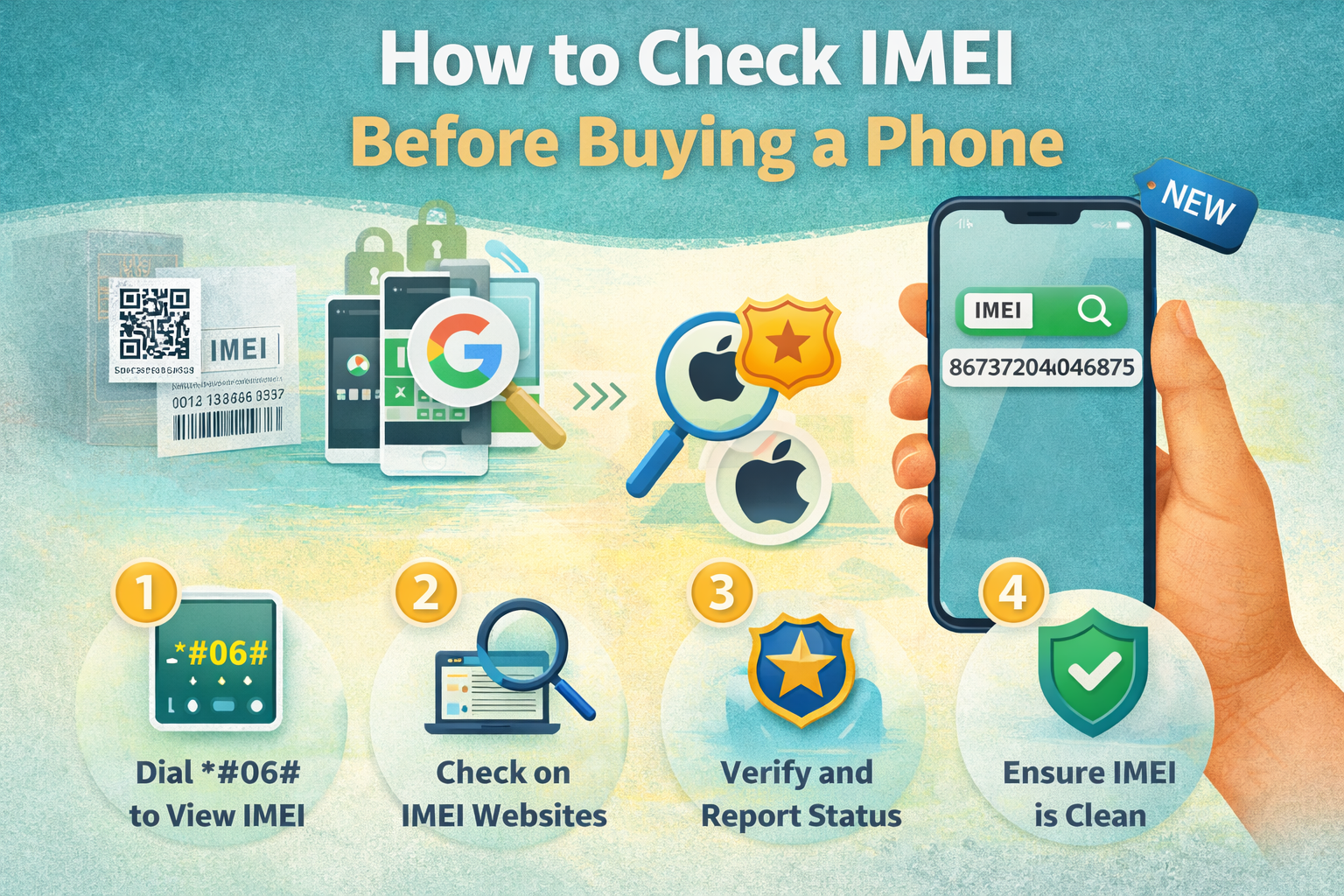
Learn how to check IMEI before buying a phone in India — online, offline, new or used — to ensure it’s genuine, legal, and safe to use.
Comparison Advice
- Compare final checkout price, not only MRP.
- Compare the same RAM and storage variant.
- Check return window and warranty activation.
- Shortlist 2-3 alternatives before buying.
Mistakes to Avoid
- Buying only because of high megapixel count.
- Ignoring storage variant and expandable storage support.
- Ignoring charger availability in the box.
- Not checking 5G bands and service support.
Deal Advice
- Wait for bank offers if the phone is newly launched.
- Use exchange only when the old phone value is fair.
- Check both Amazon and Flipkart before final purchase.
- Avoid unknown sellers even if the price looks lower.
Why IMEI Check Is Mandatory Before Buying a Phone
IMEI (International Mobile Equipment Identity) is a unique ID for every mobile phone.
If you buy a phone with a blocked or fake IMEI, it can stop working on Indian networks anytime — even if it’s brand new or sealed.
What Is IMEI?
IMEI is a 15-digit unique number assigned to every mobile device.
Indian telecom operators use IMEI to track lost, stolen, duplicate, or illegal phones.
- 📱 Single-SIM phone → 1 IMEI
- 📱 Dual-SIM phone → 2 IMEIs (IMEI1 + IMEI2)
- ⚠️ If IMEI is blocked, phone will not get network
How to Find IMEI Number
- Dial *#06# on the phone (works on all phones)
- Check phone box label (IMEI printed near barcode)
- Go to Settings → About Phone → IMEI
- Check SIM tray or back panel (some models)
How to Check IMEI Online (Official India Method)
India has an official government IMEI verification system called CEIR (Central Equipment Identity Register).
Always use this site — it is free and official.
- 1️⃣ Visit: https://www.ceir.gov.in
- 2️⃣ Click **Know Your Mobile** or Application -> IMEI Verification
- 3️⃣ Enter the 15-digit IMEI number
- 4️⃣ Submit and check status
Godealio buying framework
This guide is built to help Indian buyers make a practical decision on how to check imei before buying a phone (india guide 2026) without relying only on marketing claims.
Before buying, compare the final checkout price, RAM and storage variant, warranty coverage, bank offer, exchange value and seller rating.
- Check the exact model number and storage variant.
- Prefer higher storage if you plan to keep the phone for 3 years or more.
- Do not judge camera quality only by megapixels.
- Compare final effective price after bank and exchange offers.
Who should use this guide?
This page is useful for buyers who want a simple shortlist, not just a long specification table.
The recommendations are grouped by real-world use cases such as camera, battery, gaming, display, software support and long-term ownership.
Deal checklist before purchase
- Confirm the seller is trusted and return policy is available.
- Check whether charger, cable or case is included in the box.
- Check 5G band support if you use Jio or Airtel 5G.
- Read recent reviews for heating, battery drain and camera issues.
- Compare Amazon and Flipkart prices before ordering.
Frequently Asked Questions
Can a blocked IMEI phone work later?
No. Once blocked, the phone will not work on Indian networks unless officially unblocked by authorities.
Is CEIR IMEI check free?
Yes. The CEIR website is completely free and official.
Should I check IMEI for phones bought from Amazon or Flipkart?
Yes. Although rare, it’s still recommended to verify IMEI after delivery and before heavy use.
Can fake phones have real IMEI numbers?
Yes. Some fake phones use duplicated IMEIs, which can get blocked later.
What is the most important check in How To Check Imei Before Buying Phone?
The most important check is to confirm seller credibility, invoice, warranty and product condition before you complete payment or accept delivery.
Can I rely only on online ratings?
No. Ratings help, but you should also check recent reviews, seller details, return policy and warranty coverage.
What should I do if something looks suspicious?
Do not share OTP or complete payment. Take photos or video proof, contact support and request replacement or cancellation where applicable.
How should I choose from how to check imei before buying a phone (india guide 2026)?
Start with your budget and main use case, then compare battery, camera, storage, software support, service network and final checkout price.
Should I wait for sale offers before buying?
Yes, if the phone is not urgent. Bank discounts, exchange bonuses and festive sale prices can change the value significantly.
What is the safest storage option for long-term use?
For most users, 128GB is the minimum practical option. Heavy camera, video and gaming users should prefer 256GB or higher.
Related Reading on Godealio
- Is refurbished phone safe to buy?
- Common mobile scams in India
- Mobile buying filters
- Compare phones
- Latest mobile offers
- All mobile guides
- All mobiles
- How To Check Phone Camera Before Buying
- How To Check Phone Display Before Buying
- How To Check Used Phone Before Buying
- POCO X8 Review (2026): Is It Worth Buying in India?
- Realme GT 7 Review (2026): Is It Worth Buying in India?
- Nothing Phone (4a) Pro (Black, 256 GB)(12 GB RAM) Review (2026): Worth Buying in 2026?
More Guide Details
Featured
false