
Battery Health Explained: How to Check, Improve & Extend Your Phone Battery Life
Everything you need to know about smartphone battery health, charge cycles, battery aging, charging habits and extending battery lifespan.
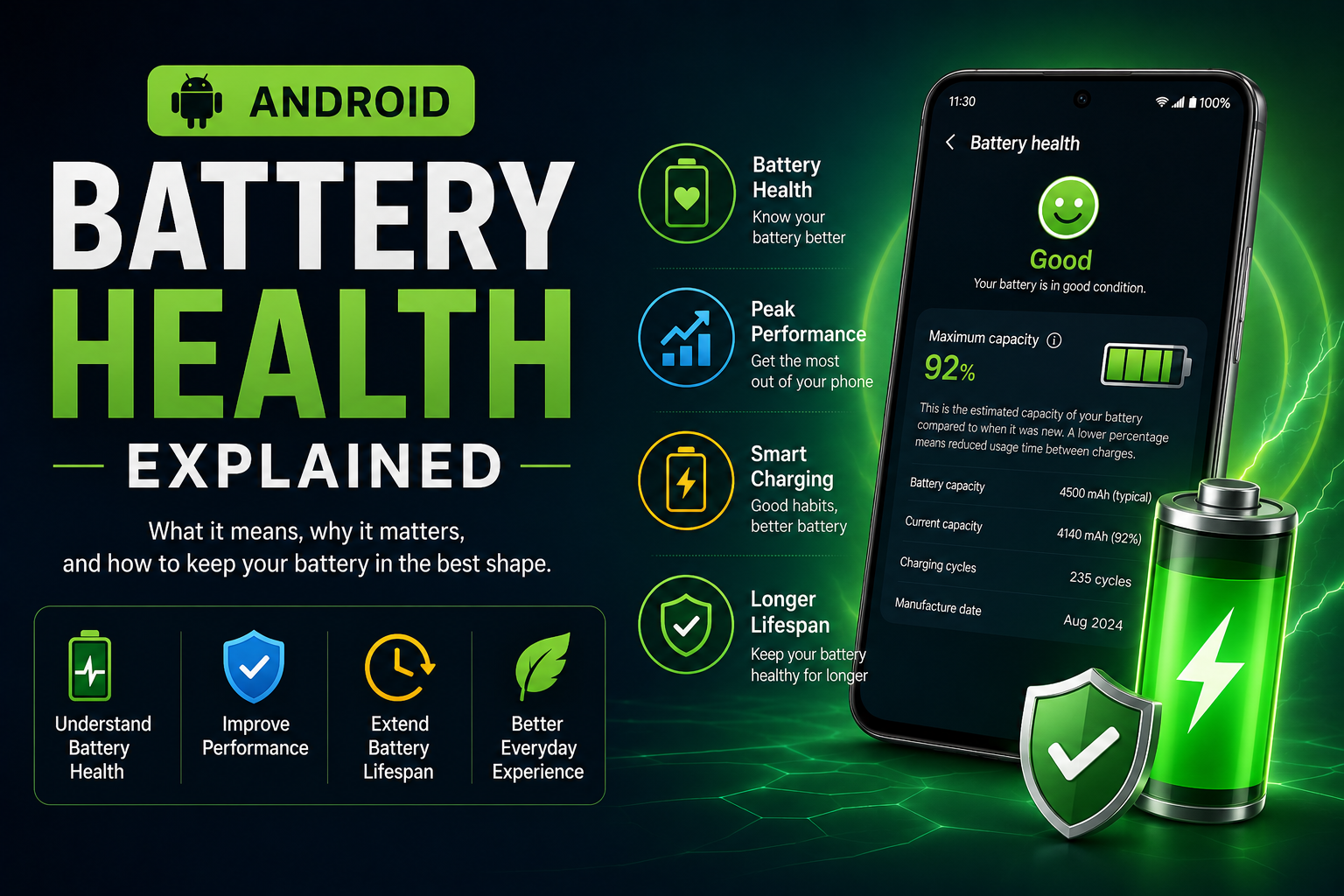
Battery health represents the remaining capacity and performance of your smartphone battery compared to when it was new. This guide explains how lithium-ion batteries age, what affects battery health, how to check battery health on different Android brands, charging myths, battery protection features, and practical tips to maximize battery lifespan.
Guide Overview
- Guide type
- Evergreen
What Is Battery Health?
Battery health measures the remaining usable capacity of a lithium-ion battery compared to when it was new.
Every smartphone battery slowly loses capacity with age. This process is completely normal and happens in every lithium-ion battery.
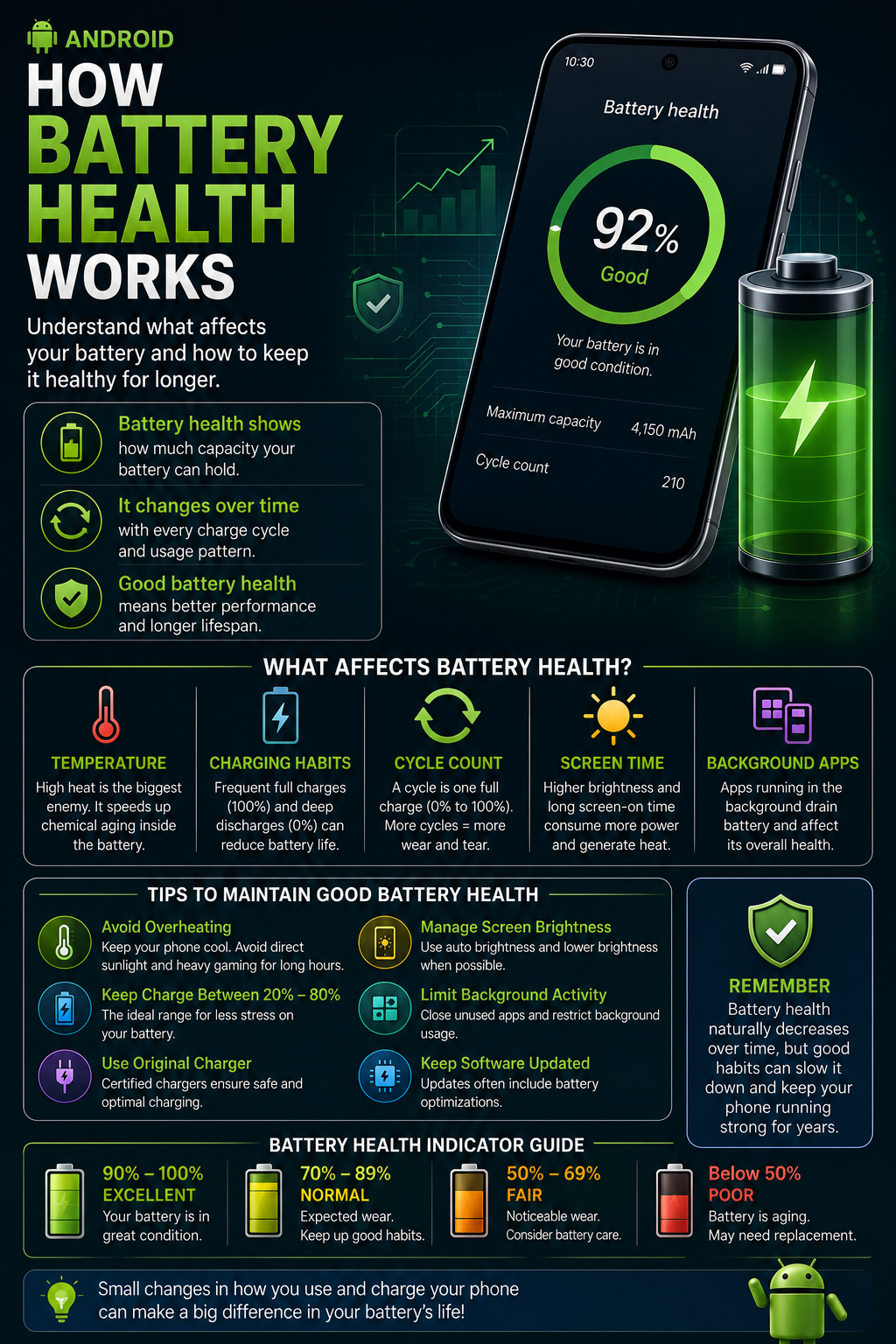
Battery health is usually shown as a percentage. A new battery starts close to 100%, while older batteries gradually decline after hundreds of charge cycles.
When battery health decreases, your phone may not last as long between charges, and performance may be reduced to prevent unexpected shutdowns.
Battery health is different from the current battery percentage shown in the status bar. Battery percentage changes throughout the day, while battery health changes slowly over months or years.
The rate of battery degradation depends on temperature, charging habits, workload, and battery chemistry rather than a single factor.
How Lithium-Ion Batteries Work
Modern smartphones use lithium-ion batteries because they provide high energy density, fast charging support and long service life.
Lithium ions move between the anode and cathode during charging and discharging.
Every complete charge and discharge slightly changes the internal chemistry.
These chemical changes accumulate over time and gradually reduce battery capacity.
Manufacturers include advanced battery-management systems to control voltage, current and temperature for improved longevity.
Although batteries cannot avoid aging completely, good charging habits help slow the process.
Battery Capacity Explained
Battery capacity is measured in milliamp-hours (mAh) and indicates how much energy the battery can store.
A 5000mAh battery stores more energy than a 4000mAh battery under similar conditions.
As batteries age, the usable capacity decreases even though the printed capacity remains the same.
For example, a battery originally rated at 5000mAh may only hold around 4500mAh after extended use.
Reduced capacity directly affects screen-on time and overall battery backup.
Capacity loss is gradual and becomes more noticeable after several hundred charge cycles.
Understanding Charge Cycles
Battery aging is commonly measured using charge cycles rather than calendar age.
One charge cycle represents using 100% of the battery's capacity, not necessarily in a single charging session.
Two separate 50% discharges together count as one complete charge cycle.
Modern smartphone batteries typically retain around 80% capacity after several hundred charge cycles.
Frequent partial charging is completely normal and does not significantly increase wear.
Cycle count is one of the most important indicators of long-term battery health.
Battery Health vs Battery Percentage
These two values are often confused but represent different things.
Battery percentage shows the remaining charge available right now.
Battery health indicates the battery's long-term condition.
A phone can display 100% charge even if battery health has dropped to 85%.
Battery health changes slowly over months or years, while battery percentage changes throughout the day.
Understanding the difference helps avoid unnecessary concern about normal battery behavior.
Why Battery Health Decreases
Battery degradation is a natural process caused by chemical aging and regular usage.
Every lithium-ion battery slowly loses capacity from the day it is manufactured.
Repeated charging and discharging causes tiny chemical changes inside the battery cells.
High temperatures accelerate these chemical reactions and increase battery wear.
Even if you rarely use your phone, battery health gradually declines over time.
Proper charging habits can slow degradation but cannot completely stop battery aging.
Heat Is the Biggest Enemy
Excessive heat affects battery health more than normal charging.
High temperatures speed up chemical aging inside lithium-ion batteries.
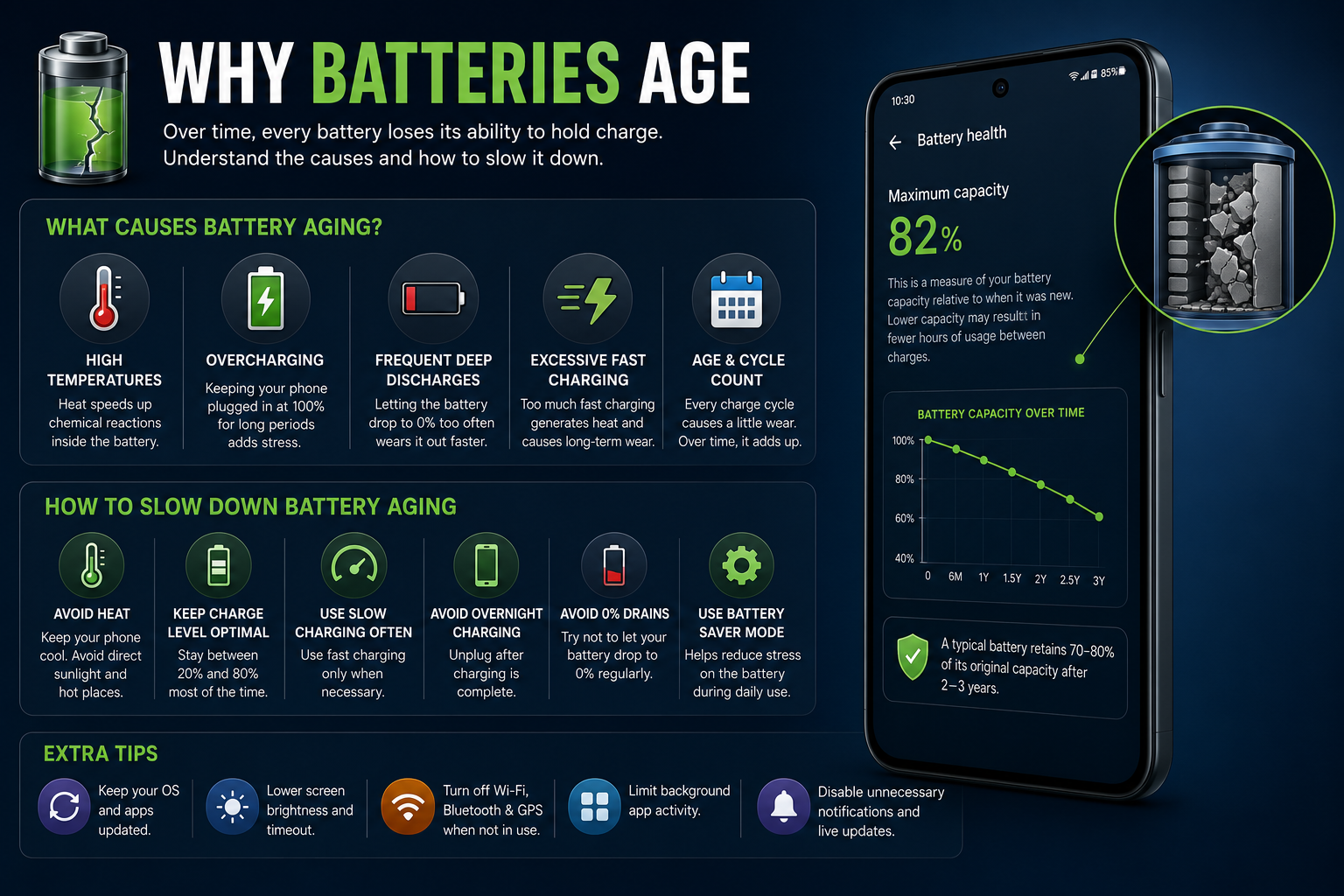
Gaming while charging, direct sunlight, poor ventilation and thick cases can increase heat.
Most smartphones automatically reduce charging speed when temperatures become too high.
Repeated exposure to high temperatures permanently reduces battery capacity.
Keeping your phone cool is one of the best ways to extend battery lifespan.
Does Fast Charging Reduce Battery Health?
Modern fast charging is generally safe because smartphones intelligently manage charging speed.
Fast charging itself is not the primary reason batteries age.
Heat generated during charging has a much greater impact.
Phones automatically reduce charging speed as the battery approaches full capacity.
Using official or certified chargers ensures safe charging performance.
Avoid counterfeit chargers that may not include proper safety protections.
Wireless Charging and Battery Health
Wireless charging is convenient but usually generates more heat than wired charging.
Wireless charging transfers energy using electromagnetic induction.
Some energy is lost as heat during wireless charging.
Modern Qi chargers include temperature monitoring and safety features.
Wireless charging does not significantly damage batteries when used properly.
Keeping the phone aligned correctly improves charging efficiency.
Is Overnight Charging Safe?
Modern smartphones automatically stop charging when the battery reaches full capacity.
Most Android phones include adaptive charging features.
Charging resumes only when necessary to maintain battery level.
Battery protection features may limit charging to around 80% until your wake-up time.
Using original chargers further improves charging safety.
Avoid covering the phone while charging overnight.
Gaming While Charging
Gaming while charging increases heat because both the processor and battery generate heat simultaneously.
High-performance games require more CPU and GPU power.
Charging adds additional thermal load.
Combined heat may reduce charging speed automatically.
Long gaming sessions while charging accelerate battery aging.
Allow the phone to cool periodically during heavy gaming.
Does Battery Calibration Improve Health?
Battery calibration only improves battery percentage accuracy and cannot restore lost capacity.
Calibration resets software estimates.
It does not repair battery chemistry.
Modern Android phones rarely require calibration.
Frequent calibration is unnecessary.
Replace the battery if health has significantly deteriorated.
Signs Your Battery Health Is Declining
Several symptoms indicate an aging battery.
Battery drains much faster than before.
Phone unexpectedly shuts down.
Charging becomes slower.
Battery percentage fluctuates unexpectedly.
Phone becomes unusually warm during normal use.
How to Check Battery Health
Battery health availability varies between manufacturers.
Some Android phones include battery diagnostics in Settings.
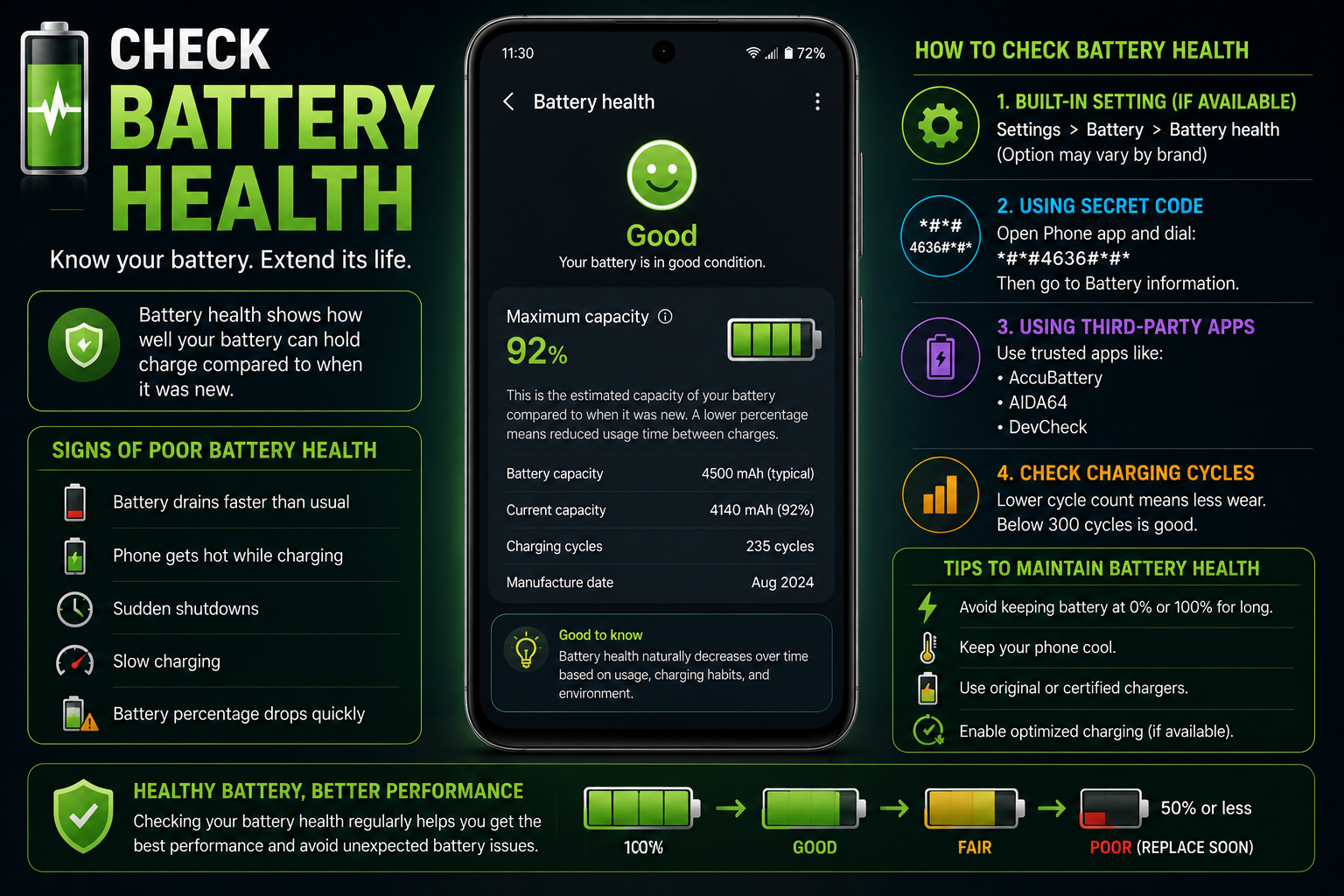
Samsung provides battery diagnostics through Device Care and Samsung Members.
Google Pixel devices provide battery diagnostics on supported models.
Some brands require service menus or diagnostic applications.
Third-party apps estimate battery condition but cannot always read actual health values.
Battery Health by Brand
Battery health features vary across Android manufacturers.
Battery Protection Features
Modern Android phones include intelligent charging features.
Adaptive Charging learns your charging habits.
Charging limits reduce time spent at 100%.
Temperature monitoring protects the battery.
Charging speed is adjusted automatically.
Battery protection improves long-term lifespan.
How to Improve Battery Health
Simple habits can significantly reduce long-term battery wear.
When Should You Replace Your Battery?
Battery replacement becomes necessary when capacity loss affects daily usability.
Most smartphone batteries last between 2 and 4 years depending on usage.
Battery health below approximately 80% may noticeably reduce battery backup.
Unexpected shutdowns, swelling or excessive heating indicate that professional battery replacement should be considered.
Always use genuine replacement batteries through authorized service centers.
Replacing an aging battery often restores battery life close to the original experience.
Common Battery Health Myths
Many battery tips found online are outdated or inaccurate.
Best Charging Habits
Following good charging habits helps maximize long-term battery health.
Common Mistakes That Reduce Battery Life
Using damaged charging cables.
Keeping the phone in direct sunlight.
Using poor-quality chargers.
Ignoring battery swelling.
Playing heavy games while charging.
Leaving phones inside hot vehicles.
Constant exposure to high temperatures.
Battery Health Troubleshooting
Issues
Problem
Battery drains quickly
Solution
Check battery usage, background apps, brightness and battery health.
Problem
Phone heats while charging
Solution
Remove thick cases, stop gaming and use a certified charger.
Problem
Charging is slow
Solution
Inspect charger, cable, charging port and temperature.
Problem
Battery percentage jumps suddenly
Solution
Restart the phone or recalibrate only if readings are clearly inaccurate.
Problem
Unexpected shutdowns
Solution
Battery replacement may be required if health has significantly degraded.
Final Verdict
Battery health naturally declines with age, but proper charging habits can significantly slow degradation.
Heat management is more important than avoiding fast charging.
Use genuine chargers and cables whenever possible.
Enable adaptive charging and battery protection features.
Do not worry about occasional charging to 100%.
Replace the battery when health has declined enough to affect daily use.
Frequently Asked Questions
What is battery health?
Battery health measures how much of the original battery capacity remains.
Is 90% battery health good?
Yes. A battery at 90% health is still considered to be in very good condition.
Is 80% battery health normal?
Yes. Many manufacturers consider around 80% capacity after several hundred charge cycles to be normal.
Does fast charging reduce battery health?
Not significantly. Excessive heat has a much larger impact than charging speed.
Does wireless charging damage batteries?
Wireless charging is generally safe, although it may generate slightly more heat than wired charging.
Should I charge my phone to 100%?
Charging to 100% occasionally is perfectly fine. Modern phones manage charging safely.
Should I let my battery reach 0%?
No. Regular deep discharges are unnecessary for lithium-ion batteries.
Can battery health be restored?
No. Battery degradation is permanent and cannot be reversed through software.
When should I replace my phone battery?
Consider replacement when battery health is low enough to noticeably affect battery life or if swelling occurs.
Do battery saver apps improve battery health?
No. They may reduce power consumption but cannot improve battery health.
More Guide Details
Reading Time
20-25 minutes
Last Updated
2026-07-19
Author
Name
Godealio Editorial Team
Type
Organization
Images
Role
hero
Path
/images/guides/battery-health-explained.png
Alt
Battery Health Explained
Role
section
Path
/images/guides/how-battery-health-works.png
Alt
How Battery Health Works
Role
section
Path
/images/guides/battery-aging.png
Alt
Battery Aging
Role
section
Path
/images/guides/check-battery-health.png
Alt
Check Battery Health
Role
section
Path
/images/guides/improve-battery-health.png
Alt
Improve Battery Health
Quick Answer
Question
What is battery health?
Answer
Battery health measures how much of the battery's original capacity remains after months or years of use. A battery at 100% health performs like new, while lower percentages indicate natural wear.
Related Guides
- /guides/android-battery-calibration
- /guides/android-battery-drains-overnight
- /guides/fast-charging-myths
- /guides/wireless-charging-explained
- /guides/improve-android-battery-life
Schema
Article
@Context
https://schema.org
@Type
Article
Headline
Battery Health Explained: How to Check, Improve & Extend Your Phone Battery Life
Author
@Type
Organization
Name
Godealio Editorial Team
Publisher
@Type
Organization
Name
Godealio
Faq
@Context
https://schema.org
@Type
FAQPage
Howto
@Context
https://schema.org
@Type
HowTo
Name
How to Improve Smartphone Battery Health
Breadcrumb
@Context
https://schema.org
@Type
BreadcrumbList
Featured
false